

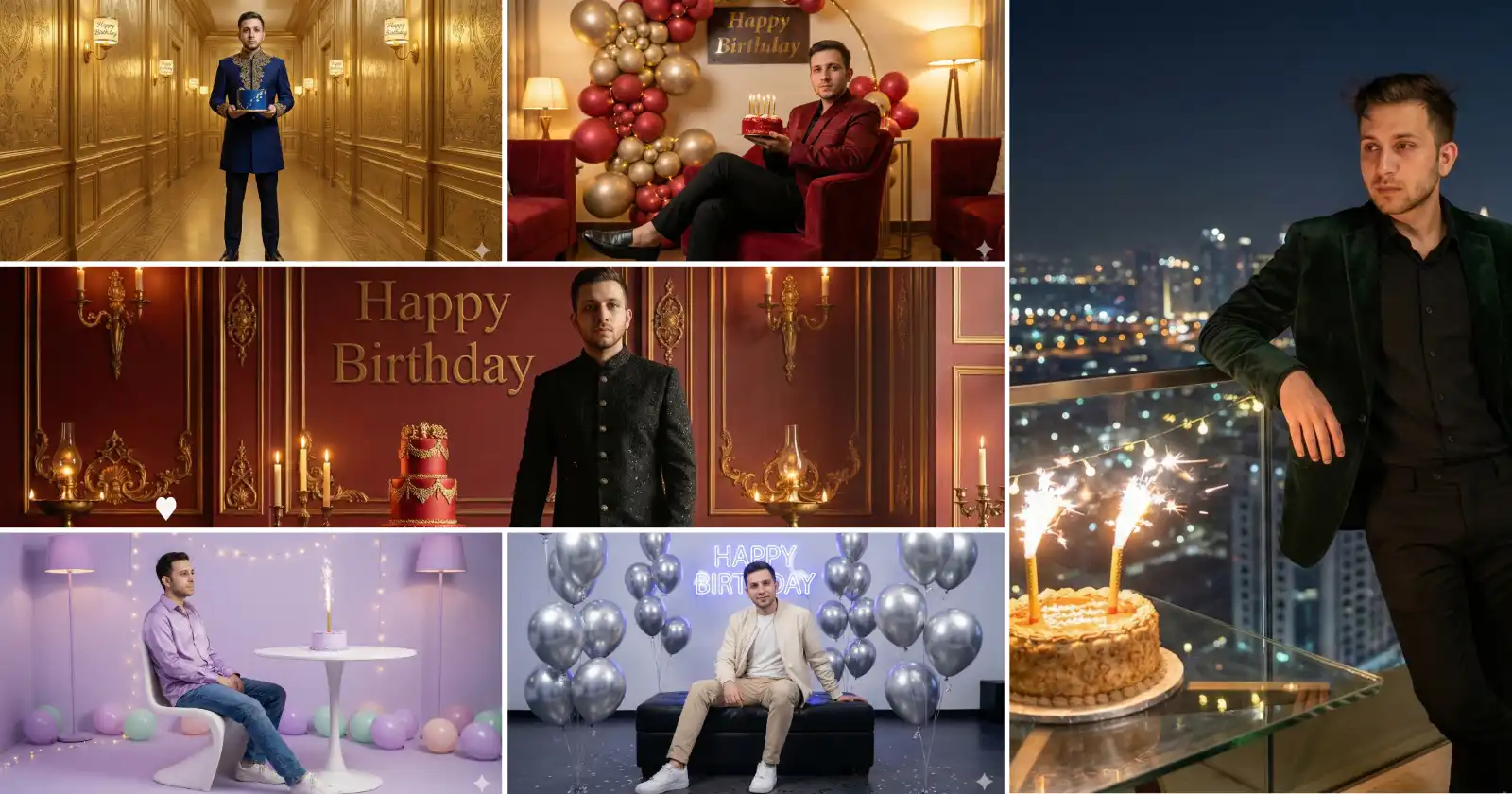
Gemini, or you can say Nano Banana Pro, has taken it’s realism and creativity so far that it has become one of the most used AI image generating model this month to generate all kind of images.
People are creating amazingly attractive festival images, wedding and event images, couple images and so on.
But I think, one of the most precious moment we celebrate is a birthday. Birthday of our parent, children, siblings, friends and many more. That is why, here are my own created 8 Gemini birthday prompts for a truly magical celebration experience this year.
You won’t only get the prompts, but the results, and a step by step tutorial at end where you will come to know how exactly to execute the steps in order to get a perfect birthday image for you loved one.
Key Takeaways:
- All the prompts are provided along with an output generated during the test of that particular prompt.
- A step by step tutorial is also included at the very end, just in case you don’t know where exactly to go and paste these prompts in order to get the desired results.
- Although all the examples in this tutorial feature males, they can also be applied to females.
1. Chrome Balloon Lounge Setup
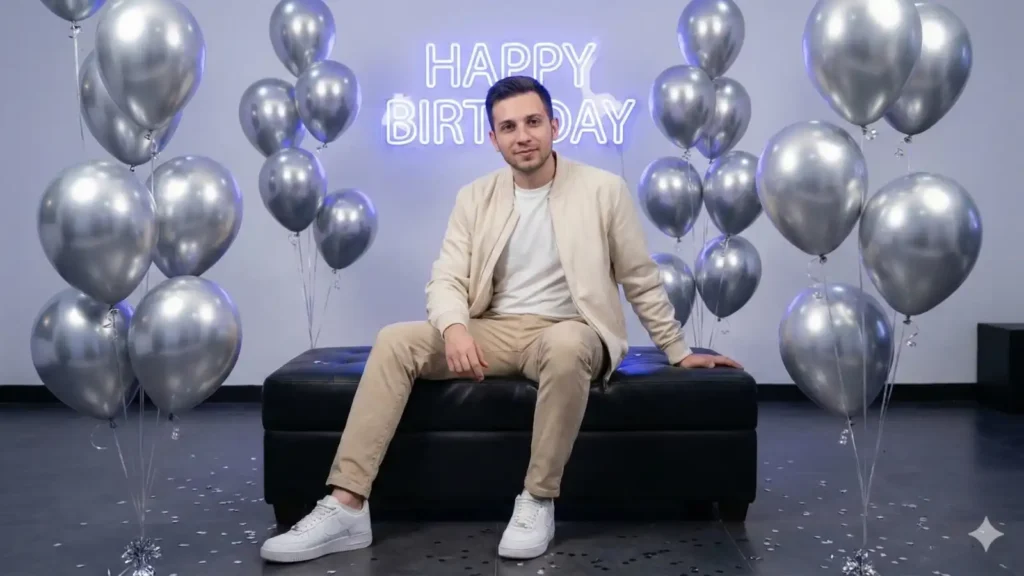
Prompt: “A modern birthday lounge photoshoot of me (same face & hairstyle as reference). I’m sitting on a low black leather ottoman, surrounded by chrome silver balloons floating at different heights. A glowing neon ‘Happy Birthday’ sign hangs behind me. I’m wearing a relaxed cream bomber jacket, white t-shirt, beige pants, and white sneakers. Soft diffused studio lighting with cool undertones, minimal confetti, clean aesthetic, stylish and contemporary. -16:9″
2. Candlelit Minimal Birthday Portrait
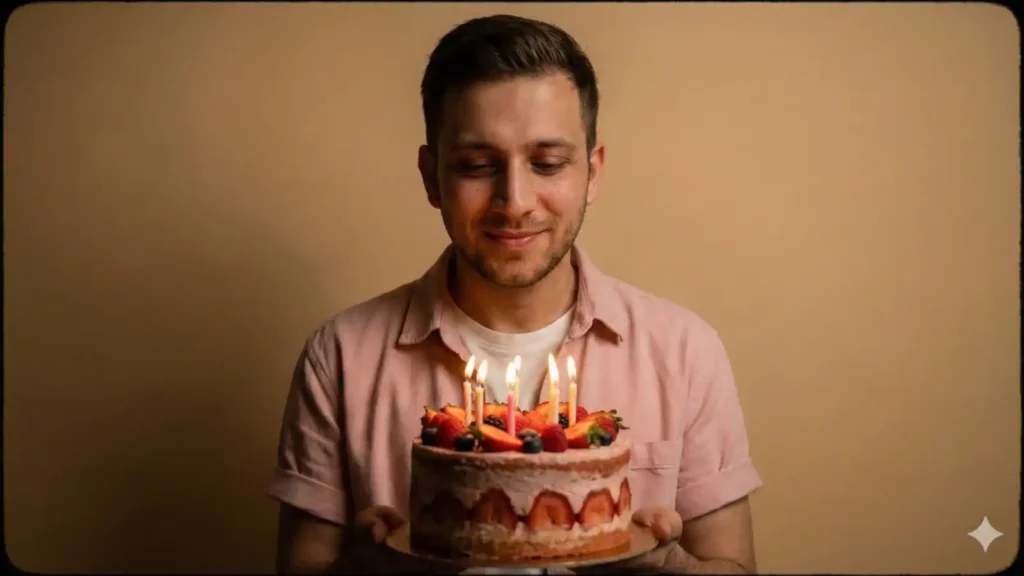
Prompt: “A clean, aesthetic portrait against a smooth sand-colored wall. I’m standing close to the camera holding a single-tier strawberry cake with soft wax candles (no number candles). The candles create a warm glow on my face with a little natural smile. I’m wearing a pastel pink overshirt with rolled sleeves and a white inner tee. The lighting is calm and moody, with a narrow vignette around the edges. The whole scene feels simple, intimate, and cinematic—less party, more emotional. -16:9.”
3. Soft Lavender Room Celebration
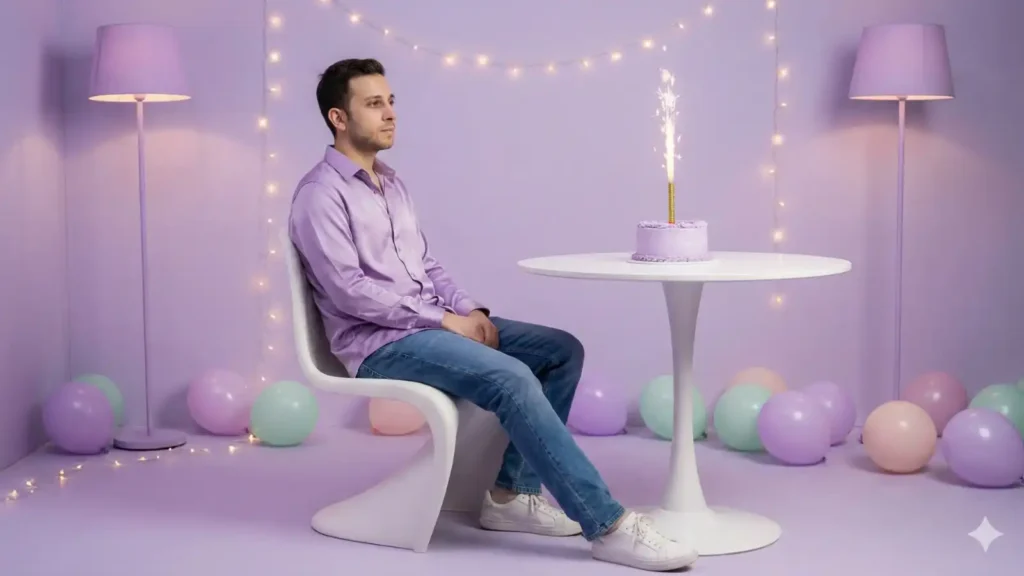
Prompt: “Ultra-realistic portrait in a lavender-toned studio room. Keep my face and hairstyle the same. I’m sitting sideways on a curved modern white chair, wearing a lavender satin shirt over jeans, and white sneakers. A small lavender cake with a single sparkler sits on a round table beside me. The room has lavender floor lamps, soft glowing fairy lights, and scattered balloons in matte pastel tones (no shiny balloons). Gentle diffused lighting, dreamy calm atmosphere.”
4. Luxury Black Carpet Birthday Shot
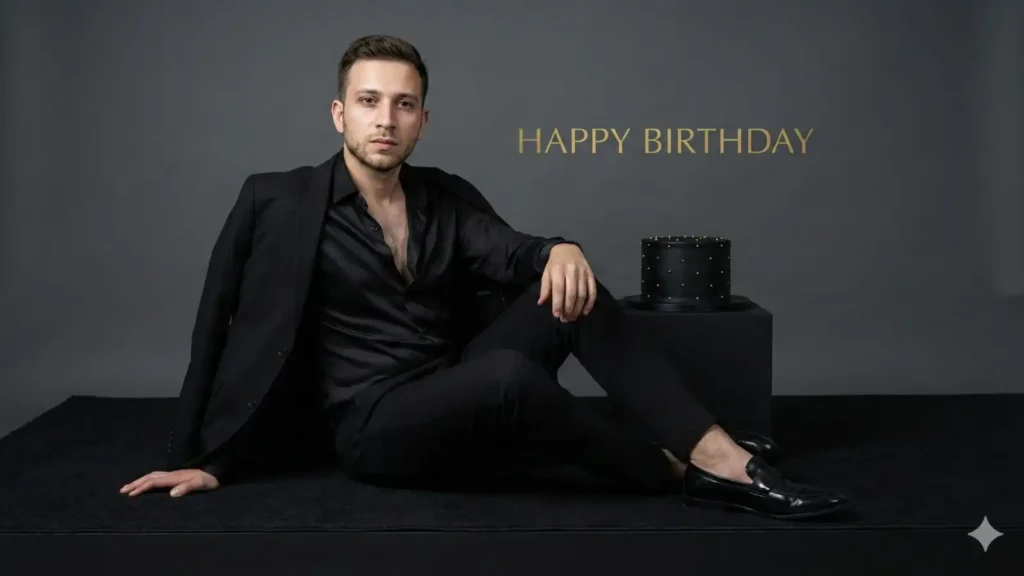
Prompt: “A high-end editorial portrait set on a matte black carpet in front of a soft charcoal-gray backdrop. Keep my face unchanged. I’m seated on a low black platform, leaning slightly back with one hand on the floor. I’m wearing a black silk shirt unbuttoned at the top, a fitted blazer draped over my shoulders, tailored pants, and polished black loafers. A minimalist all-black cake with tiny golden studs rests on a small pedestal beside me. Subtle soft-box lighting, luxury magazine style, quiet sophistication. On the wall, in huge golden letters engraved ‘Happy Birthday.’ -16:9”
5. Warm Red Lounge Portrait
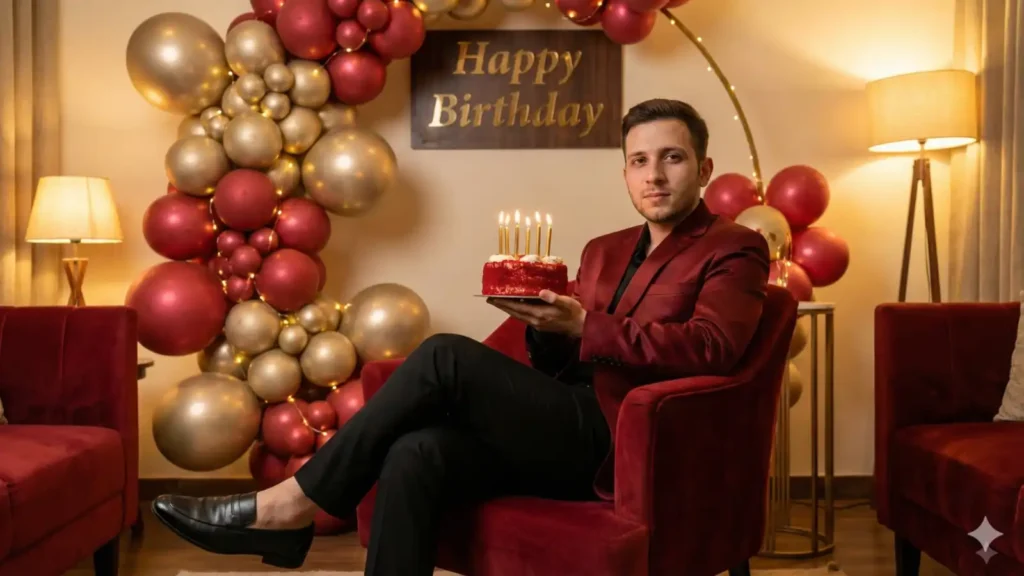
Prompt: “A cozy, warm-toned birthday portrait in a red-and-gold decorated room. Same face and hair. I’m sitting in a relaxed pose on a velvet red armchair wearing a dark red satin jacket, black trousers, and loafers. I’m holding a small round red birthday cake with golden candles. Behind me is a balloon arrangement in matte red and champagne gold with string lights woven through it, and in golden letters engraved ‘Happy Birthday’. Soft warm lighting creates a comfortable, stylish vibe—more lounge than photoshoot. -16:9”
6. Royal Gold Hallway Birthday Look
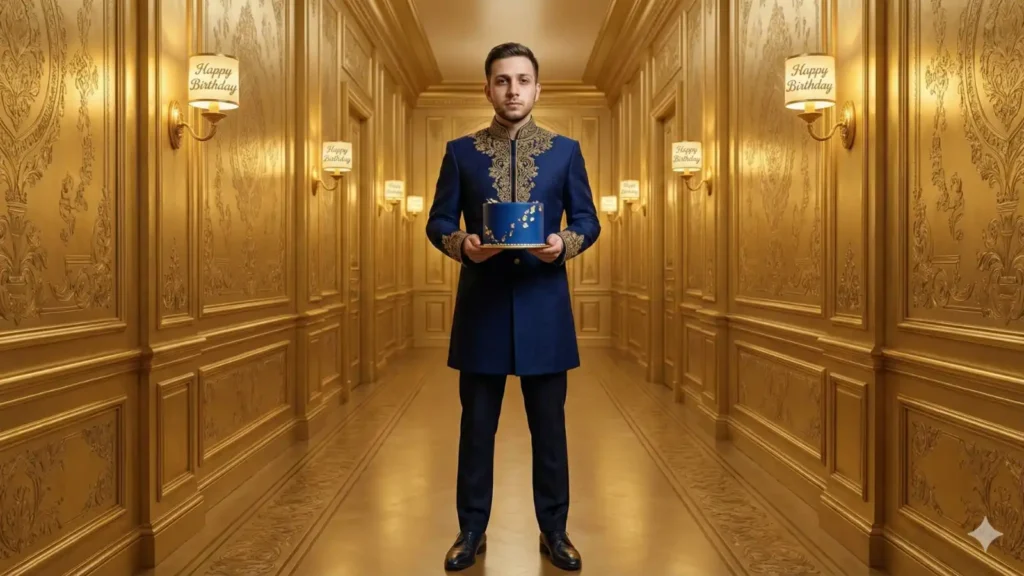
Prompt: “A majestic portrait in a long golden hallway with ornate patterns on the walls. Keep my face exactly the same. I’m standing confidently in the center wearing a navy blue structured coat with gold embroidery, tailored trousers, and leather shoes. I’m holding a compact royal blue cake with small gold accents. Golden candles and letters ‘Happy Birthday’ engraved on wall sconces illuminate the corridor with warm royal lighting—elegant, grand, and noble. -16:9”
7. Skyline Terrace Birthday Moment

Prompt: “A night-time birthday portrait on a high rooftop terrace. I’m leaning casually on a railing overlooking the glowing city skyline. Keep my face unchanged. I’m wearing a dark green velvet jacket, black shirt, and slim trousers. A medium-sized birthday cake with two sparklers sits on a glass table beside me. Soft lanterns, string lights, and the city glow create a cinematic modern luxury vibe. Light wind adds a natural feel. -16:9”
8. Heritage Red Room Celebration
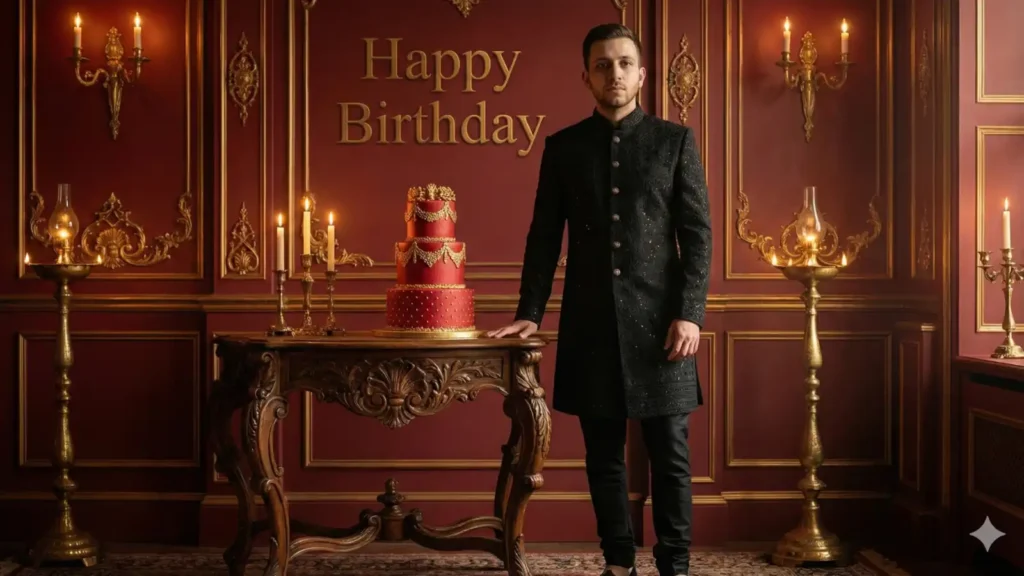
Prompt: “A heritage-inspired birthday portrait inside a red-walled antique room with golden accents. Same face as reference. I’m standing beside an old carved wooden table where a tall red-and-gold cake is placed. I’m wearing a black embroidered kurta-jacket-style outfit with fitted black pants. Golden lamps, candles, and subtle shadow play create a warm, royal yet cultural feel. The atmosphere is elegant, vintage, and sophisticated. Behind me on the wall, in golden letters ‘Happy Birthday’ are engraved. -16:9”
Step by Step Tutorial:
Now, let’s see how and where to use these prompts to get accurate and desired results.
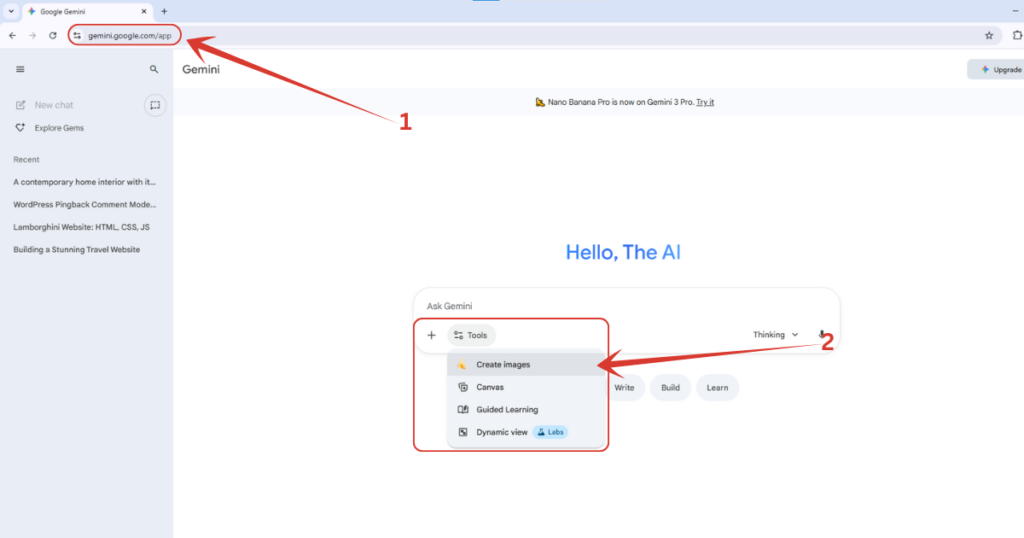
1. First, visit Gemini’s official website on https://gemini.google.com/, then click on “Tools” button down there, and select “Create images” from the dropdown list.
By the way, if you want to claim Gemini Pro for 18 months, all for free, read this tutorial where I have explained it step by step.
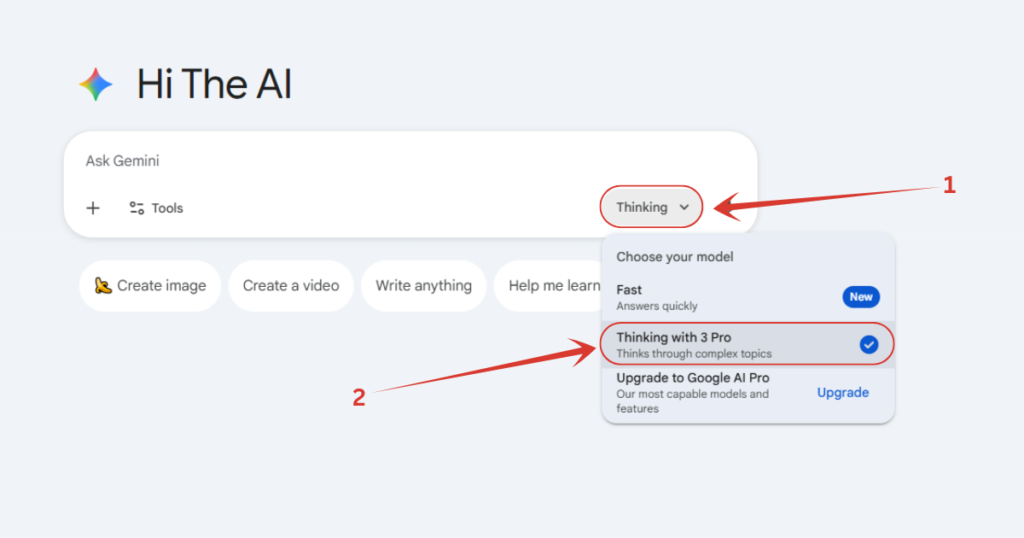
2. Make sure you have selected the Pro model of Gemini. To check whether it’s selected or not, simply click on either “Thinking” or “Fast” button down there, and if it’s set on “Fast”, switch it to “Thinking” with 3 Pro.
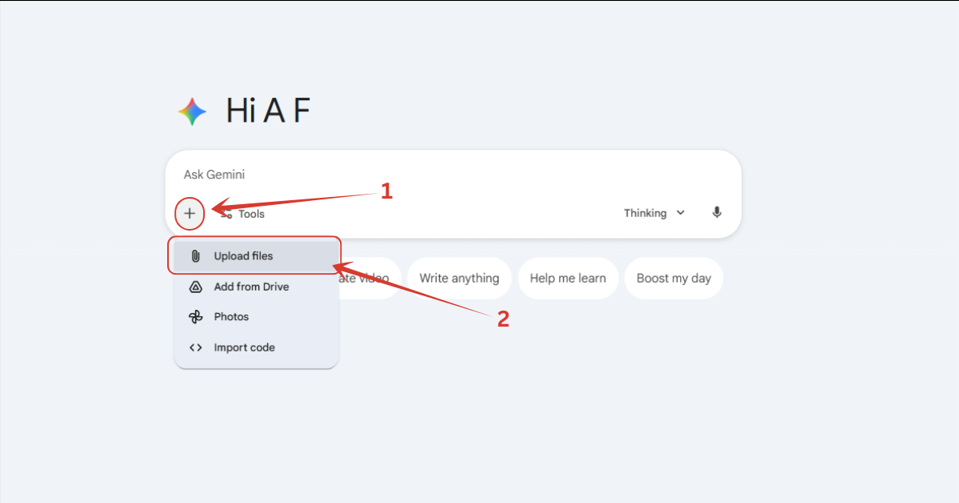
3. Now we have to upload the image of birthday boy. Click on ‘+’ button down there, and click on “Upload files” option, then a pop-up will appear from you local machine, where you have to select your image.
4. After uploading the image, pick any prompt from the above list whichever you like, enter it, wait until the image gets processed, and you are done.
Also Read:
How to Create Birthday Baby AI Photos? Step by Step TutorialHow to Make Trending Selfie with Giant Marvel Heroes? Step by Step Tutorial
People Also Ask:
You can use AI like Nano Banana Pro through Gemini to make amazing birthday wishing visuals. All you need to do is visit Gemini’s official website, select Create Image option, enter your desired output in form of a prompt, or copy any prompt from the given list in this tutorial, and you are done.
All you need is an image of the birthday boy, and a good crafted prompt. Go to Gemini, upload the photo of the boy who’s birthday it is, enter a good birthday style prompt of pick any one from above, hit enter, and wait a few seconds, and you will have it.
Yes, absolutely, but with some minor changes. You can change some words and sentences in the prompt to suit it from a boy to girl, and you are good to go.
Right now, Gemini’s Nano Banana Pro is making exceptionally amazing and fun images for birthday celebration, try it once.
Conclusion
In conclusion, Gemini’s Nano Banana Pro has truly raised the bar when it comes to creating stunning, personalized birthday images.
With its incredible realism and creativity, it’s no surprise that it’s become one of the most popular AI tools for generating eye-catching visuals this month.
Whether you’re planning a birthday for a loved one, or just want to celebrate in style, the 8 prompts provided here offer a range of unique, beautiful settings that can be easily customized for anyone.
With the added benefit of a step-by-step tutorial, you’ll have everything you need to create the perfect birthday image—no matter your experience level with AI.
Just follow the instructions, use the provided prompts, and you’ll be able to surprise someone with a truly magical and memorable birthday moment.
So why not give it a try? Your next birthday celebration could be more than just a gathering—it could be a work of art!




Leave a Reply