

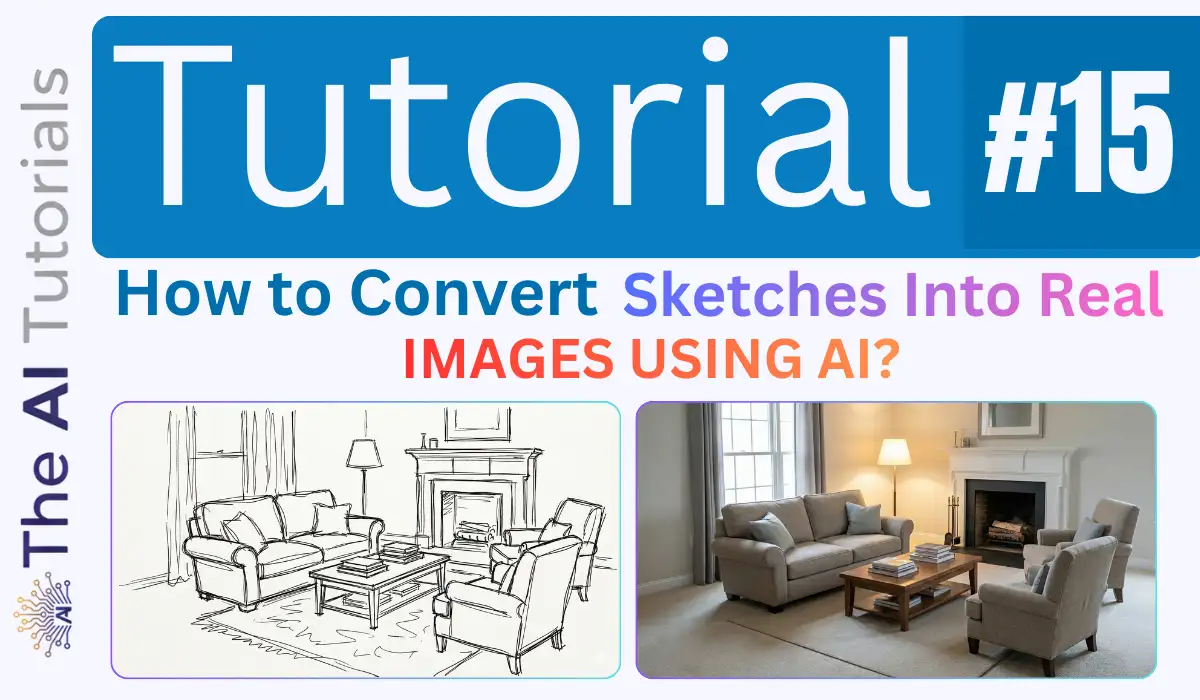
A task which once used to demand an architect and a lots of investment to be completed, now can be done free of cost, above all, within few seconds.
The ease of converting sketches or outlines into a real rendered image isn’t just future of Architect industry, but has pushed the game beyond limits. A skill which used to required days of learning, software and time, now is only asking a few seconds and delivery astonishing results.
More than just a trend, it really is amazing that how AI is not just helping content creators to grow, but also raising a hand to grow the architect industry so fast that were never imagined.
Not just architect, but any tumbled sketch or outline now can be converted into so realistic rendered image that it will look like it actually exist in reality.
Not going too deep into this, let’s see how we too can easily convert anything into a real image. But for instance, will convert a sketch of a living room into an image which will give a feel as if a real living room is captured with a DSLR.
So, let’s get started.
Key Takeaways:
- This method can be used to convert literally sketch or outline of anything into a real image.
- We will be using Nano Banana Pro to convert the sketch or outline.
- This method can be used in the reversed order too in order to generate blueprints and similar stuff.
- Nano Banana Pro can be access from many platforms, but will access it from Gemini itself.
Step by Step Tutorial:
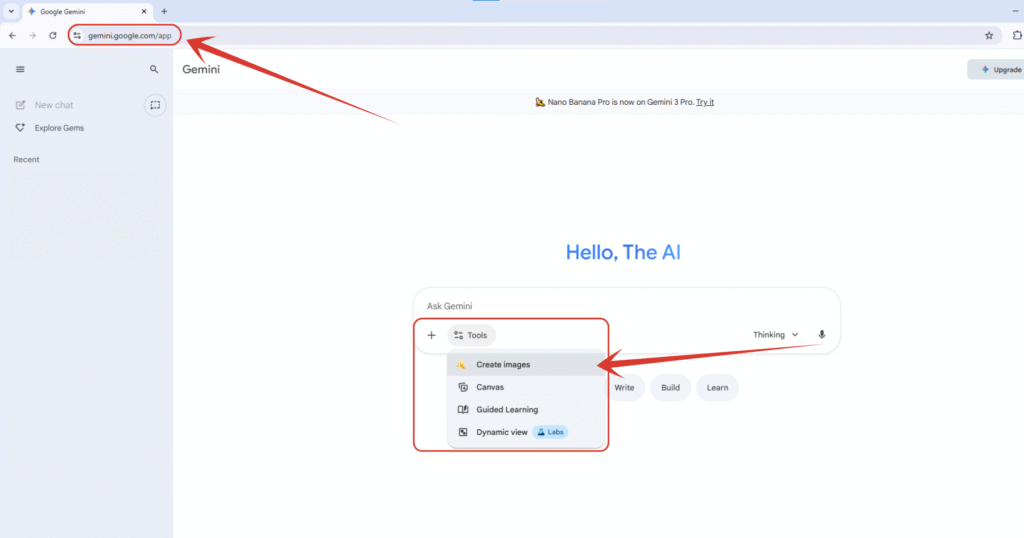
1. We will first head to the official website of Gemini on https://gemini.google.com, then will click on “Tools” button down there, then will select “Create images” to start using Nano Banana Pro.
By the way, if you want to claim Gemini Pro for 18 months, all for free, read this tutorial where I have explained it step by step.
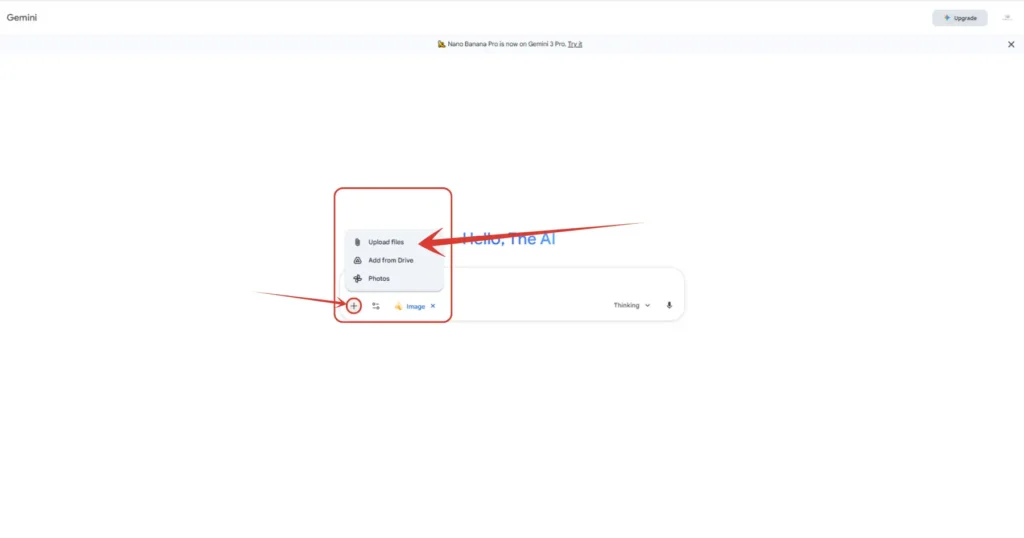
2. Then will click on the ‘+’ icon, and select “Upload files” option, and upload the sketch or outline we made in Nano Banana Pro.
3. As you can see, I have successfully uploaded my sketch of a living room.
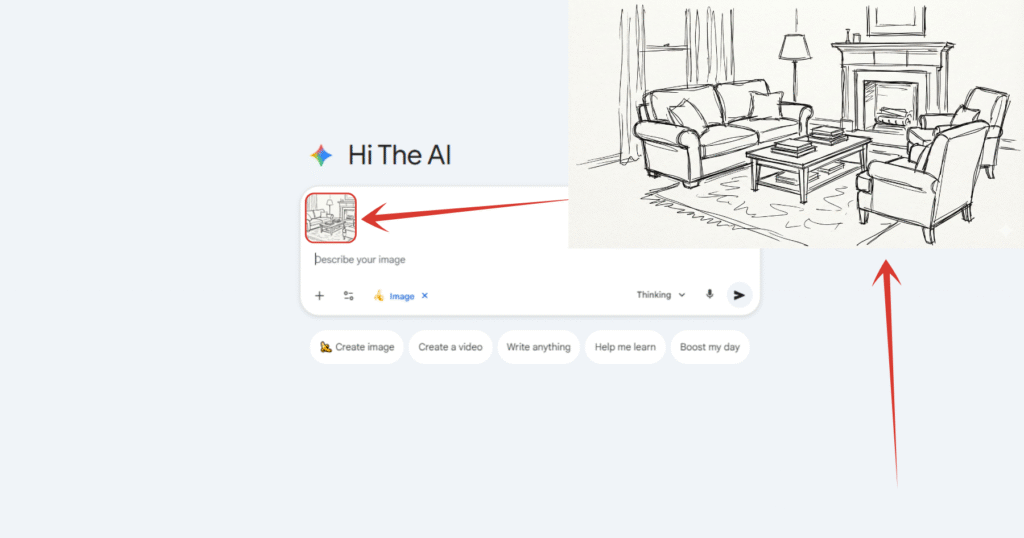
4. Copy this prompt as it as, and paste into the prompt area, then hit enter or click on the arrow button down there.
Prompt:
“Transform this living room sketch into a realistic living room scene in a modern house while keeping everything and every tiny detail in the sketch identical, with bright lighting inside the room, and everything seems so sharp and eye catching as if the photo is taken with a DSLR camera.”
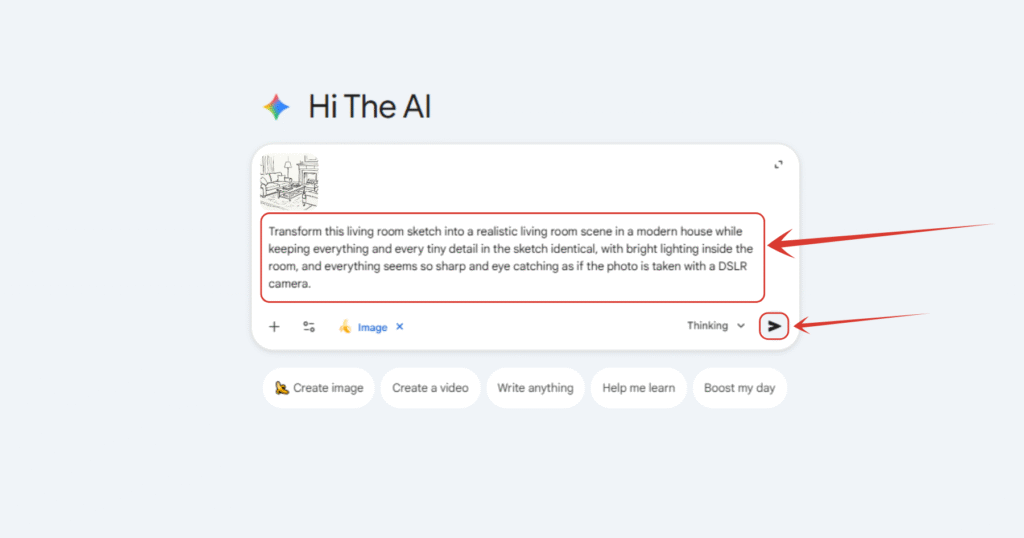
5. And, we are done. We successfully convert a rough tumbled living room sketch into an ultra realistic real living room within few seconds.
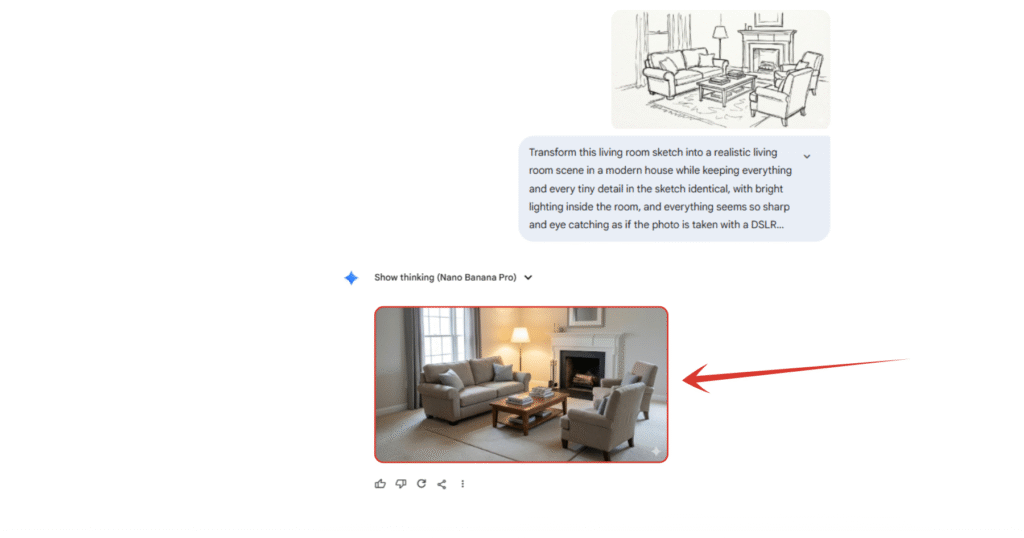
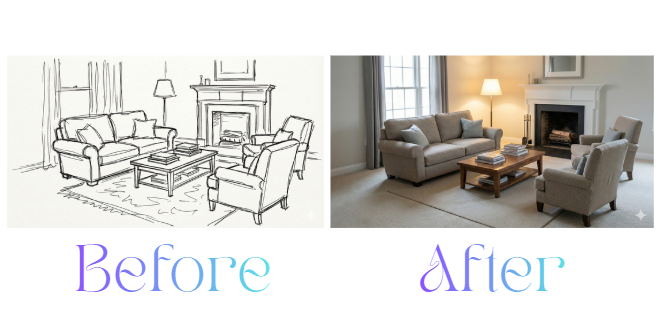
6. You yourself can see the different and the before after results. Isn’t it actually outstanding? Well, this was just a tiny example, now you dig into your mind that what else can be done with this method.
Also Read:
How to Create The Trending 3D Figurine Mockup Using Nano Bana? Step by Step TutorialHow to Create Instagram Trending AI Photos – Step by Step Tutorial
How to Create Trending AI Glowing Girlfriend Photo for Free? Step by Step Tutorial
People Also Ask:
You can use AI tools like Google Gemini (Nano Banana Pro). Just upload a photo of your drawing and ask the AI to “turn this sketch into a realistic image.”
Yes, Google Gemini allows you to generate images for free (up to a certain daily limit). It works great for turning simple outlines into detailed photos.
Absolutely. Many architects now use AI to quickly turn rough blueprints or hand-drawn sketches into realistic 3D-style renders to show clients what a building will look like.
No! Even if your sketch is very messy or simple (like stick figures for furniture), the AI is smart enough to understand what you mean and make it look beautiful.
Conclusion
Turning a simple sketch into a professional-looking photo used to take hours of work by an expert.
Now, with tools like Nano Banana Pro, anyone can do it in seconds for free.
Whether you are an architect, a student, or just someone redecorating their home, this AI trick saves time and helps you visualize your ideas instantly.




Leave a Reply