

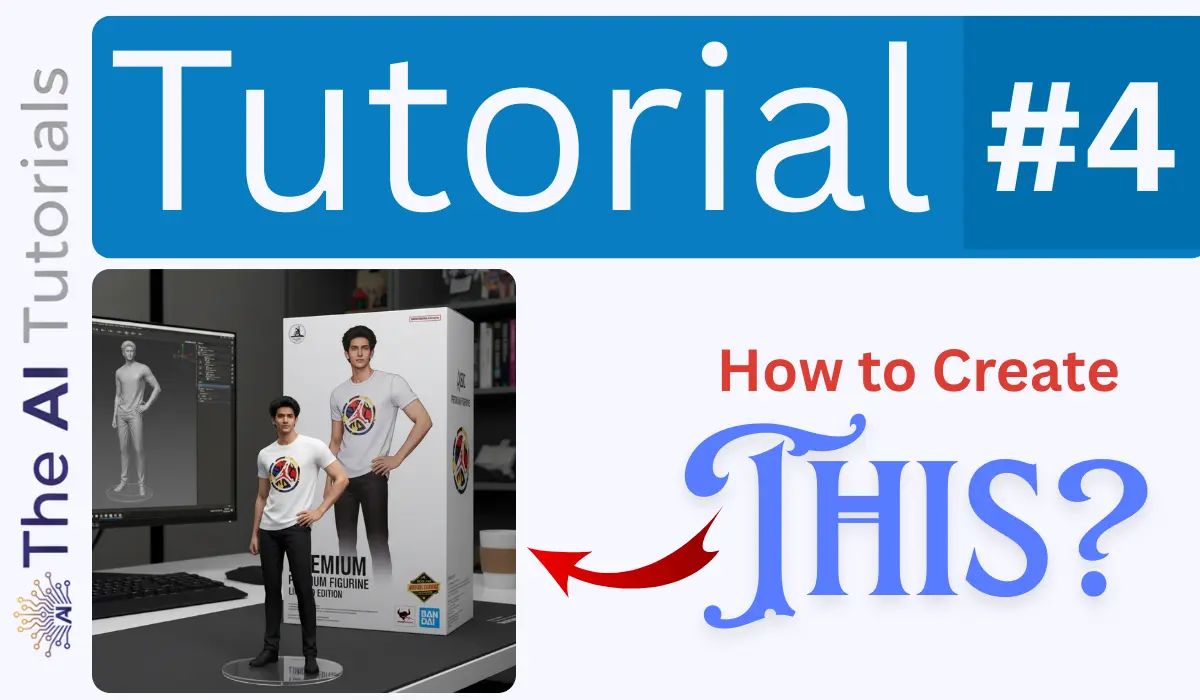
This is AI era, and each week brings a new trend people goes crazy for. Despite the word “trend” itself says it’s limited, yet to get recognized or gain attention, people often involve themselves into these trends.
Whether it’s creating trending photos for Instagram or showing off a glowing neon girlfriend, people are going crazy over everything.
Today we will see how to make the 3D figurine rendering mockup of yourself or any other person using AI, and here specifically, will do it using Google’s Nano Banana.
You can use any good AI image generating tool like Ideogram, Leonardo or any other, but as I have tried this using Nano Banana and have got perfect results, so I will be showing how to do it with it.
Yet, you can use any other model, as it’s all about the prompt, and you will get the prompt here itself in this tutorial.
So, let’s get started, and generate a really cool and trending 3D figurine rendering model of yours.
Key Takeaways
- You can create viral 3D figurine-style renders using Google Gemini’s Nano Banana image model.
- Upload a photo → paste the provided figurine prompt → generate.
- The prompt adds a figurine base, toy-style packaging, and a realistic desk environment.
- Works with any good AI image generator, but Nano Banana gives the most consistent results.
- Great for trendy social posts, profile art, and collectible-style renders.
Step by Step Tutorial
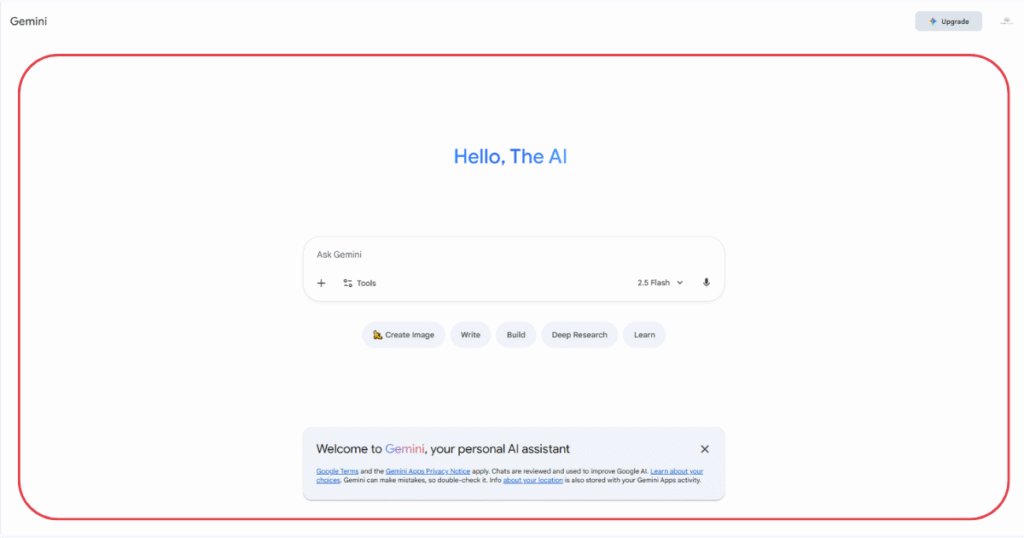
1. First go to Gemini’s official website at https://gemini.google.com.
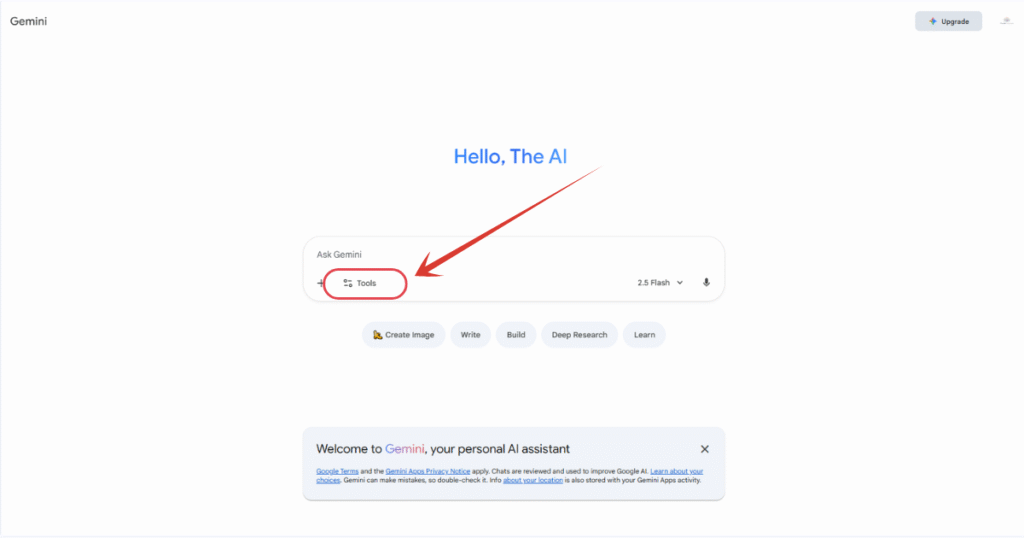
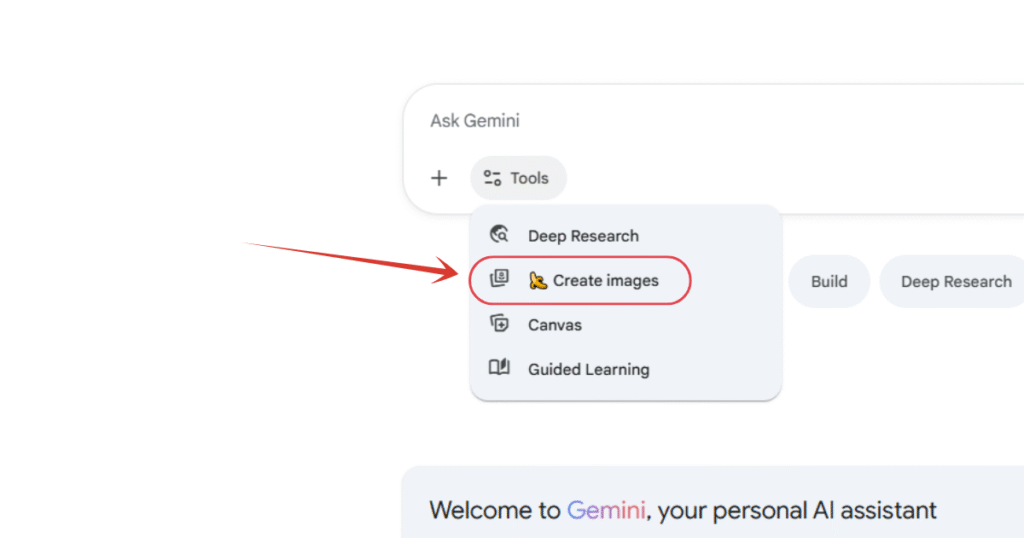
2. Click on “Tools” button and select “Create Images“.
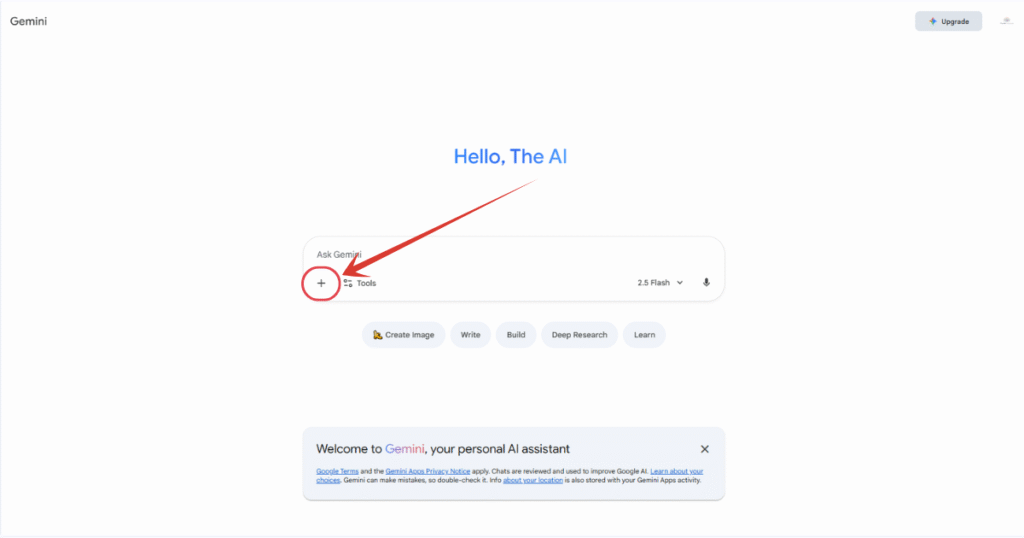
3. Then click on this “+” icon and select your desired image.
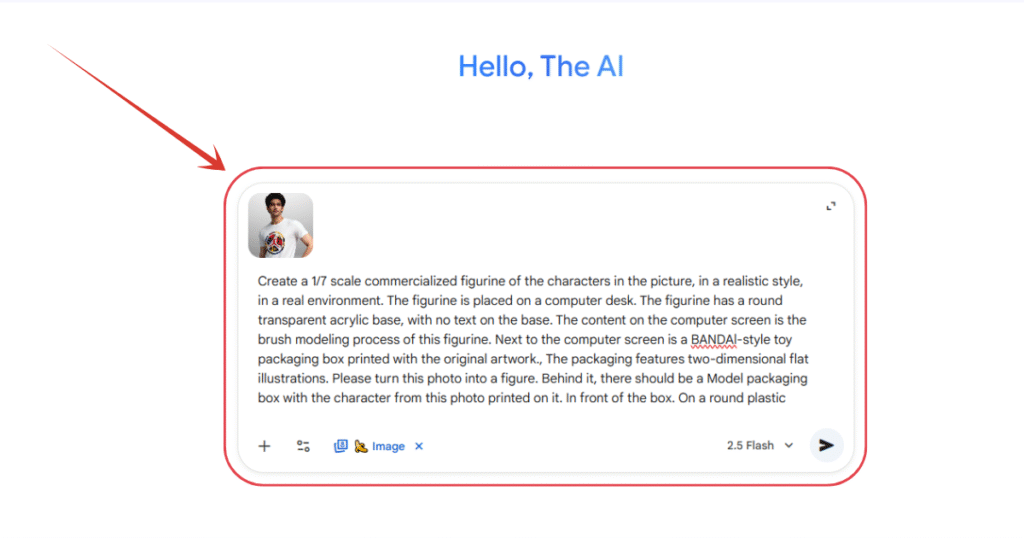
4. And finally, you have to enter the prompt, here it is, just copy and paste:
Create a 1/7 scale commercialized figurine of the characters in the picture, in a realistic style, in a real environment. The figurine is placed on a computer desk. The figurine has a round transparent acrylic base, with no text on the base. The content on the computer screen is the brush modeling process of this figurine. Next to the computer screen is a BANDAl-style toy packaging box printed with the original artwork., The packaging features two-dimensional flat illustrations. Please turn this photo into a figure. Behind it, there should be a Model packaging box with the character from this photo printed on it. In front of the box. On a round plastic base place the figure version of the photo I gave you. I’d like the PVC material to be clearly represented. It would be even better if the background is indoors.
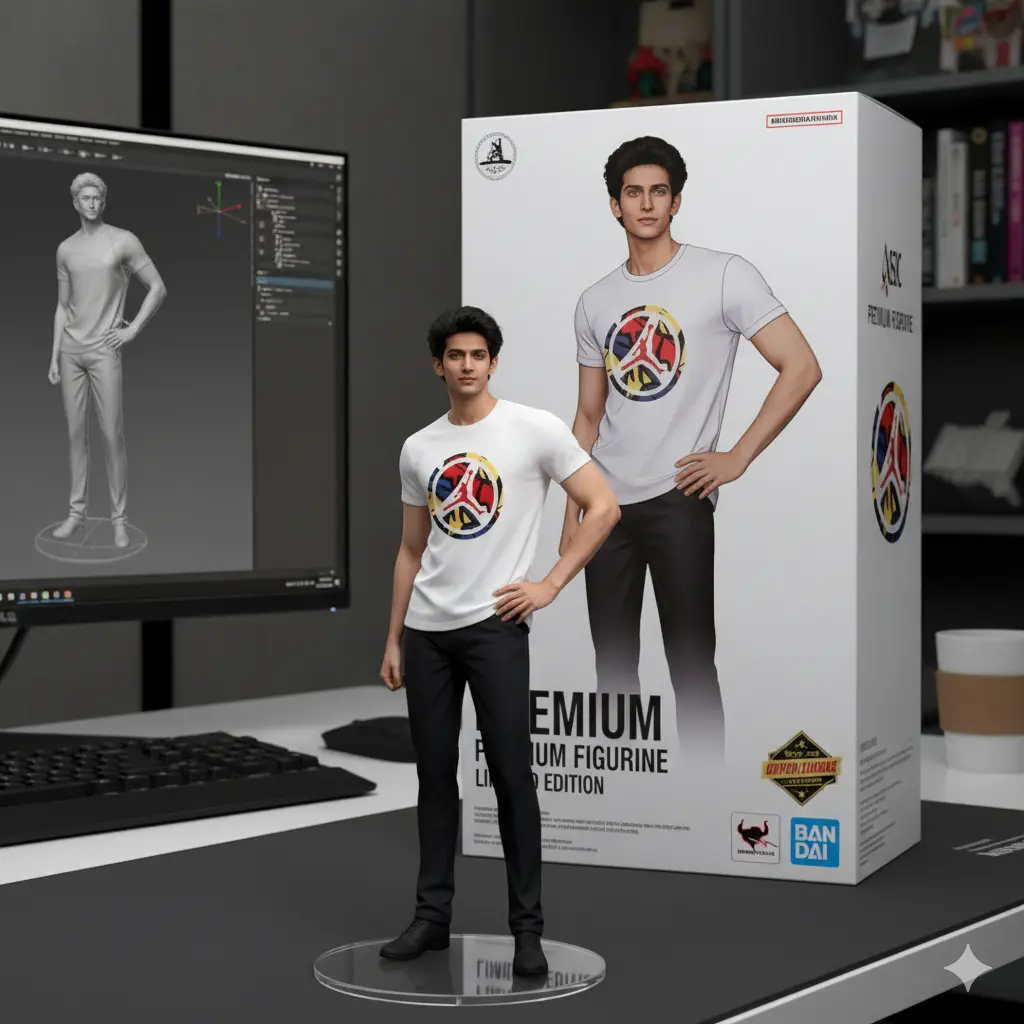
6. And you are done. Here is your final and ready to use image.
People Also Ask:
Upload your photo on Gemini → Tools → Create Images → select Nano Banana → paste the figurine prompt → generate. The AI outputs a figurine-style render.
Yes, Nano Banana is available for free inside the Gemini app or website, though free users may have daily limits.
Yes, as long as the face is clearly visible. High-quality, well-lit photos produce the best figurine results.
You should only use photos you own or have permission to use. Avoid using celebrity images to prevent copyright or likeness issues.
No. It only creates 2D images. For a true 3D file, you’ll need to convert the image using a separate image-to-3D tool.
Also Read:
How to Make Glowing Instagram Profile for Free? Step by Step TutorialHow to Create Instagram Trending AI Photos – Step by Step Tutorial
Conclusion
Creating a 3D figurine rendering with Google’s Nano Banana is simple, fast, and trending across social platforms.
With a single detailed prompt and a clear photo, you can generate a collectible-style figurine complete with acrylic base, packaging art, and a realistic desk setup.
Whether for fun, branding, or social media, this method gives you polished results without any professional design skills.




Leave a Reply