

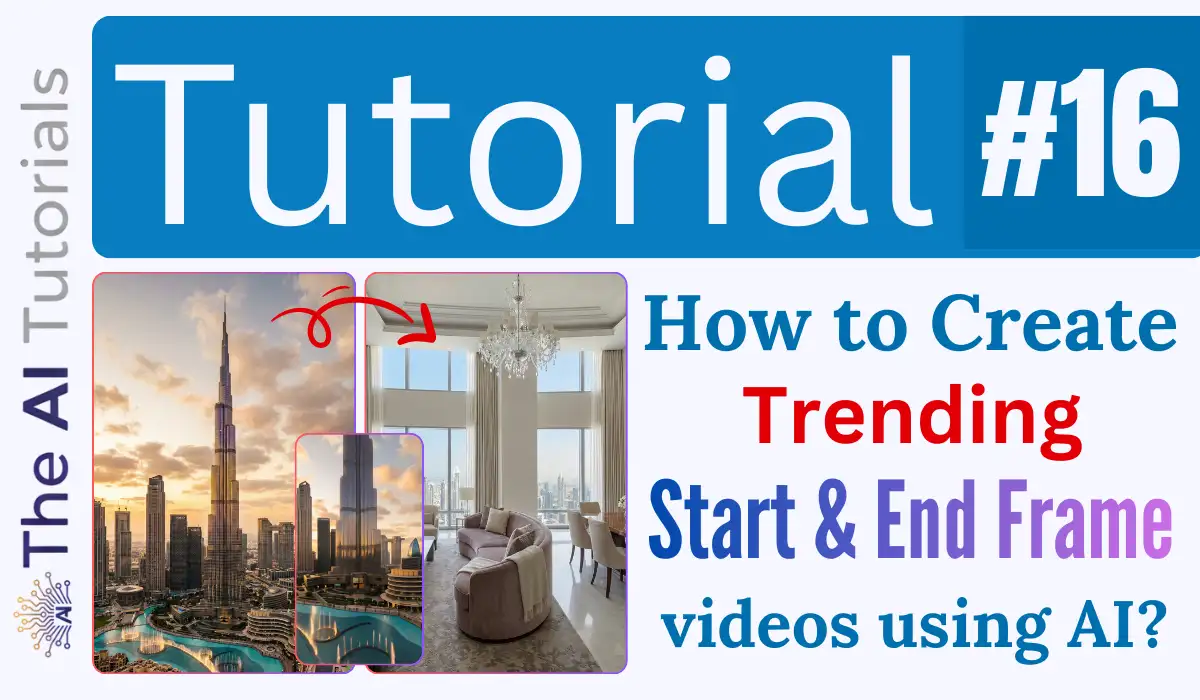
2025 is about to find it’s exit, and if you still aren’t using AI to create content for your own branding or for others, then I don’t know what’s holding you back.
People are actually making money using AI, by creating things through it, and implementing it in their work.
Today we will see a really amazing and trending AI video making method through which you can add a smooth transition between two images. But, it’s not what you have seen in my previous home renovation AI video tutorial, but slightly different and astonishing.
This transition is far more smarter and logical that it can actually fill the gap between two scenes to match them so the end result looks so real that it will feel as if an actual camera angle and movement has performed.
I know it’s a bit confusing, but only until you see the result, and here is the video, watch it first and then will move towards it’s step by step tutorial.
I know the ground floor would actually have a management/lobby area, not a room—I totally get that mistake lol. But let’s forget about that and focus on how smoothly the two scenes merged!
Key Takeaways:
- The method I shown in this video is paid, however, fresh accounts get few credits to generate videos for free, you can go that way too.
- To achieve this effect, we are using Kling AI via Higgsfield.
- Higgsfield is a platform where you will get popular and well-known AI image & video generating tools all under one roof.
- We will be using Kling’s 2.5 Turbo Start-End Frame feature to achieve this effect.
- In my opinion, no other AI video engine can as of now add so perfect transition between two scenes as Kling’s 2.5 Turbo model does.
- We will be in need of two images between which we want to add transition, and a simple prompt.
Step by Step Tutorial:
Note: This method usually requires a subscription of Kling AI, as we are going to achieve this amazing zoom-in effect in Kling AI, but via https://higgsfield.com/. If you can get Kling AIs free credits by somehow then it’s great, otherwise, a paid plan will be required.
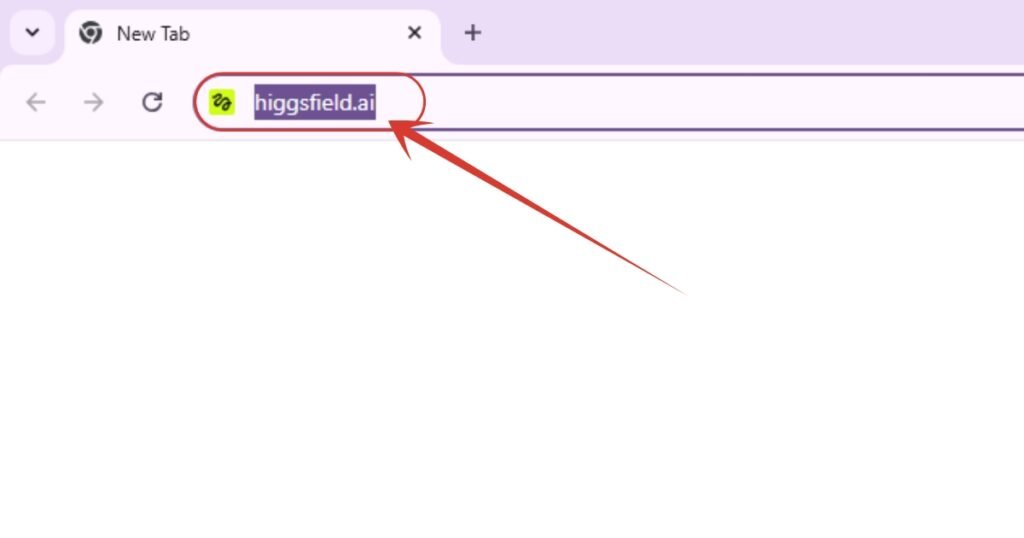
1. Will be using Kling AI for this via Higgsfield. For those who don’t know about it, it’s a platform where you can get many popular image & video generating tools all at one place.
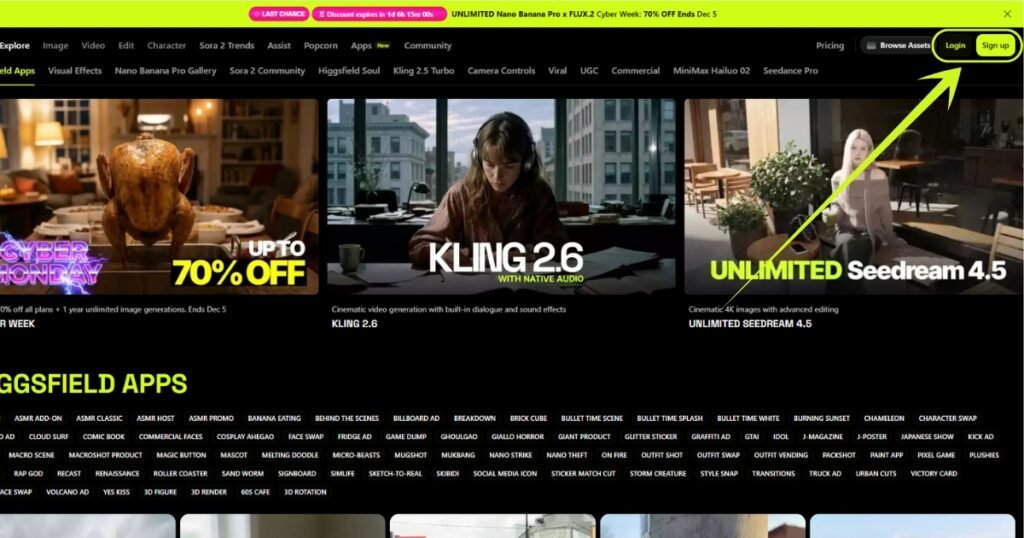
2. This is how Higgsfield’s main page looks like. You see a Sign Up & Login button upper right side there? Click or any one of them.
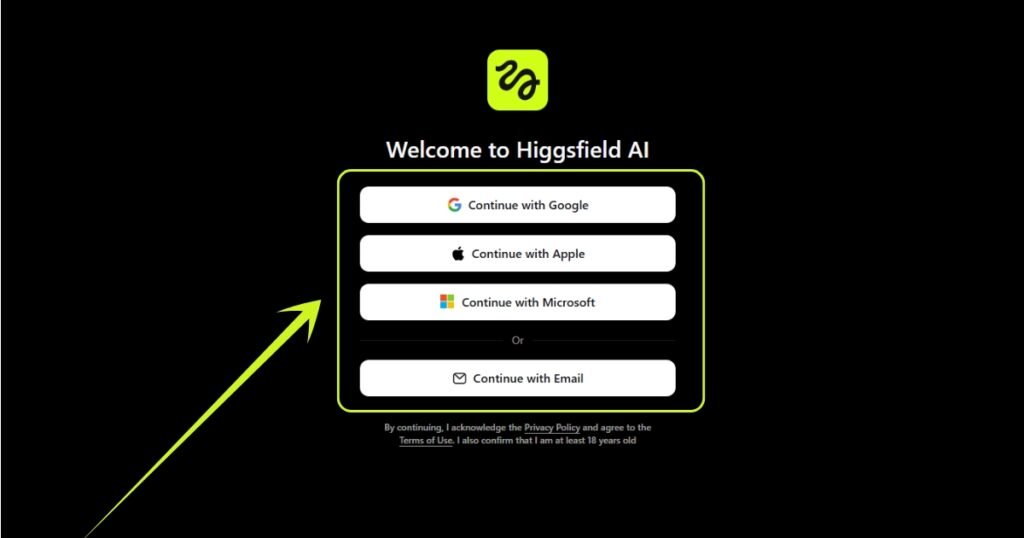
3. I will go with Google as I already have an account there and purchased a subscription.
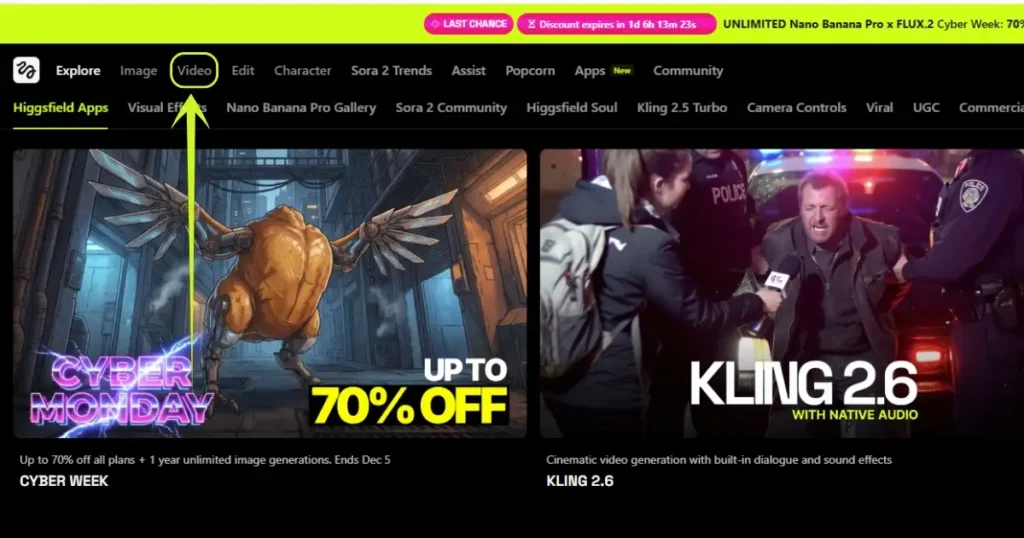
4. After getting signed in or logged in, we have to click here on the “Video” option in the upper navigation bar.
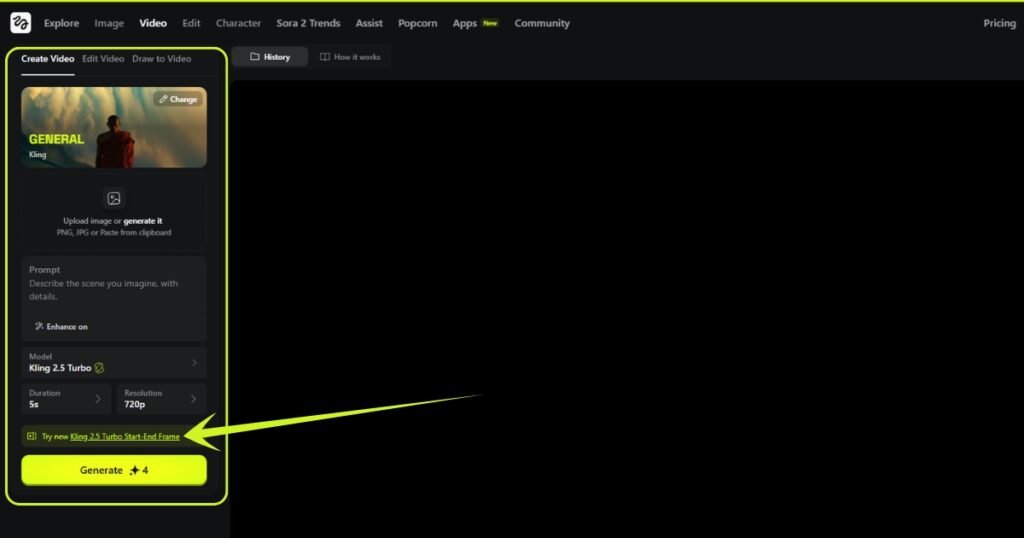
5. This window will appear. And here, click on “Try new Kling 2.5 Turbo Star-End Frame” option.
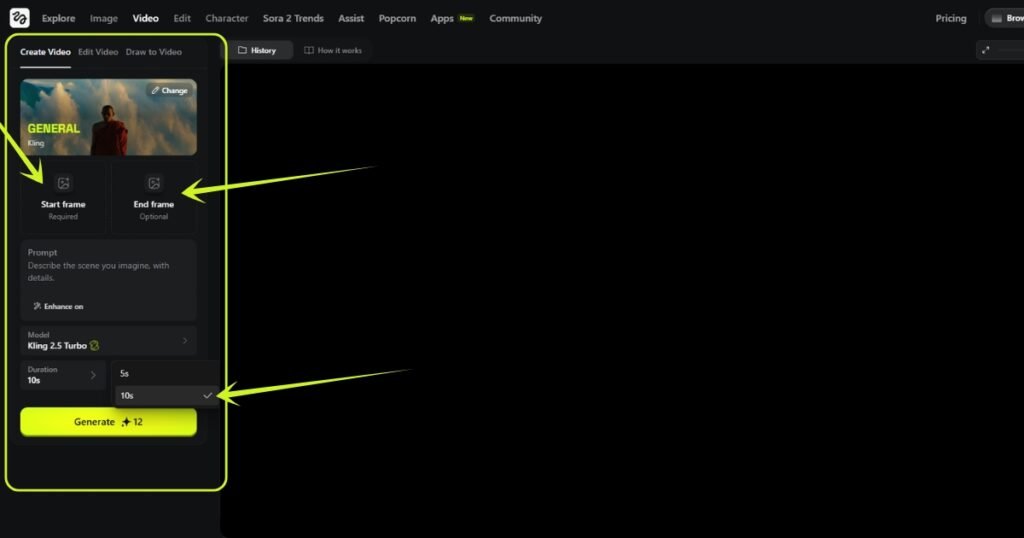
6. As you can see, clicking that button provided us with two images to upload, one is start frame, and another one is end frame, where we have to put the images. Also, you can adjust the duration of the video.
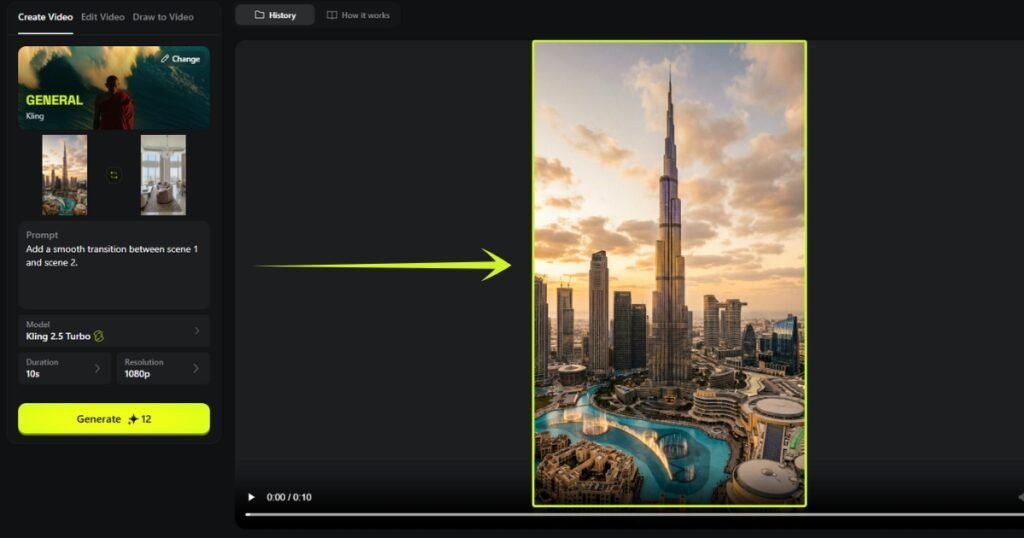
7. I have uploaded a wide angle image of Burj Khalifa located in Dubai in the start frame, and in the end frame, uploaded a well and modern room image. Wrote a simple prompt to add transition between these scenes, and clicked “Generate” button.
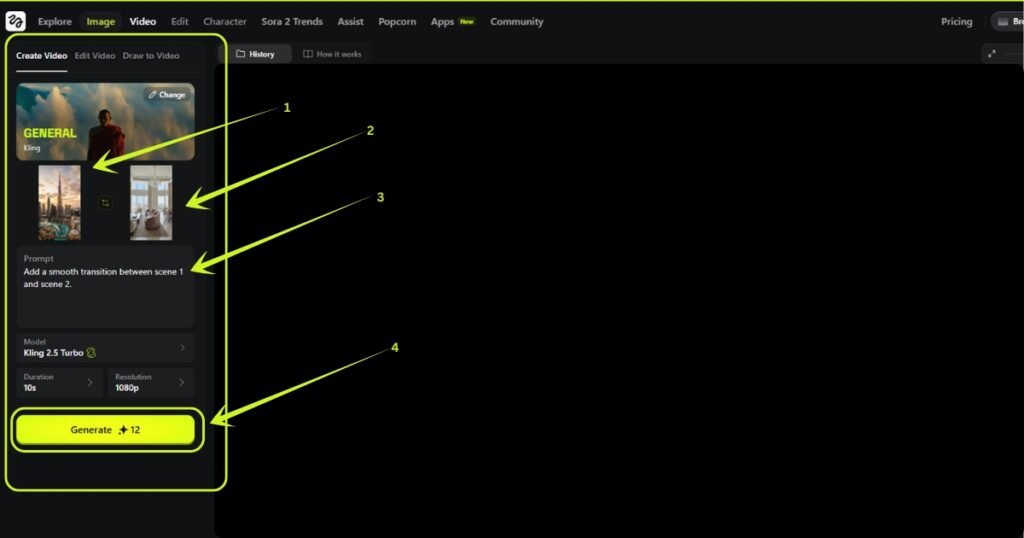
8. After clicking “Generate” button which will cost around 12 Credits because it’s 1080p resolution + 10 seconds. Now our video is in queue as you can see in the image below.
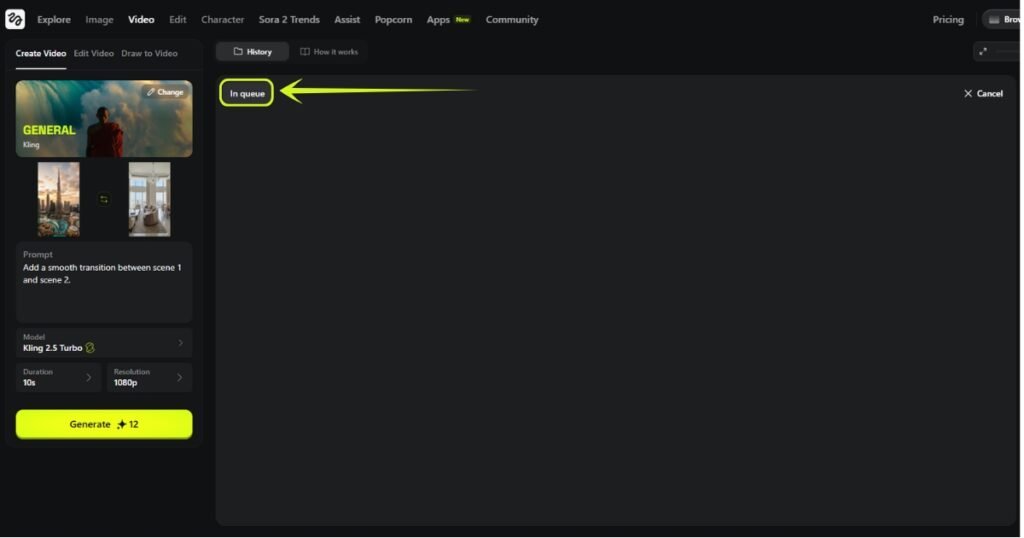
9. And, we are done. Here is the video. I know I should have added landscape images instead of portrait, please ignore this silly mistake of mine as of now.
People Also Ask:
A start and end frame in an AI video is with exact what visuals the video will start and end. For instance, start frame could be a building like Burj Khalifa, and the end frame will be a modern and bright living room. Now the AI video be generated where the video will start with the Burj Khalifa building, and end with that modern living room, and the middle part will be smoothly generated through AI itself, and will look very realistic too.
It’s simple. Go to any good AI video generator which has this feature to use, like Kling AI. Then upload the start and end frame images, click generate and you are done, as shown in this step by step tutorial.
Right now, Kling’s 2.5 Turbo Start-End Frame is the most realistic and powerful model to create start and end frame videos.
Kling AI gives 150+ credits to all the freshly registered accounts there. So, yes, it’s partially free if you are new there, as it works on freemium model.
Also Read:
How to Create Viral AI Baby Fruit Eating Videos? Step by Step TutorialHow to Create Trending AI Glowing Girlfriend Photo for Free? Step by Step Tutorial
Conclusion
AI-powered video creation tools like Kling AI, accessed through platforms like Higgsfield, are revolutionizing content creation with advanced features like the 2.5 Turbo Start-End Frame.
This method allows users to seamlessly merge two scenes, creating smooth transitions that look incredibly realistic, almost like a natural camera movement.
While the process does require a subscription for full access, fresh accounts can take advantage of free credits to get started.
If you’re not already using AI in your work, now is the time to jump on board and explore these cutting-edge tools to enhance your content and branding.




Leave a Reply