

Google recently dropped something which is far ahead of it’s game. Yes, it’s called Google Antigravity. But, what is it? What it can actually do for you? Why should you download it and start using it?
Well, will see the answers of all those and similar questions in this step by step tutorial, but to answer in short, Google Antigravity is an AI powered coding platform where you have to tell what you want to build, and powerful AI agents plan the work, write and debug the code, test it in the browser, and show you clear progress updates called ‘artifacts’ so you always know what is happening, and build what you asked.
Google Antigravity will turn your conceptual ideas into into real life working software, so you can focus on what to build instead of how to build it.
Let’s see how can you download, install and use this powerful tool. I use Windows so I’ll show you the tutorial of Windows itself, yet many things will remain same so it won’t be a big deal for you. I have tried my best to keep this tutorial simple so no one gets confused by anyhow.
Key Takeaways:
- Google has launched a very powerful AI powered coding platform where you can make apps, websites and software all at one place.
- The tool is available for Windows, MacOS & Linux.
- You just have to describe what you want to build, and smart AI Agents within the tool will make your work done along with debugging, in-box testing etc.
- Multi-agent support that lets several AI agents work on different parts of your project in parallel.
- Currently offered as a free public preview with access to powerful models like Gemini 3 Pro.
Step by Step Tutorial:
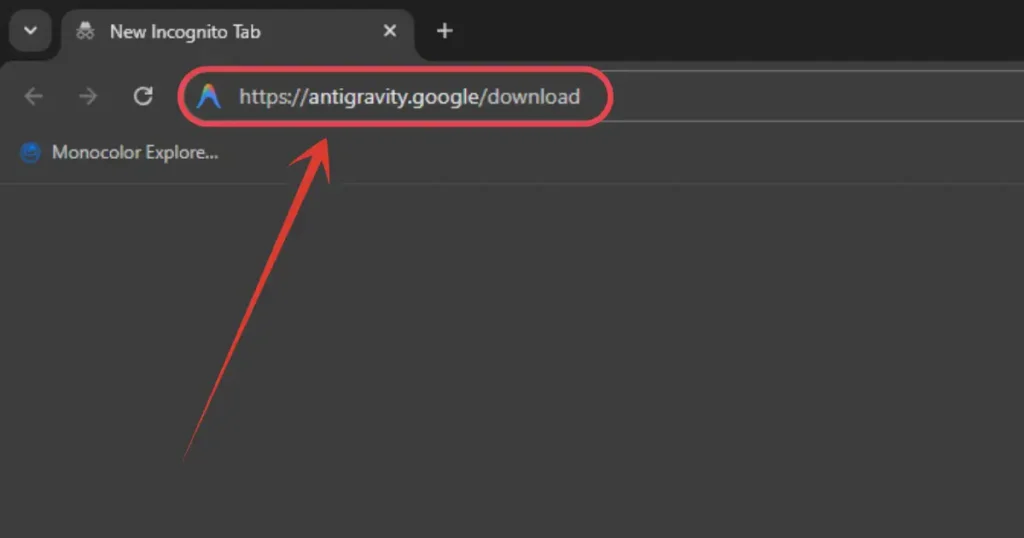
1. Head straight to this website https://antigravity.google/download
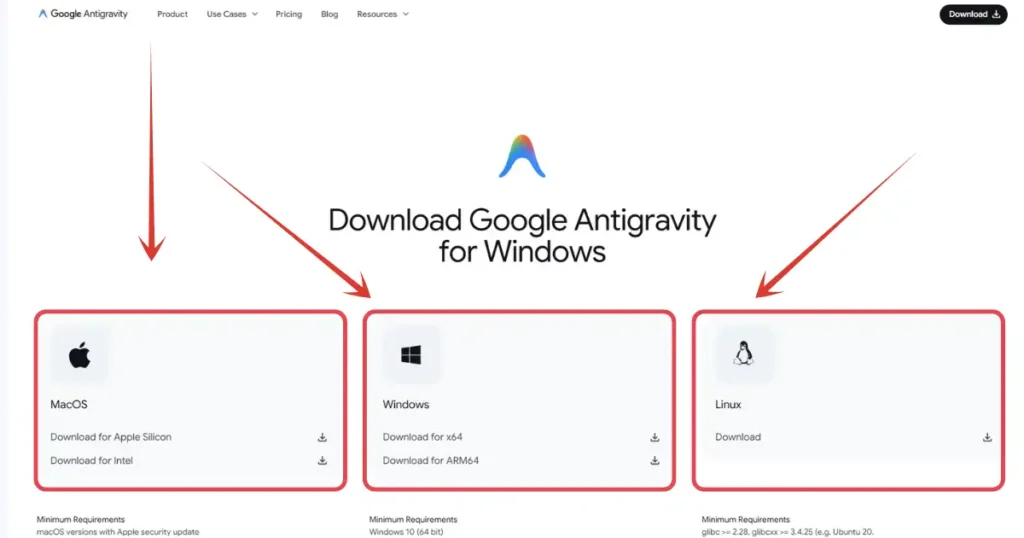
2. As you can see, download options are listed for Linux, Windows & MacOS, you need to choose according to yours. I use Windows so I will click on Windows download button.
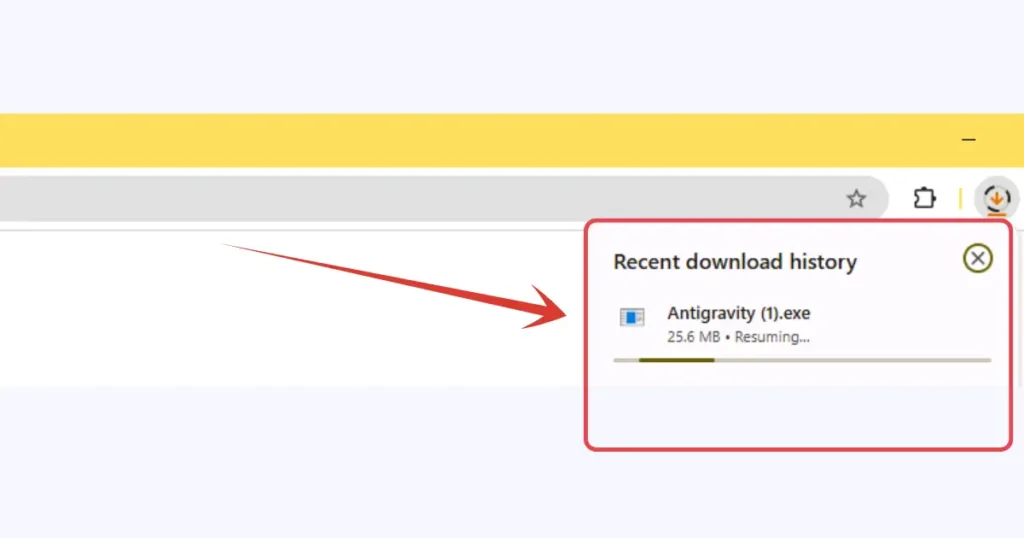
3. Post clicking the download will start. The file is weighing between 150-160MB.
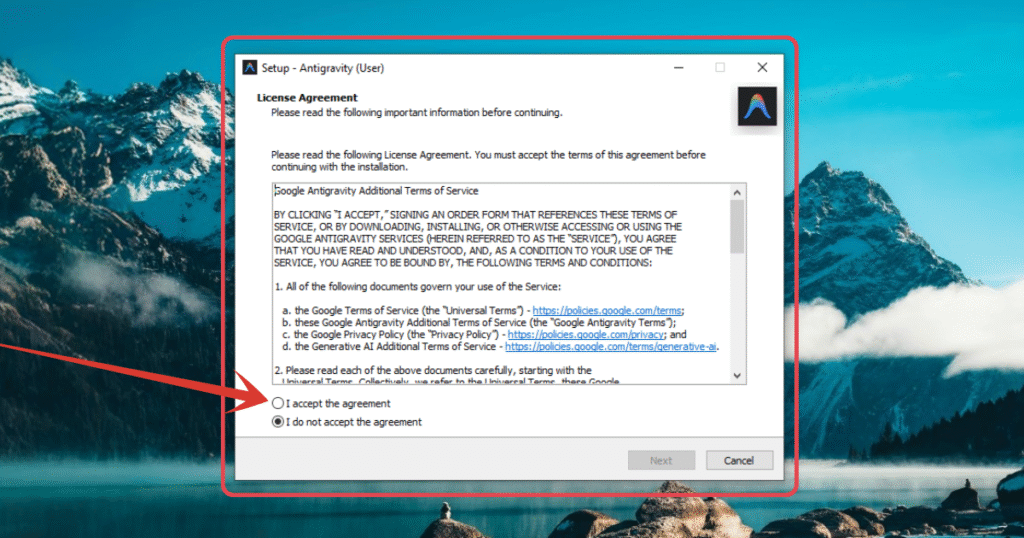
4. After downloading, open the installer and you will see a window like this, from this window, you will follow the usual installation process by selecting the location, ticking what’s require etc. Do it and click install button.
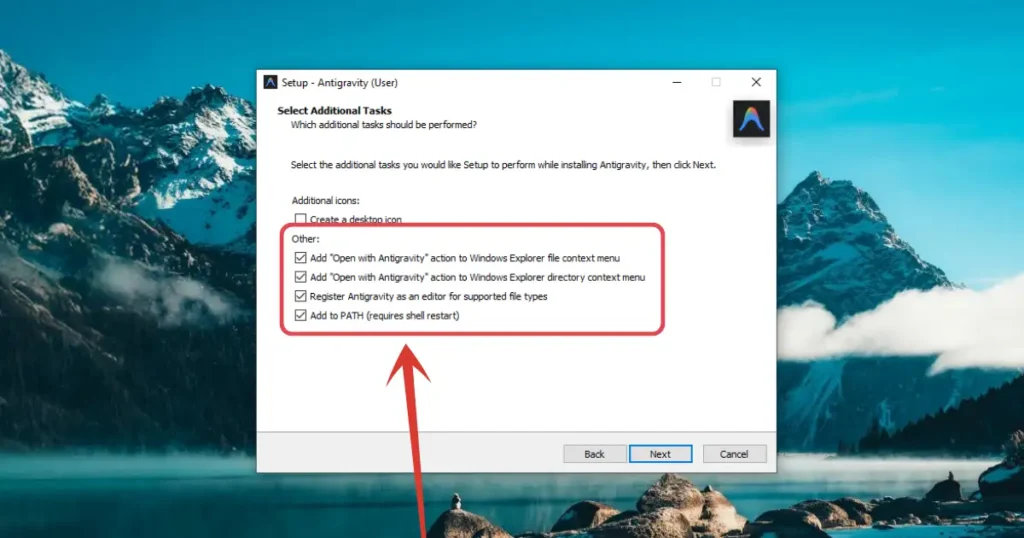
5. There will be one setting window where you have to do the above settings carefully. Check all the four boxes as shown in the image above before beginning the installation process.
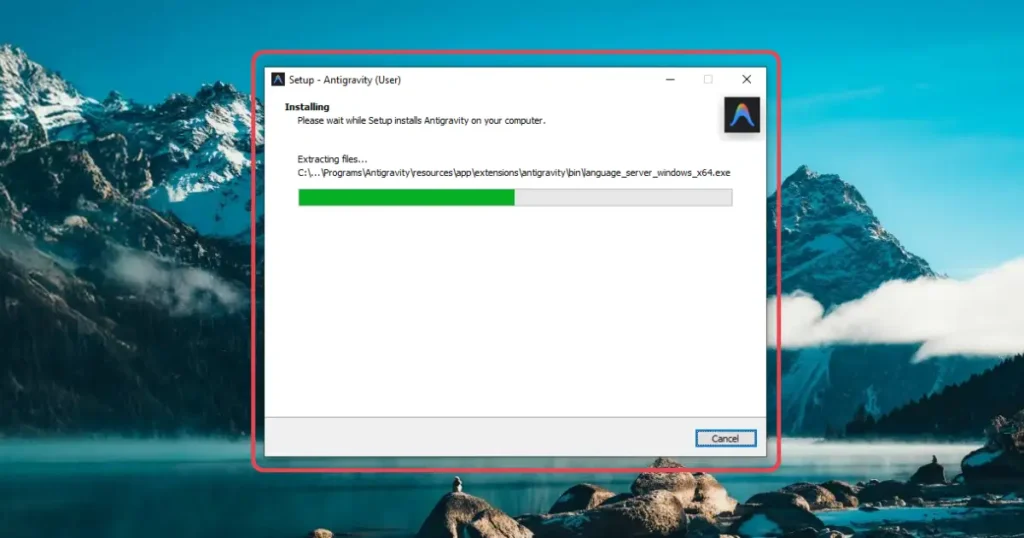
6. Then the installation process will take place. Do not close the window or turn off the machine until the installation completes.
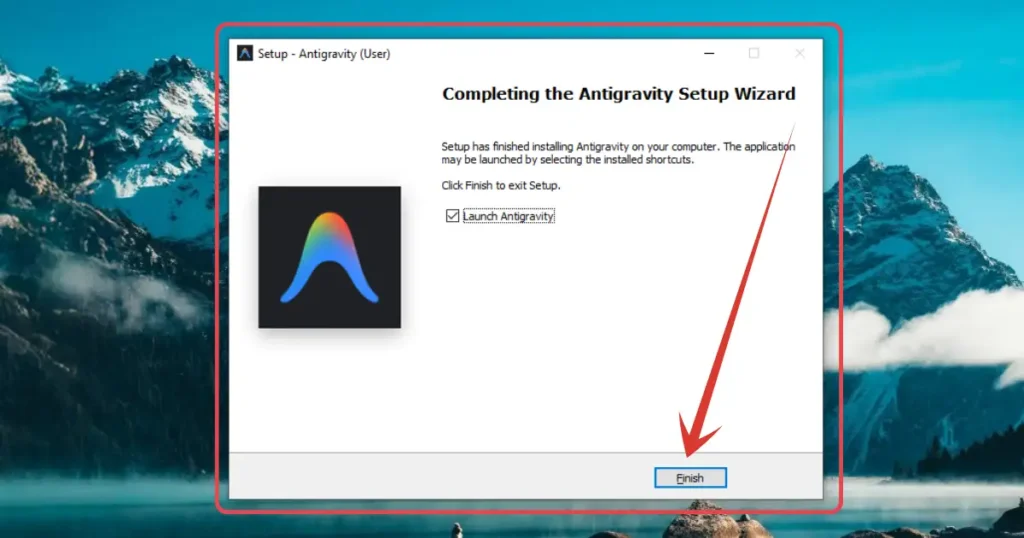
7. After the completion of install, you will see this window, just click on “Finish” button.
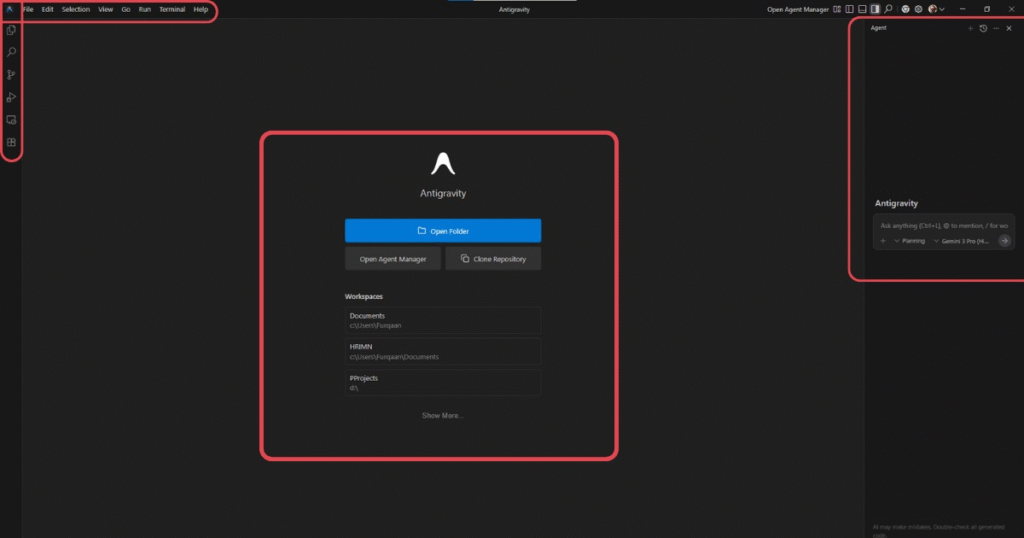
8. After this, the tool will start, and if you have used VS Code before, you will notice it’s UI is mostly similar to it, which will make it easy to use and configure the desired settings.
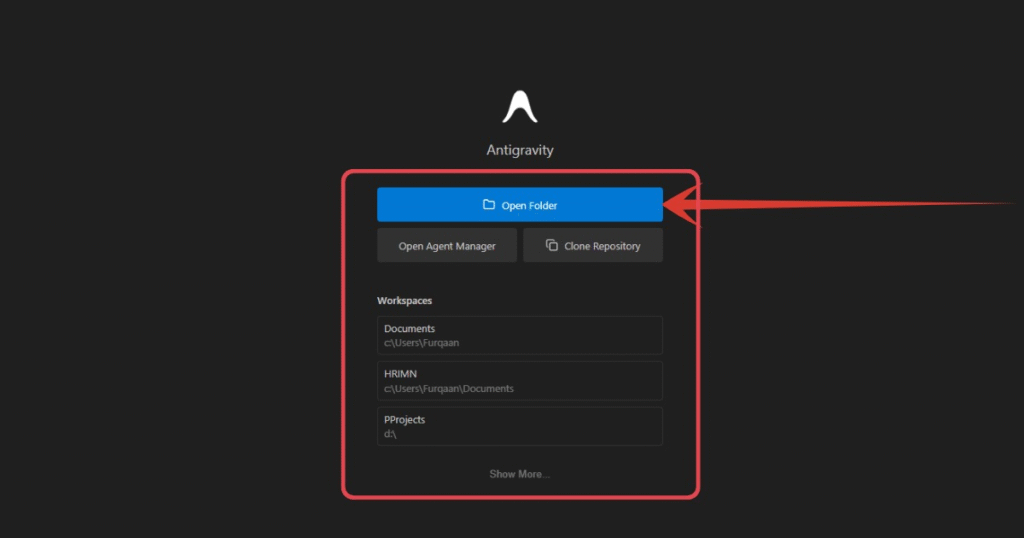
9. Click according to your need here. I will click on “Open Folder” and select a directory where my project’s files will be saved as we usually do in VS Code.
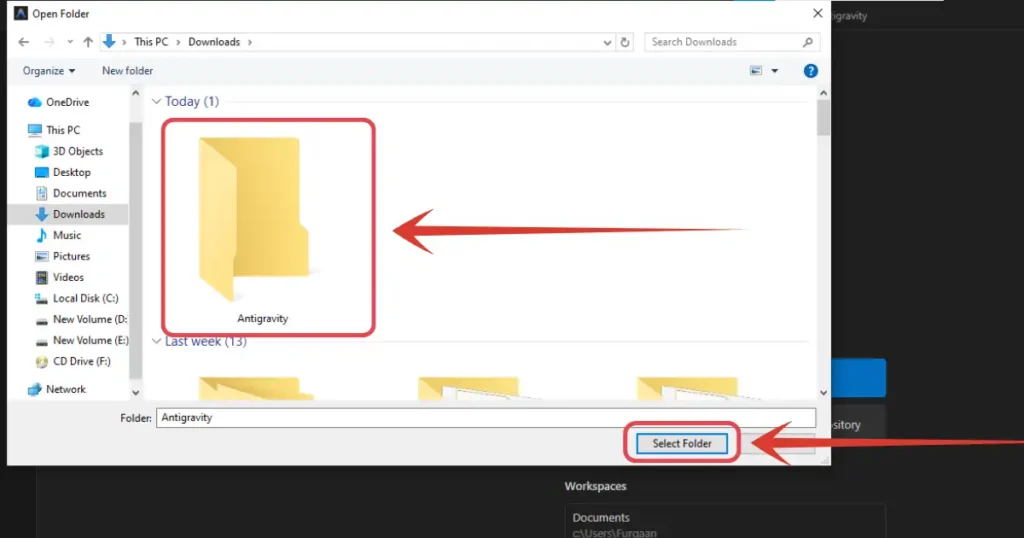
10. I created an entirely new folder where my projects will be saved named “Antigravity”, and then I will click “Select Folder”.
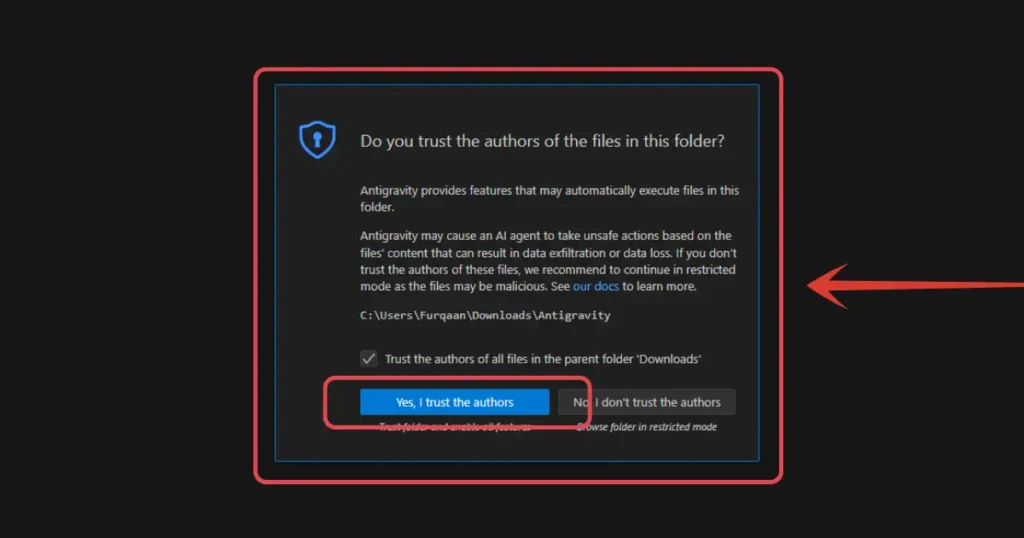
11. If it asks something like this, just click the yes button and get going.
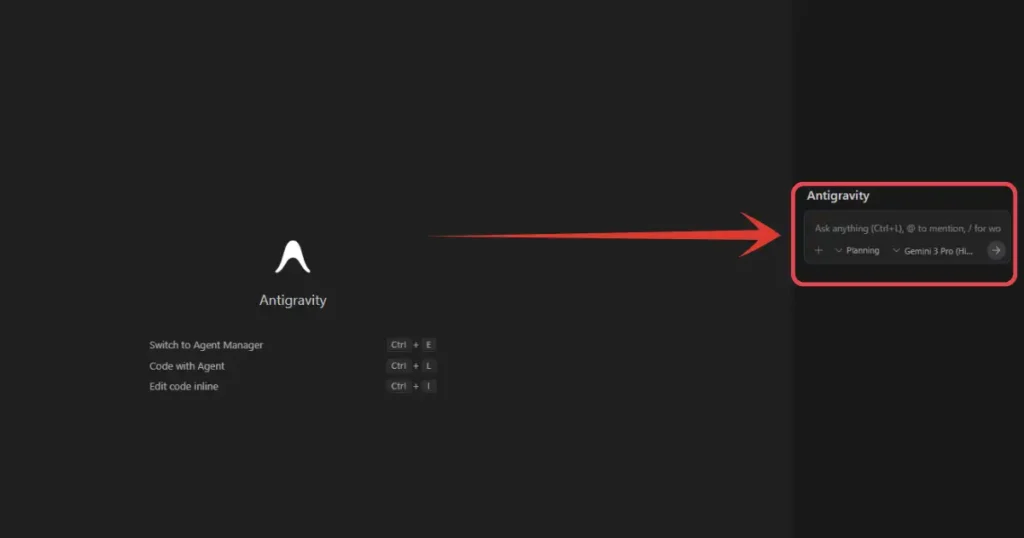
12. And you are ready to start your development. Here you can see an input field is there where you will be entering your prompt for a website, software or an app, and smart agents will start making that thing for you.
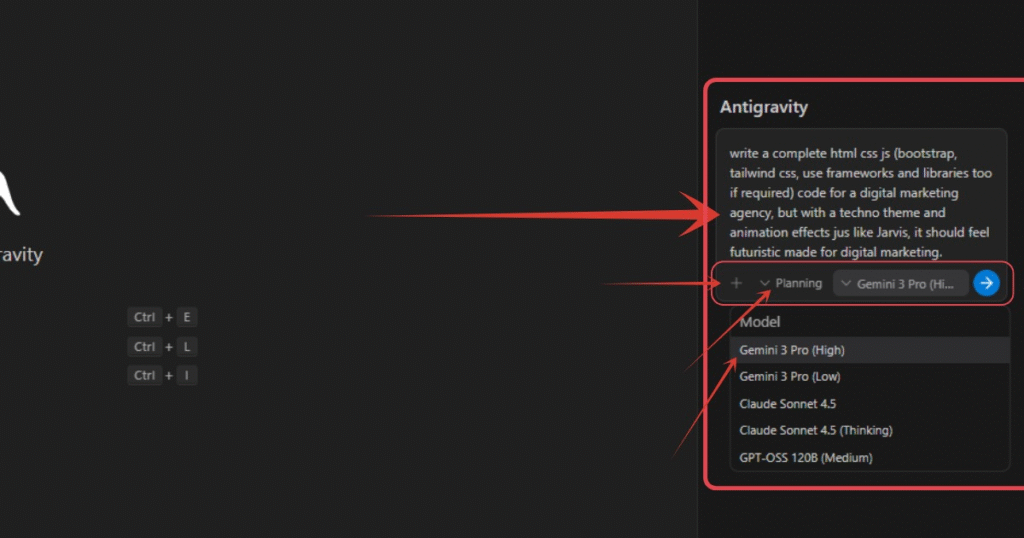
13. Here are some important things to take care of according to your desired outcome expectations. I have entered a prompt for a website. I have selected the conversation mode as ‘Planning’. I have selected the model Gemini 3. After all this, I will hit enter. This will assign tasks to the agents of Google Antigravity, they will build the thing, debug, test and deliver.
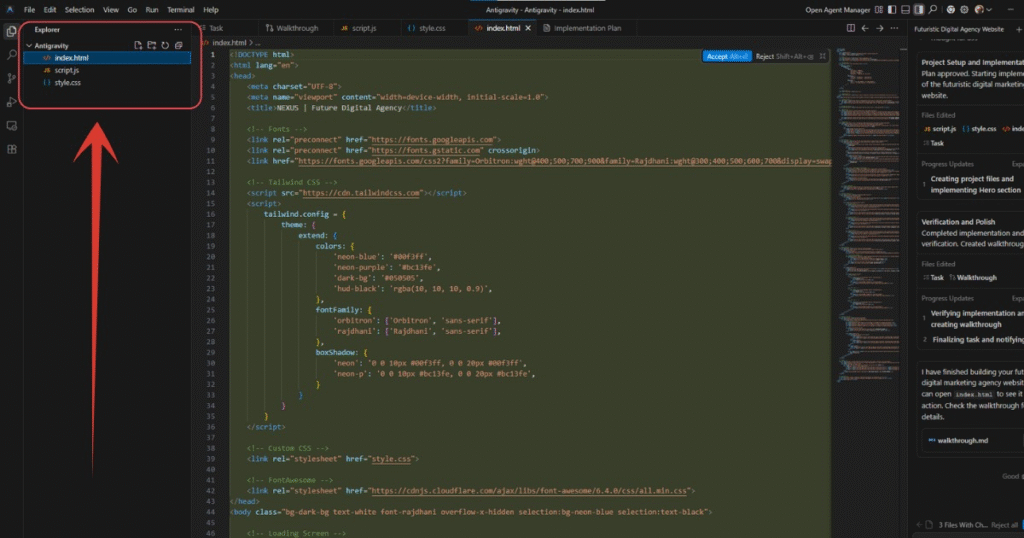
14. After the agents completing your work, the project’s files will be placed in the folder you selected as project’s location in previous steps, as you can see in the above image. All you need to compile them and check, and you are good to go.
Also Read:
How to Use Gemini 3.0 Officially – Step by Step Tutorial!
People Also Ask:
It is a smart coding tool that helps you build apps and websites. Instead of typing code line-by-line, you just tell the AI agents what you want, and they plan, write, and fix the code for you.
Yes, right now it is in “public preview,” which means it is free for everyone to download and use.
Yes, the coding tool is free. (Don’t confuse it with the old Google search trick—this is a real software for developers!)
ou can download it by visiting the official website at antigravity.google/download and clicking the button for your computer (Windows, Mac, or Linux).
Conclusion
Google Antigravity is a game-changer for anyone who wants to build software.
It takes the hard work out of coding by letting smart AI agents handle the planning and writing.
Whether you are a pro developer or just have a cool idea for an app, this free tool makes it much easier to turn your ideas into reality.




Leave a Reply