

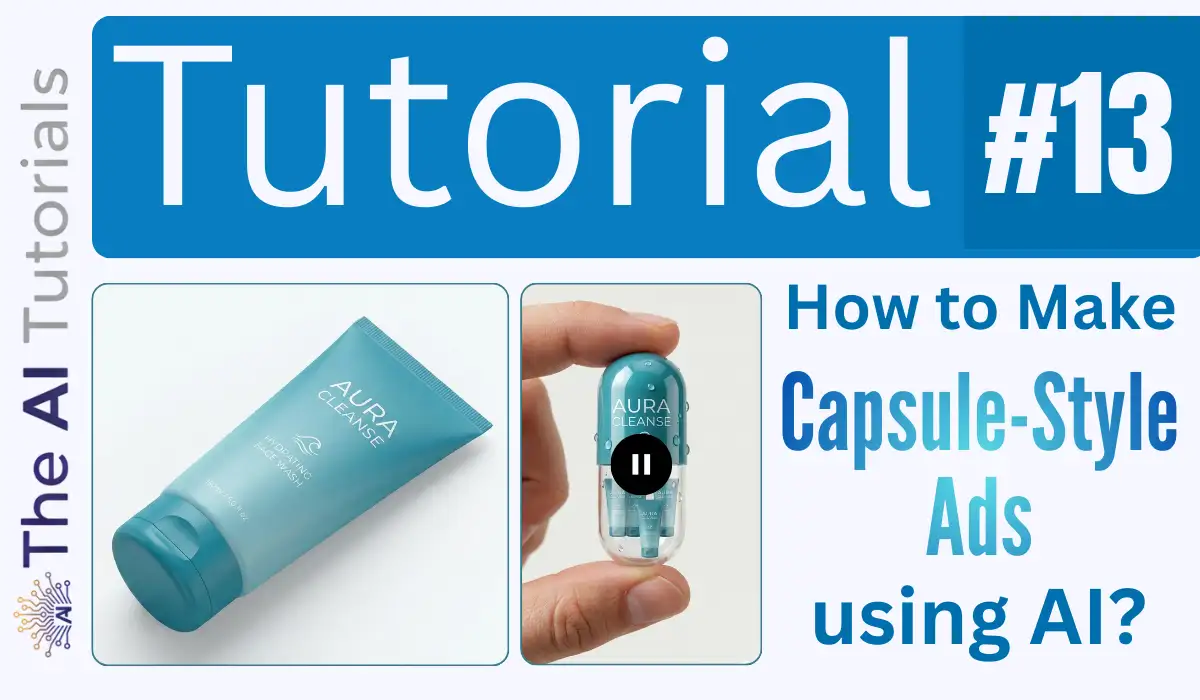
AI isn’t just helping content creators to make stunning and next level visuals and generate revenue, but also helping marketers to make visually excellent ads and commercials for their clients, and charge according to the value.
In this wave, Capsule-Style Ads are grabbing the attention here.
Many markets and digital creators are using AI to create such ads in order to impress their clients, and asking good money in exchange.
The the fun part is, making such ads only takes 5 minutes of your time.
Today will see a step by step tutorial on how to create the trending capsule-style ads using AI.
Key Takeaways:
- Capsule-style ads are visually creative ads that make a product look like it’s inside a capsule, capturing more attention online.
- You only need two free AI tools: Nano Banana (for generating the product image and the capsule-style ad) and Google Flow (for turning the image into a video animation).
- All you have to do is: create or upload your product image, generate a capsule-style ad image using a detailed prompt, and animate it using Google Flow’s “Frames to Video” feature.
- The process takes about 5 minutes and doesn’t require professional design skills or any paid software.
- You can repeat the animation step if the first result doesn’t meet your expectations.
Step by Step Tutorial:
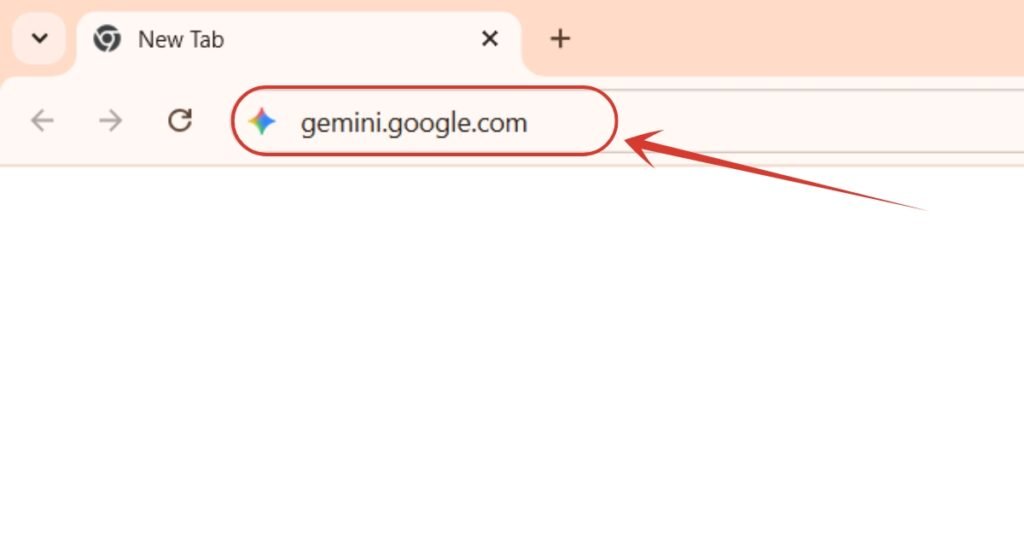
1. Will first go to https://gemini.google.com/. By the way, if you want to claim Gemini Pro for 18 months, all for free, read this tutorial where I have explained it step by step.
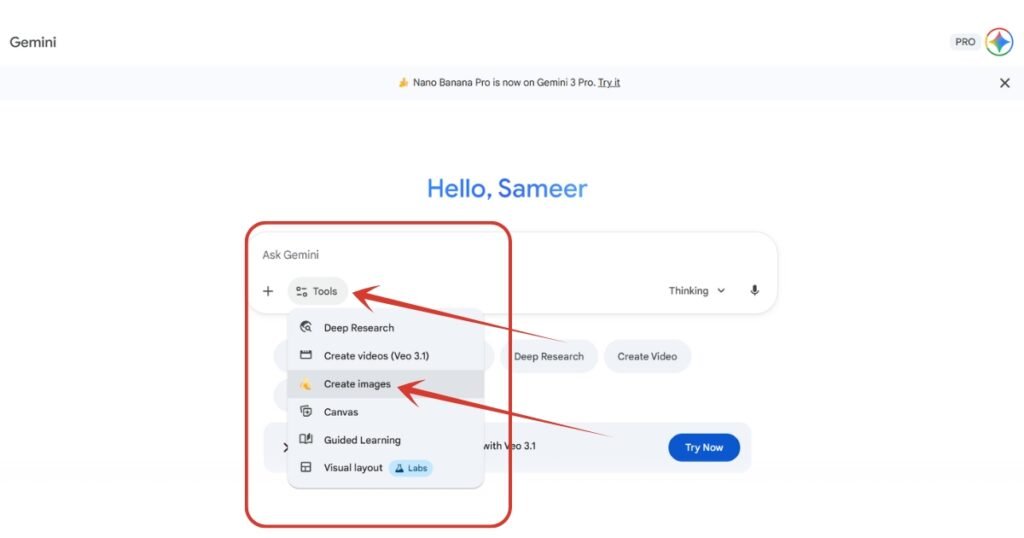
2. Click on “Tools” button, a drop down will appear, there select “Create images” option.
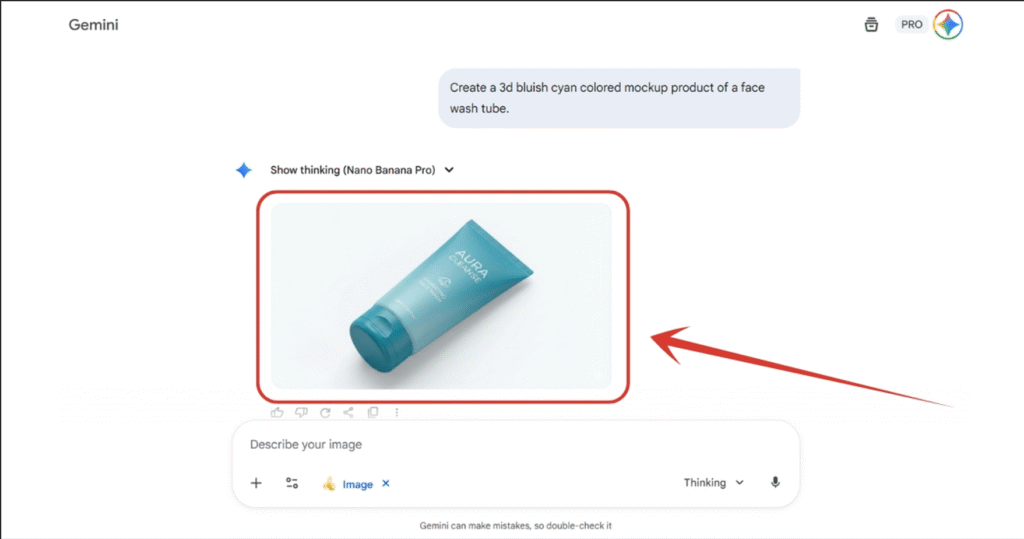
3. Right now I don’t have any product to make a professional mockup of, so I will first generate a product from Nano Banana itself. But if you have a product, you can skip this part. I gave the prompt, and now I have the product. I will download it.
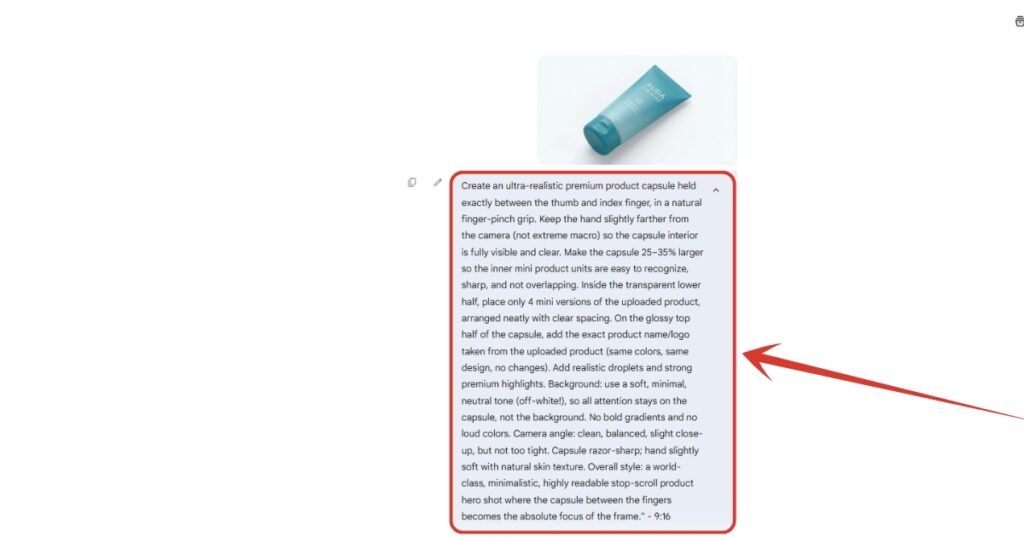
4. Now I will attach the same product as image, and give this prompt to generate it’s capsule style ad image.
Copy This Prompt:
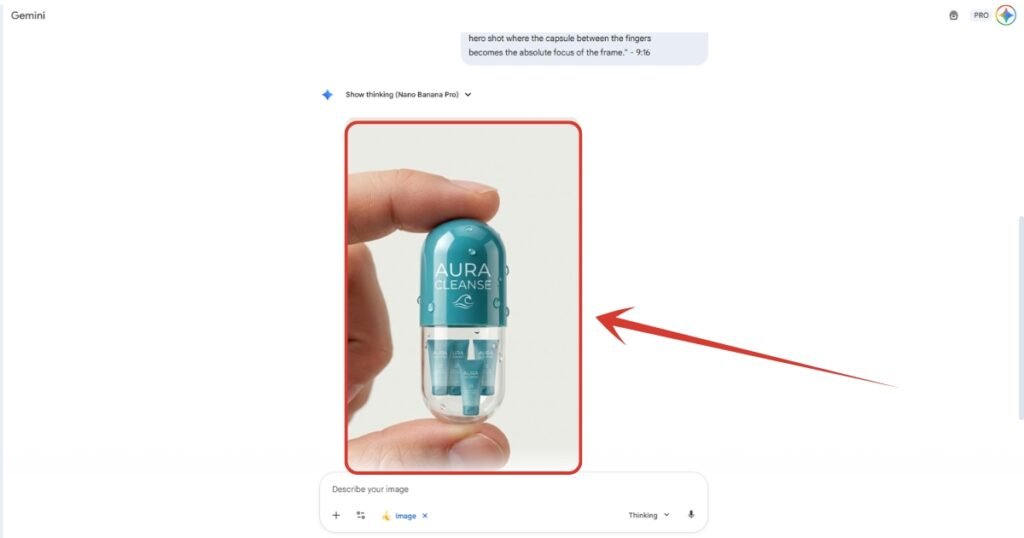
Create an ultra-realistic premium product capsule held exactly between the thumb and index finger, in a natural finger-pinch grip. Keep the hand slightly farther from the camera (not extreme macro) so the capsule interior is fully visible and clear. Make the capsule 25–35% larger so the inner mini product units are easy to recognize, sharp, and not overlapping. Inside the transparent lower half, place only 4 mini versions of the uploaded product, arranged neatly with clear spacing. On the glossy top half of the capsule, add the exact product name/logo taken from the uploaded product (same colors, same design, no changes). Add realistic droplets and strong premium highlights. Background: use a soft, minimal, neutral tone (off-white!), so all attention stays on the capsule, not the background. No bold gradients and no loud colors. Camera angle: clean, balanced, slight close-up, but not too tight. Capsule razor-sharp; hand slightly soft with natural skin texture. Overall style: a world-class, minimalistic, highly readable stop-scroll product hero shot where the capsule between the fingers becomes the absolute focus of the frame.” – 9:16
5. We finally have our capsule style ad image in our hand. Download it.
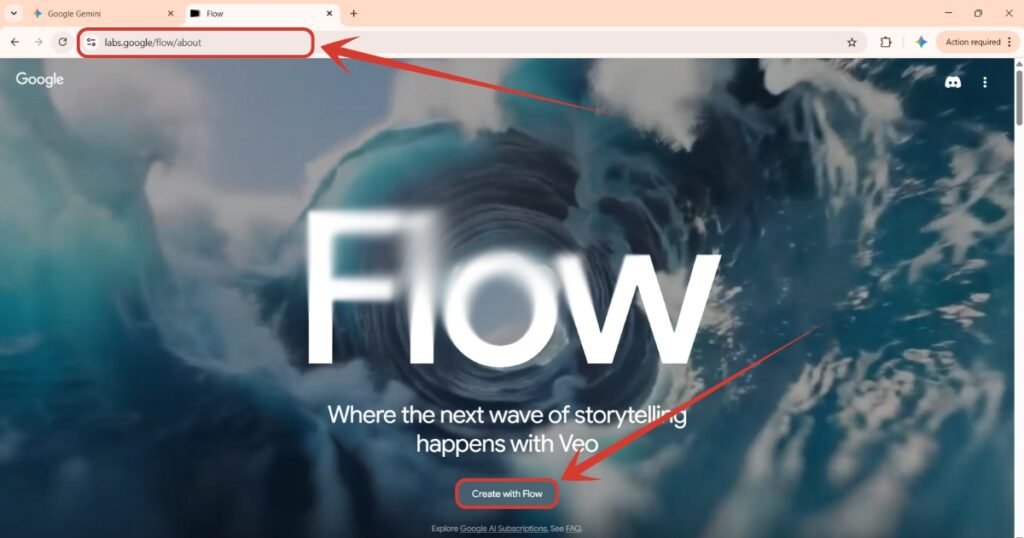
6. Now we will go to https://labs.google/flow/about, and click on the button below “Create with Flow”.
7. Here click on “New project” button below.

8. Here, click on “Text to Video” button, then from the list above, select “Frames to Video” option.
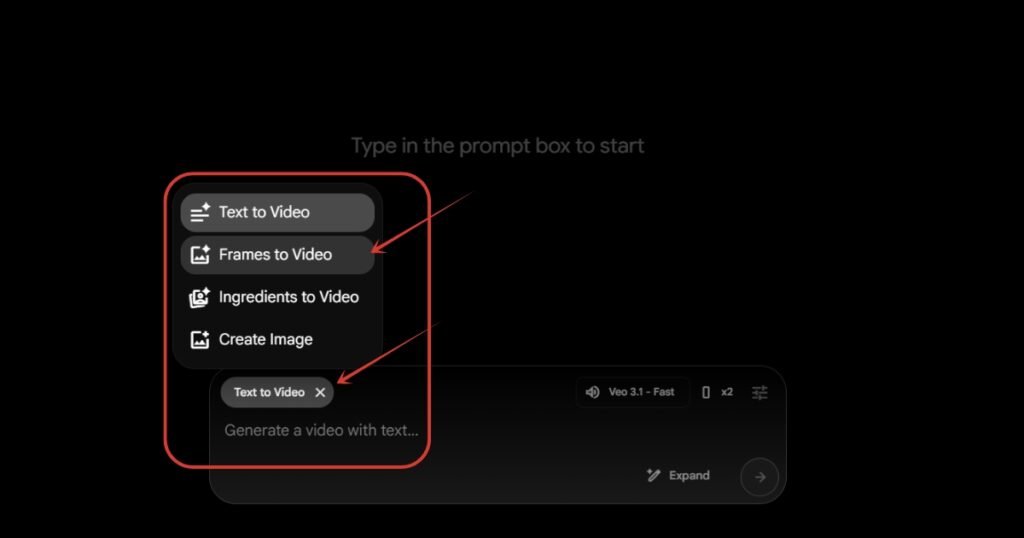
9. After clicking on “Frame to Video” option, we now have two input boxes here to attach images.
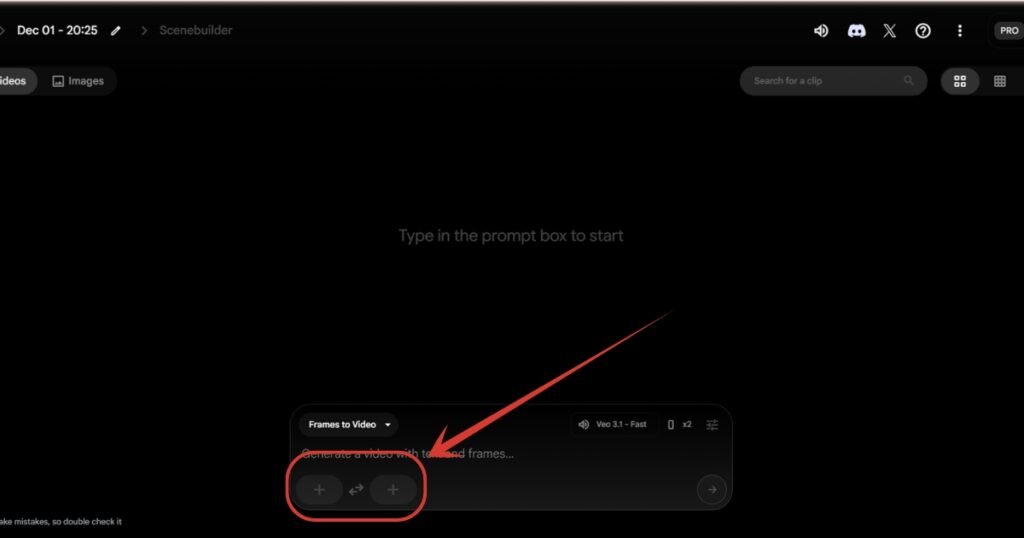
10. Click on the left input box down there, and then click on the “Upload” button to upload the image we created using Nano Banana previously.

11. Image has been added. Now you copy the same settings from the image below. Aspect ratio to Portrait, Outputs per prompt 1, Model Veo 3.1 – Fast.

12. Lastly, copy and paste this prompt and you are done with all the steps. Click on the arrow button down there or just hit enter.
Copy This Prompt:
Animate this exact scene while keeping the same hand position, same capsule size, same product branding, and same colors. Add a subtle, natural micro-movement to the hand, as if the fingers are gently stabilizing the capsule. Make the capsule sway very slightly in the fingers with ultra-realistic weight physics. Add soft reflections and tiny moving highlights on the glossy surface and water droplets as the capsule shifts. Lighting should stay clean and bright, with small shimmering reflections traveling across the capsule. Background remains pure and minimal, no motion. Overall animation should feel premium, cinematic, and photoreal, with smooth, subtle motion that enhances realism without altering the original design.
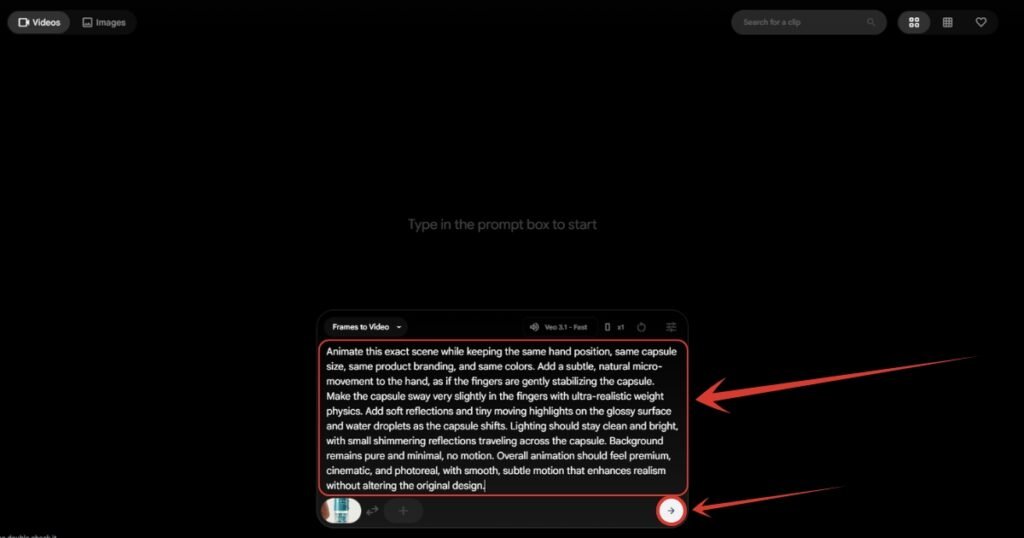
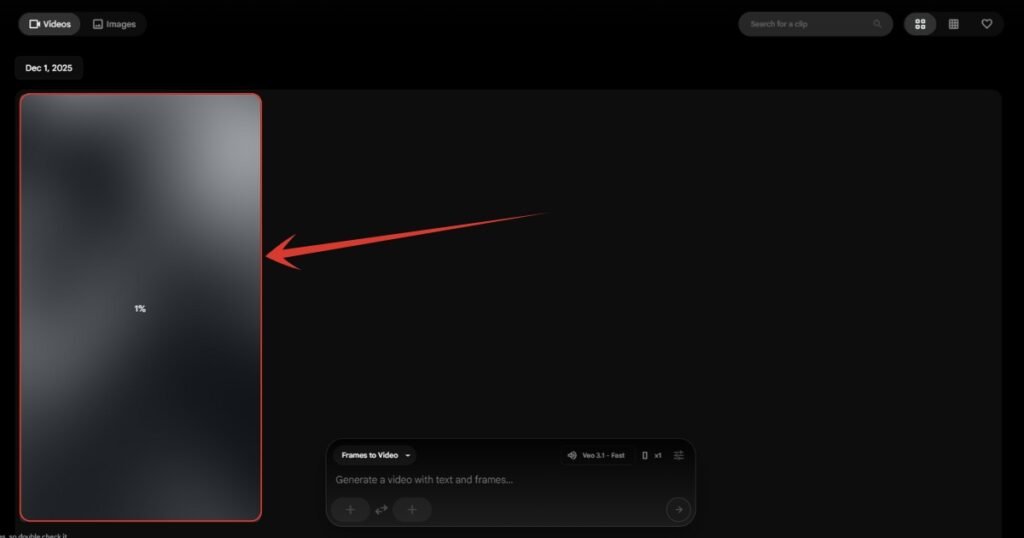
13. Now you just have to wait. The video will be processed within few minutes and you will have your video. Don’t worry if the first generation didn’t match the desired results, just generate another one, and you are good to go.
People Also Ask:
Capsule style ad is a type of ad people are creating using AI in order to gain attention. It’s all about creatively blending a product into a capsule which looks actually good.
You can create capsule style ads using Nano Banana and Google Flow. Generate the capsule ad image from Nano Banana or any other good text-to-image generating AI, and then give it to Google Flow or any other image-to-video AI which gives it realistic motion. You can watch a complete step by step tutorial on it on our website if you wish.
Absolutely not. You can create your own capsule style ad without help of any third party designer. All you need is Nano Banana and Google Flow.
It’s absolutely safe to create capsule style ads unless you misuse it by any chance. Like promoting any illegal material or property.
Conclusion
Capsule-style ads made using AI are a fast and free way for anyone to create eye-catching ads that look high-end and professional.
By following simple steps and leveraging popular AI tools, anyone can bring their product promotions to the next level without extra cost or design expertise.




Leave a Reply