


Instagram has been one of the most addictive and popular social media platform ever. And now, people are using AI to add one more layer to attract people, that is, to make a glowing profile of their Instagram account.
You may have seen a lot of content like this on social media, now you can make it too.
The fun part is, it’s not just limited with Instagram, you can create glowing handles of your other social media profiles too, and attract your audience.
Let’s see how to make it in this step by step tutorial.
Key Takeaways:
- We will be using ChatGPT to generate the trending neon Instagram profile image.
- More importantly, we will be using the free model of ChatGPT, not the latest one which is GPT 5.1, as I have faced many issues while using the latest model to generate this image.
- We only need the image of our Instagram handle, and a perfectly crafted prompt, and that’s it.
- I would recommend to use ChatGPT’s free model to make this image, as no other AI image generating model including Nano Banana Pro is giving such results.
Step by Step Tutorial:
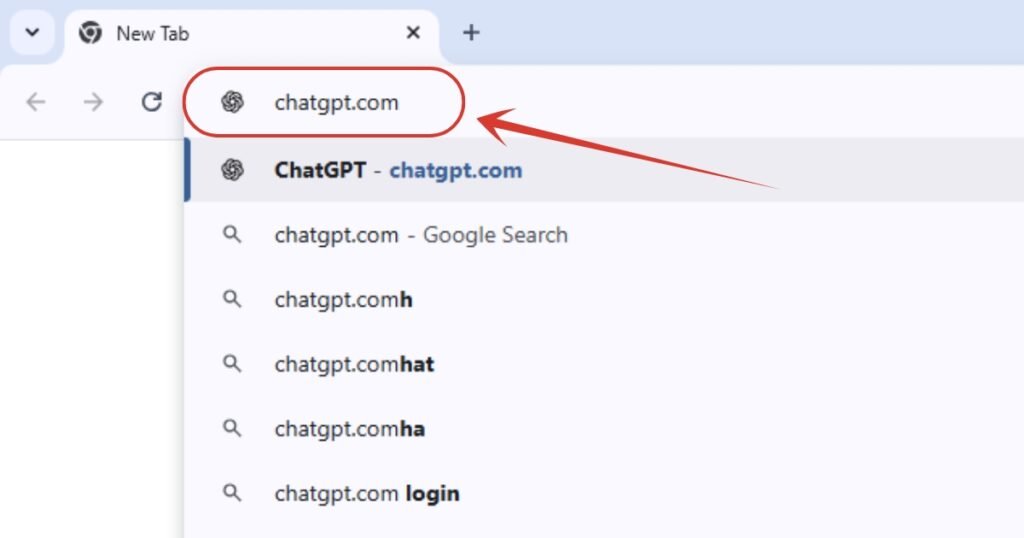
1. First we will head to https://chatgpt.com.
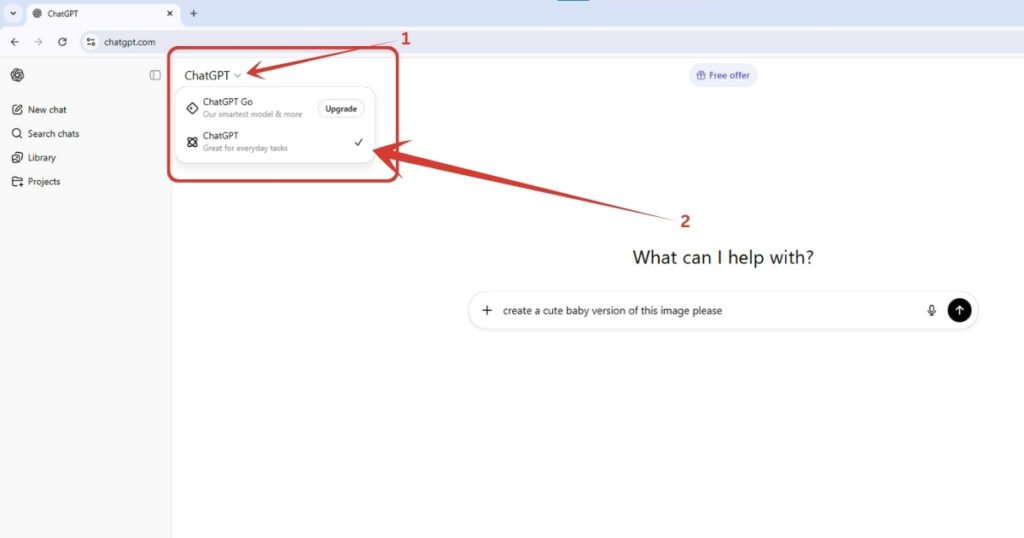
2. Click on “ChatGPT” on the upper left corner, and then make sure you are using this particular old and non updated GPT model. I have personally experienced many technical issues while using ChatGPT 5.1 model to create the neon Instagram profile image. It always throws a message that the photo doesn’t complies with their privacy. And on the other hand, the older model straightly generates it without any issues. So, make sure you use the normal and free model of GPT.
By the way, if you don’t have ChatGPT’s latest model which is GPT 5.1, so now you can claim it for 12 months, above all, absolutely free. Check here for a step by step tutorial on it.
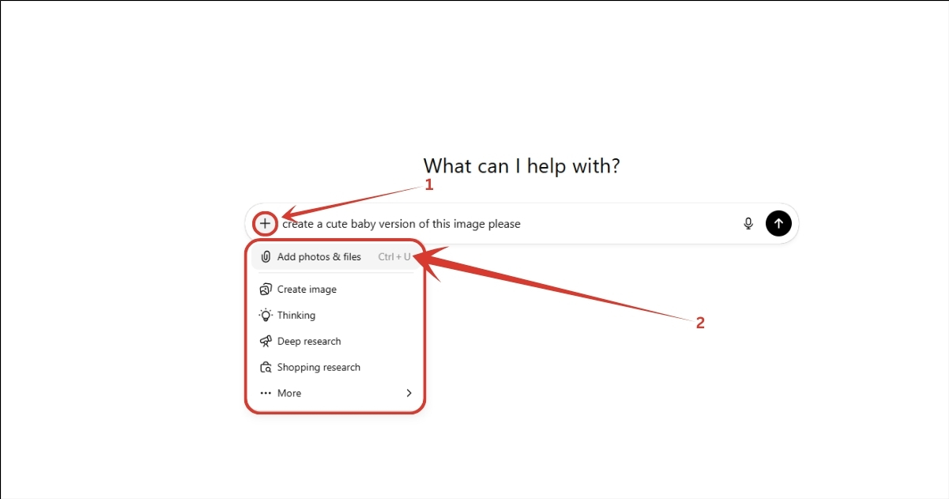
3. Then you click on the ‘+’ icon, a dropdown list will appear, select “Add photos & files” option, and select the Instagram profile photo from your computer or smartphone.
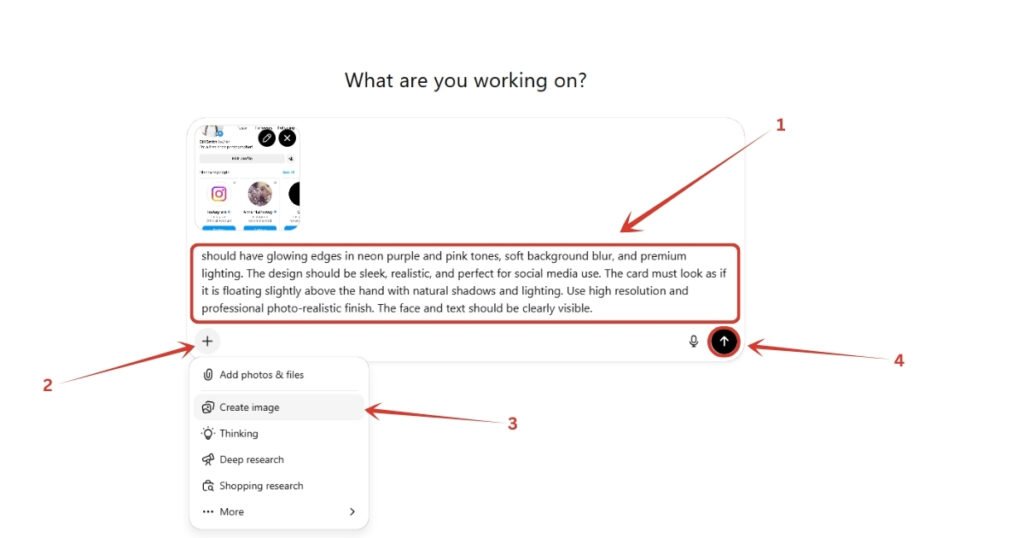
4. Then, copy and paste the below prompt, then again click on the ‘+’ icon, then select “Create image” option, and finally click on the arrow button or hit enter.
The Prompt:
“should have glowing edges in neon purple and pink tones, soft background blur, and premium lighting. The design should be sleek, realistic, and perfect for social media use. The card must look as if it is floating slightly above the hand with natural shadows and lighting. Use high resolution and professional photo-realistic finish. The face and text should be clearly visible.”
5. Now, all we need to do is wait for a few seconds while the image is being processed and generated by ChatGPT.
6. And we are done. Here is our generated glowing and neon Instagram profile. And it actually is looking amazing right
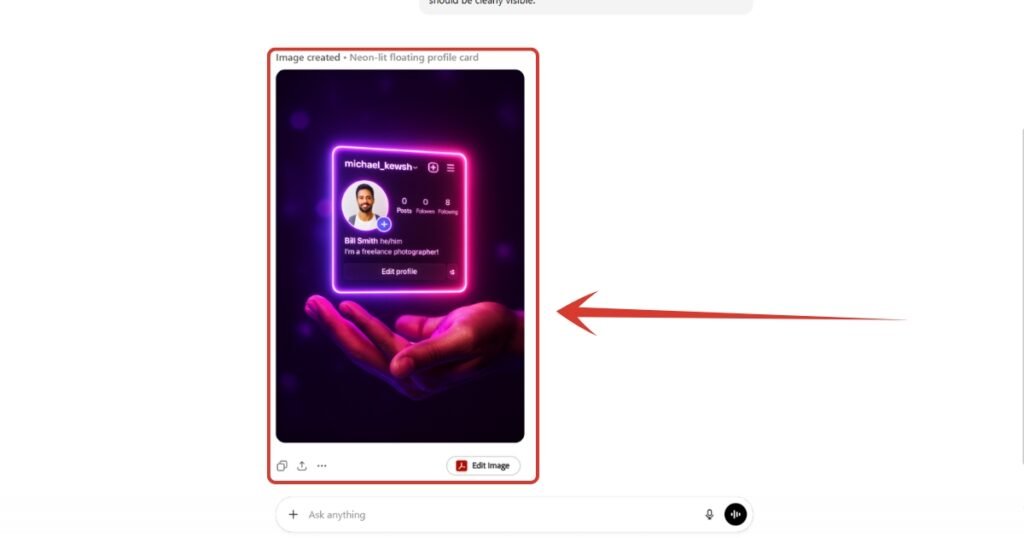
NOTE: If you don’t get the results you want on your first try, try again. Also, make sure your Instagram profile has some posts. If there’s no content, ChatGPT can get confused and may show multiple profiles, from the suggested ones, making it hard to know which one to use.
Also Read:
How to Create Instagram Trending AI Photos – Step by Step TutorialHow to Create Trending AI Glowing Girlfriend Photo for Free? Step by Step Tutorial
How to Create Birthday Baby AI Photos? Step by Step Tutorial
People Also Ask:
The new Instagram Glowing or Neon profile trend is where people are making a neon and glowing version of their Instagram profile, which is actually looking astonishing and attractive.
Go to ChatGPT, upload your Instagram profile screenshot and the prompt given in this step by step tutorial, and that’s it. After few seconds, you will have your own glowing Instagram handle image.
You can use any good and popular AI image generating tool, but I have personally tried and found ChatGPT’s free model working perfectly for it.
Yes, you can generate a neon and glowing image of your Instagram handle free of cost using AI, all you need to have is a screenshot of your profile and a well crafted prompt for it.
Conclusion
And that’s it! Creating your own glowing, neon-style Instagram profile image is actually much easier than it looks.
With just a screenshot, a simple prompt, and the free version of ChatGPT, you can produce a stunning, eye-catching design that looks professional and stands out on any social media platform.
The best part is you don’t need any advanced editing skills or expensive tools. Just follow the steps, experiment a little, and have fun with it. If your first result isn’t exactly what you imagined, don’t worry—try again with the same prompt or make small adjustments until it feels perfect.
Now that you know the process, you can create glowing versions of all your social media profiles and give your online presence a fresh, modern, and trendy look. Enjoy creating—and get ready for your followers to notice!




Leave a Reply