

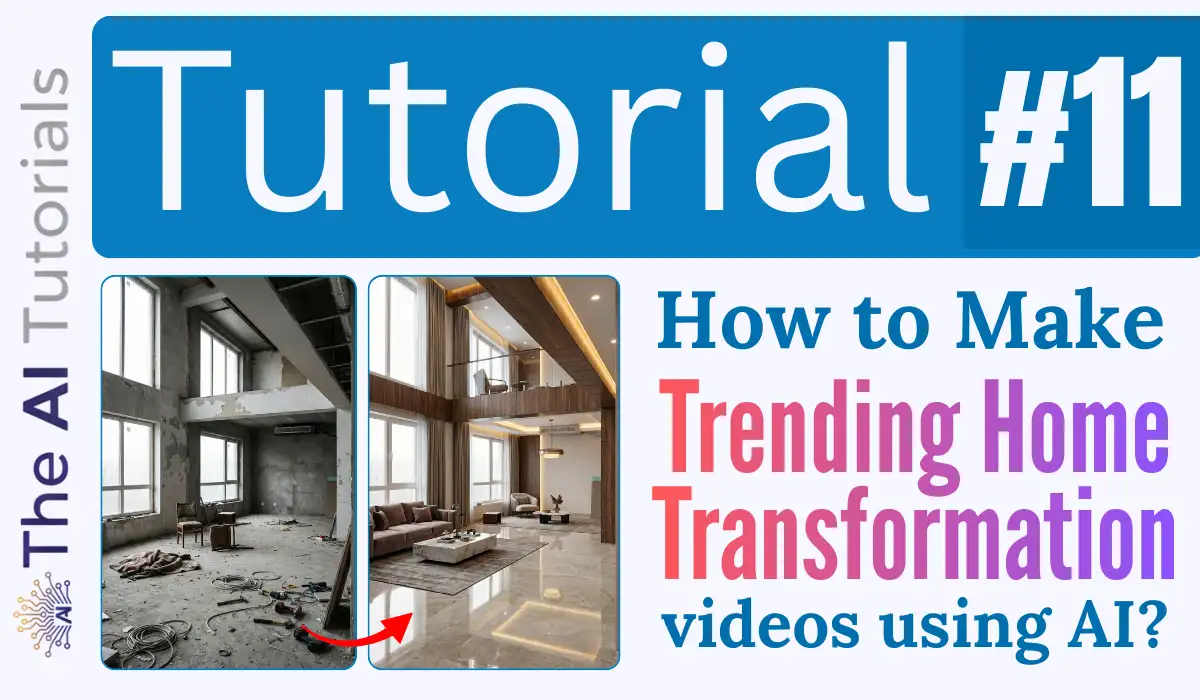
Instagram and YouTube’s feed is full of these home and room transformation videos.
They first show a contemporary room or house, and then it transforms into a clean, modern and premium room / house with a smooth animation effect which actually grabs attention.
People are watching such videos till end and the creators are getting full attention along with revenue.
Today will see a step by step tutorial to make such videos, and believe me it will hardly take 10 minutes for you to generate one video like that. So, let’s get started.
Key Takeaways:
- We will be in need of two AI tools for this, one is Nano Banana, and then Google Flow.
- Nano banana will help us creating the before and after both variations of a house or an inner interior.
- Google Flow will help us to add a smooth transition between these images, and make them ready to share on social media.
- Nano Banana and Flow both can be used for free, but for limited time. Nano Banana gives 10 generations a day I guess, and Google Flow gives 100 credits a month in it’s free plan, and each generation in Google Flow will cost you around 20 credits.
1. First we will go to https://gemini.google.com/.
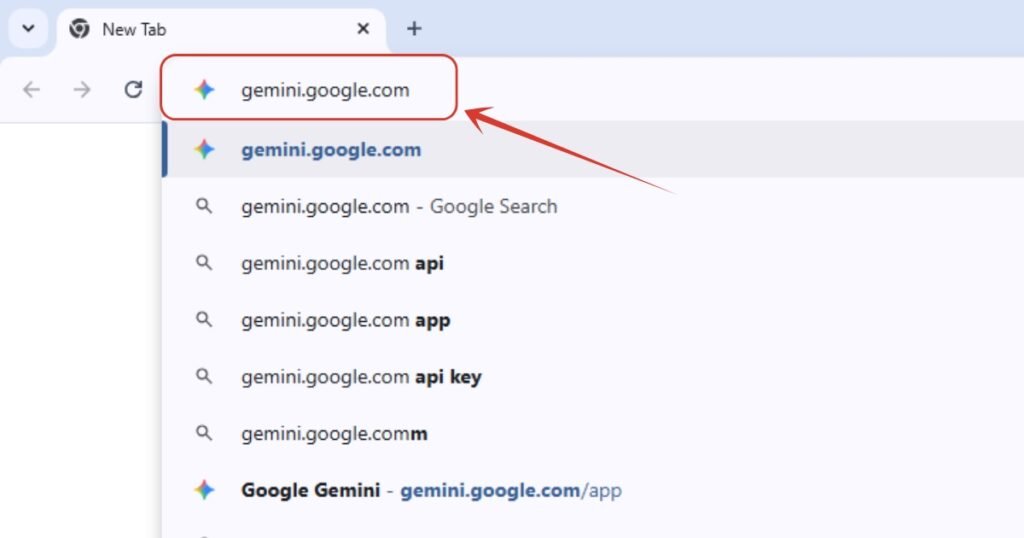
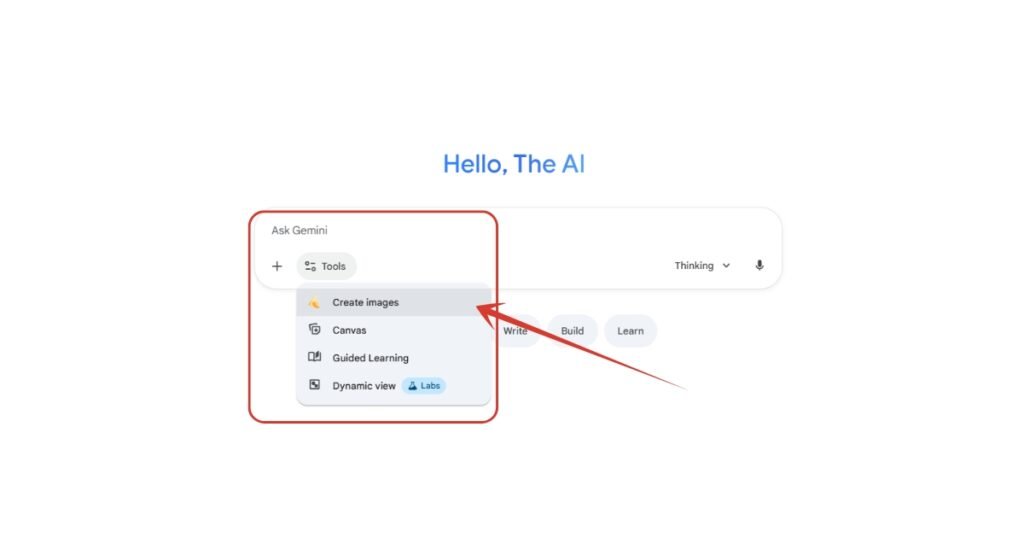
2. Select “Create images” option which will enable Nano Banana engine in the backend.
3. Now the important step comes in. Enter the prompt to generate the ‘before’ image, which can be incomplete development, dirt around etc. You can enter your own or just copy mine, modify, and paste there, and hit enter. Make sure to add Portrait 9:16 ratio.
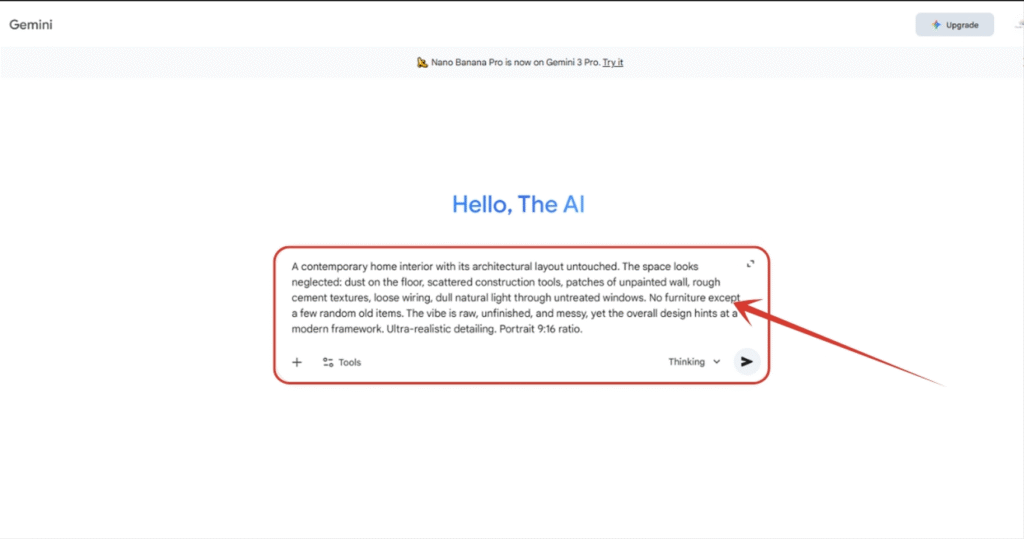
4. And here is the image we got. Download it.
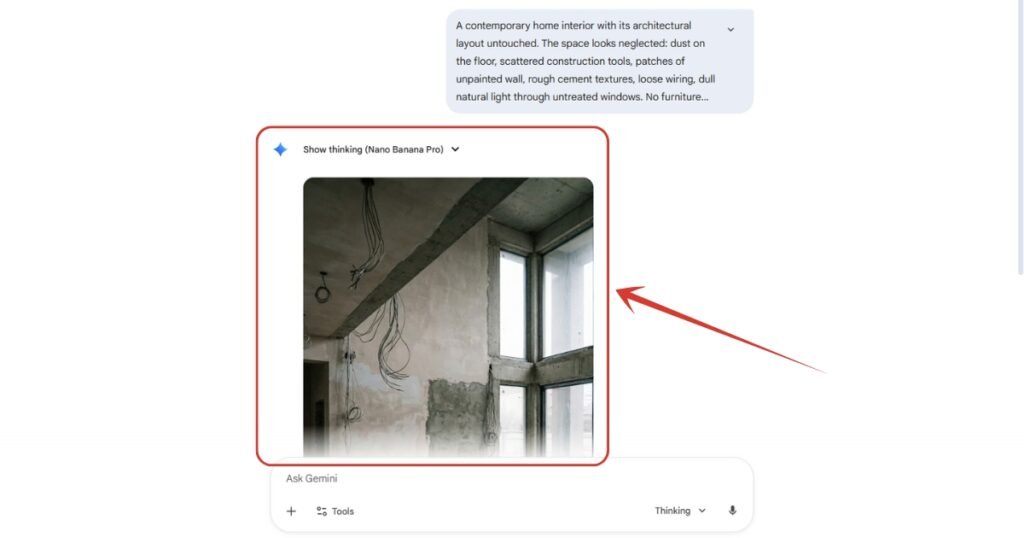
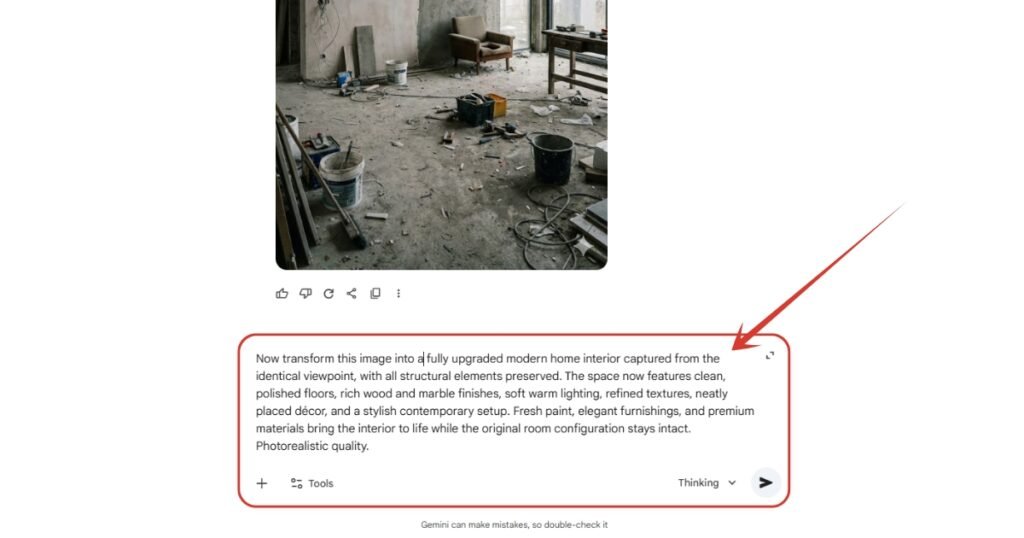
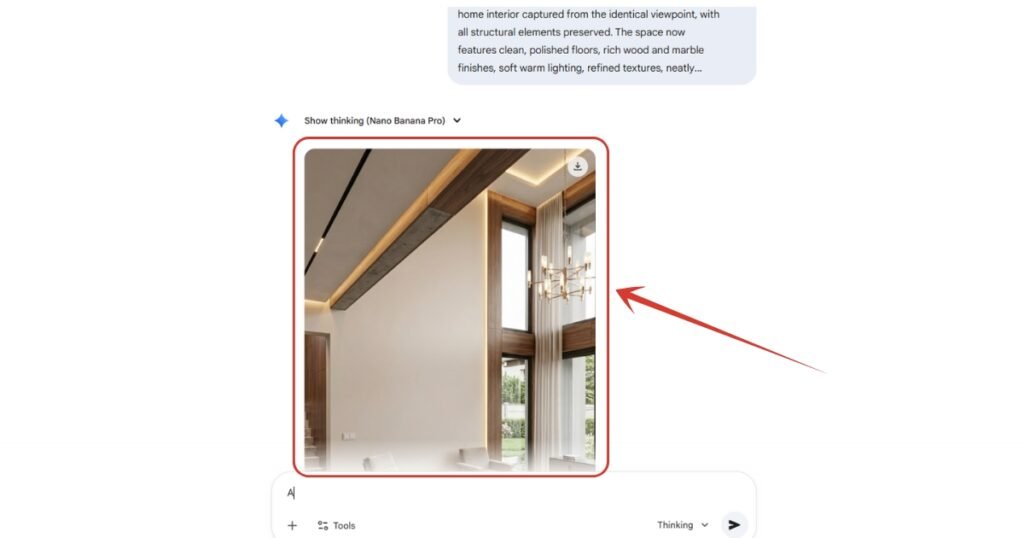
5. Now you have to give the next prompt where you have to say transform this image into a modern, clean and complete project. You can copy my prompt or can take an idea from it.
6. And we are done with the second image as well. Download it too.
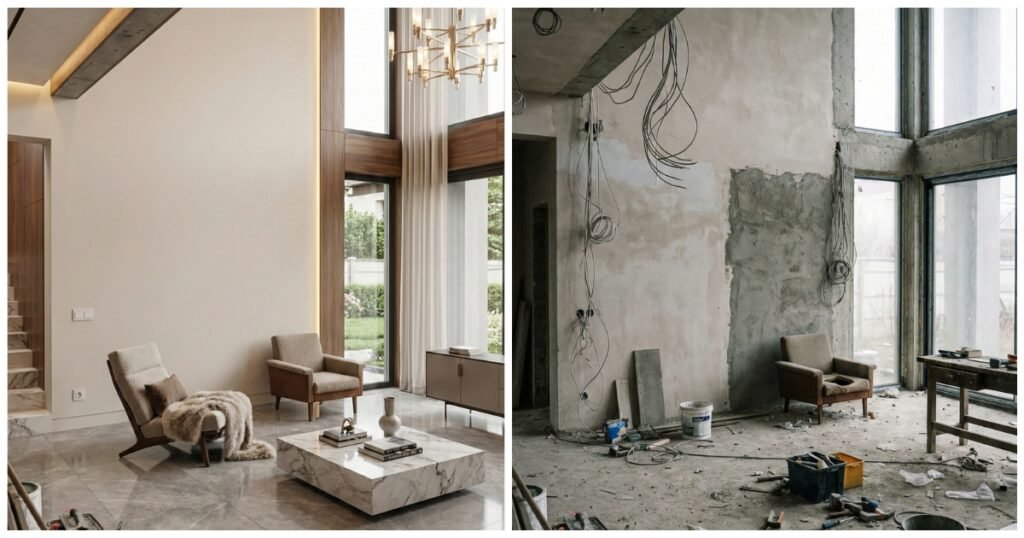
7. As you can see, now we have both the before and after image, and the next move is to add a smooth transition between them to make it look attractive and engaging.
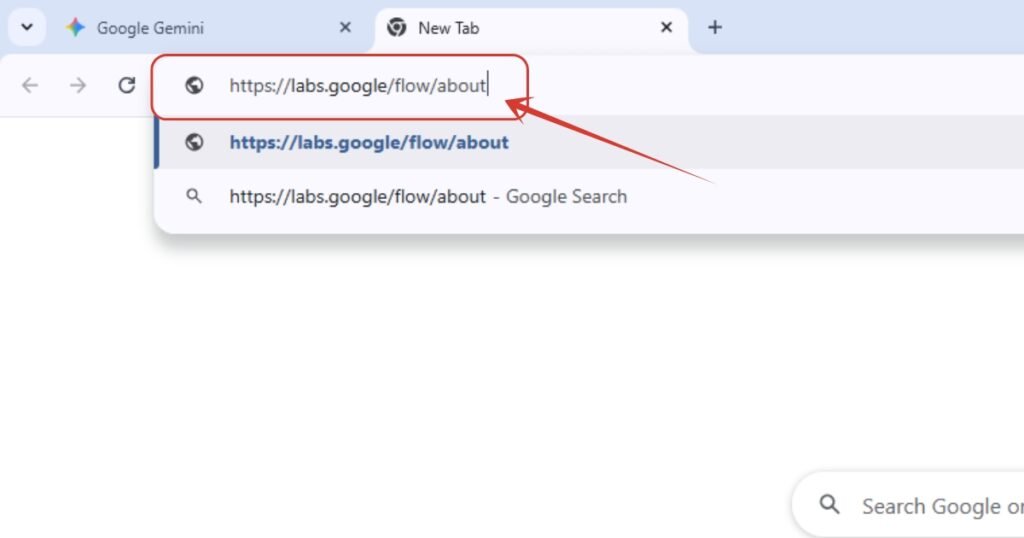
8. Now go https://labs.google/flow/about website.
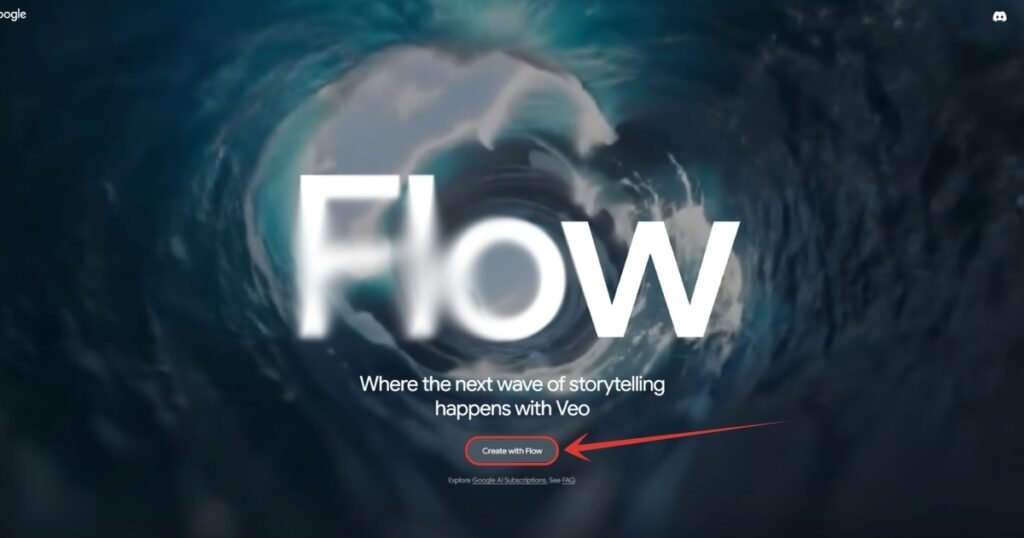
9. Then click here on “Create with Flow” button.
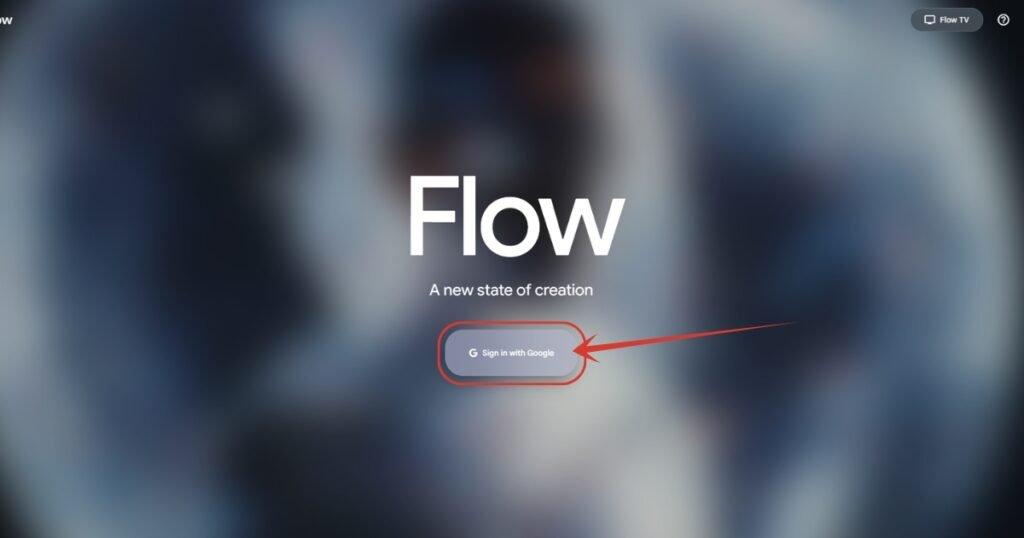
10. Next, click on “Sign in with Google” button and get into the tool.
11. It will ask to accept their privacy and policy, just click on “Continue” button.

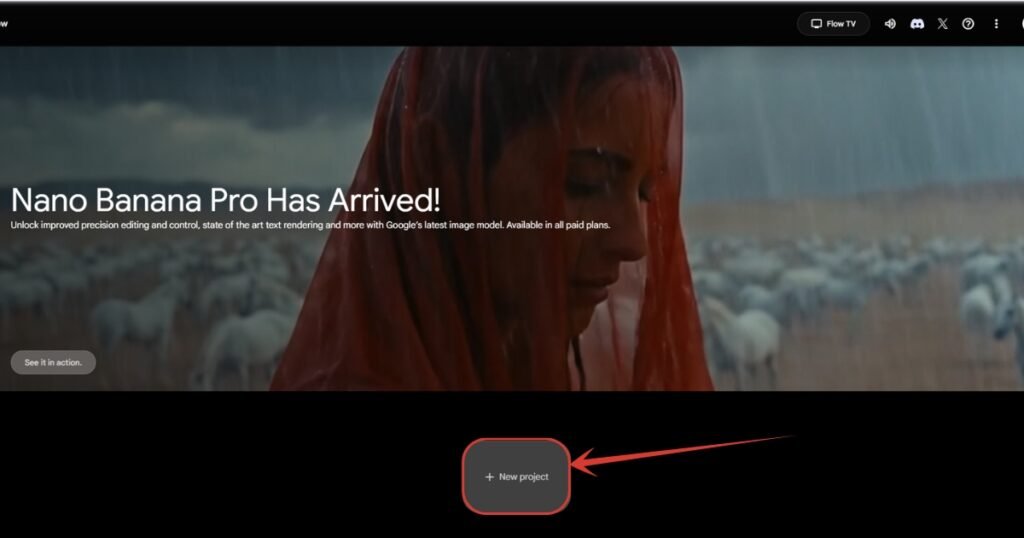
12. In the next page, click here on “New project” button.
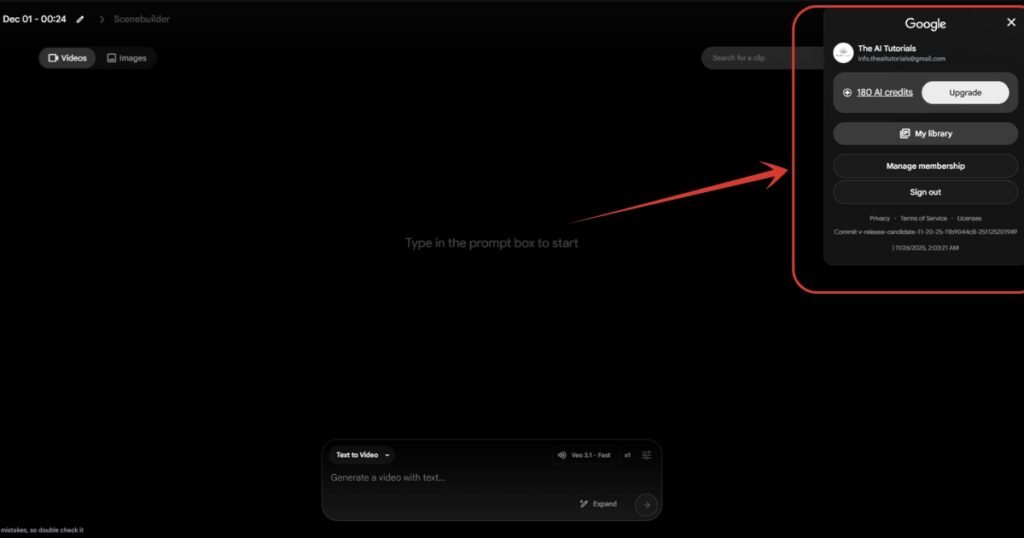
13. We are finally into the main dashboard where will add prompts, images etc. Here you can see I am left with 180 credits as I have used some before.
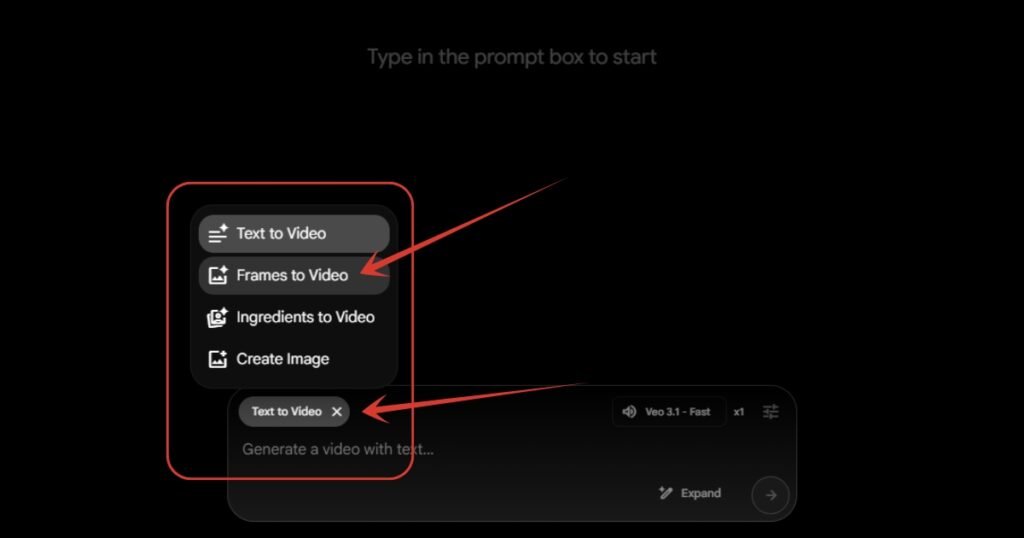
14. Click on “Text to Video” button, a list will come up, and in that list you need to select “Frames to Video” option.
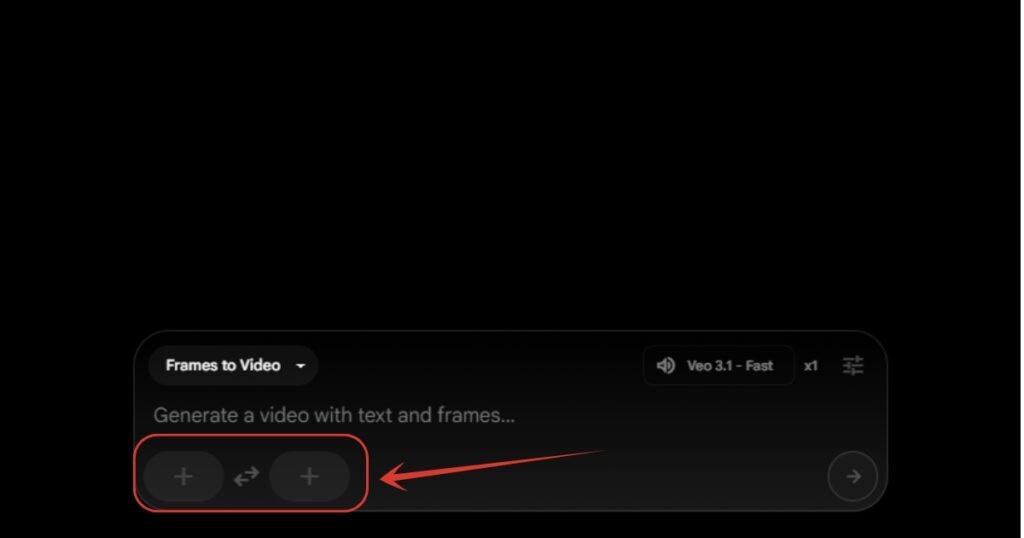
15. As you can see, after selecting the “Frame to Video” option, we have got two input slots where will be adding our before and after image.
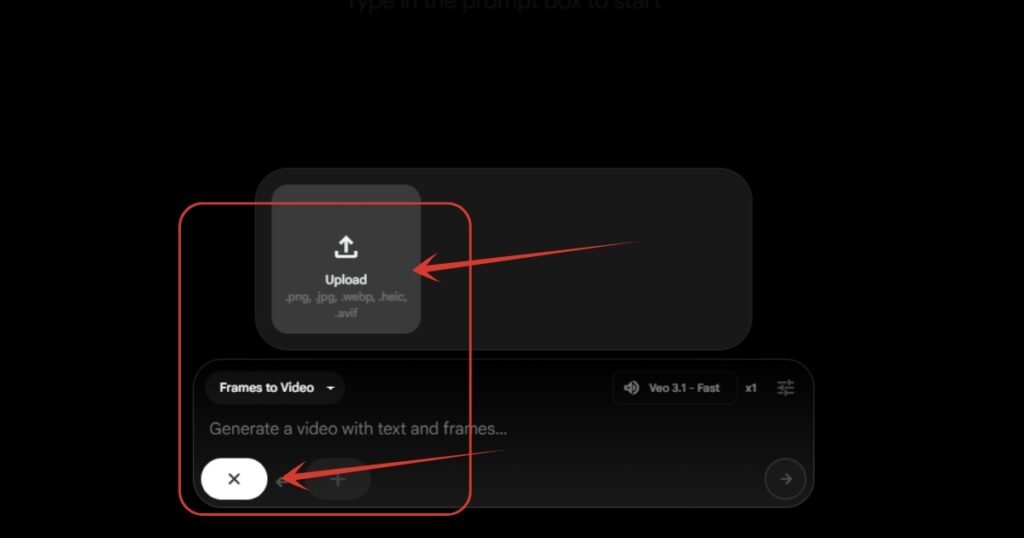
16. Click on the first left + button, then click on “Upload” button in order to upload the ‘before’ image.
17. After selecting an image from your computer or smartphone, it will ask for the aspect ratio. As you can see, it’s right now set to landscape, change it to portrait as the image we are uploading is in portrait. And then click on “Crop and Save” button.
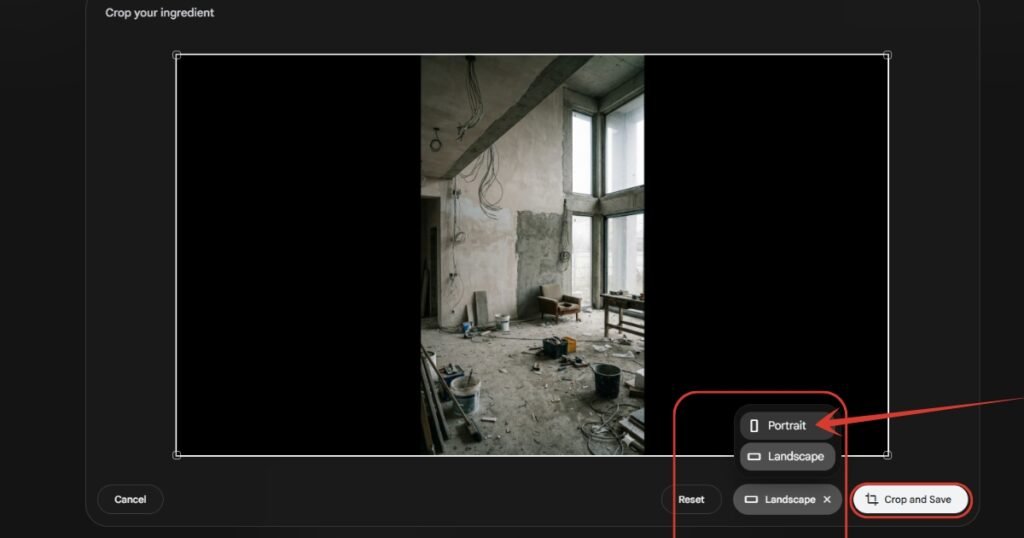
18. Do the same for the next scene too.
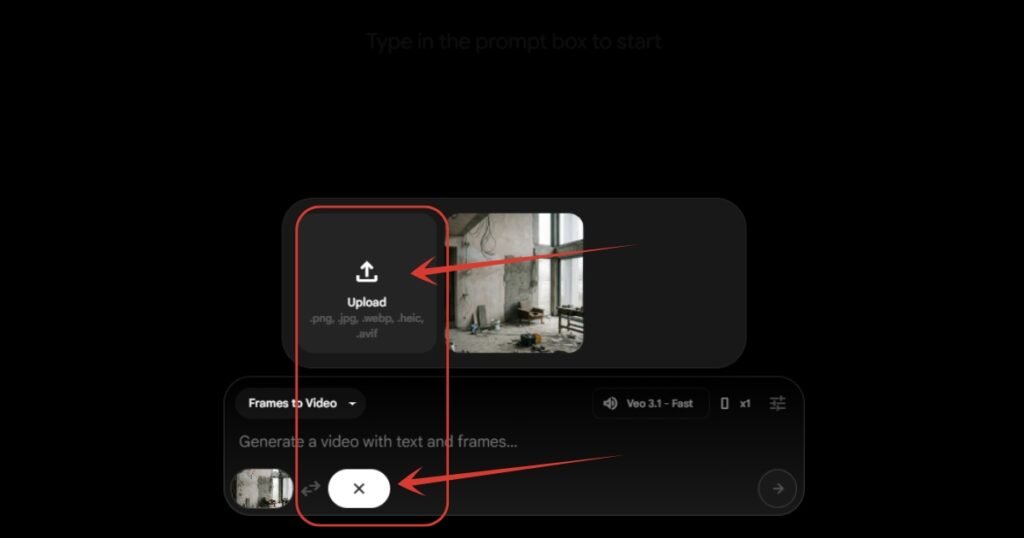
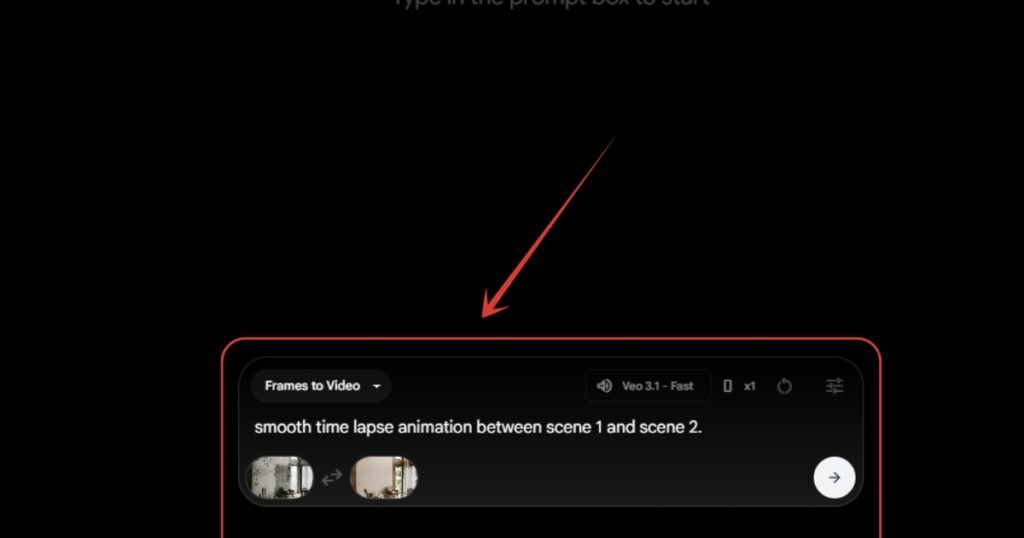
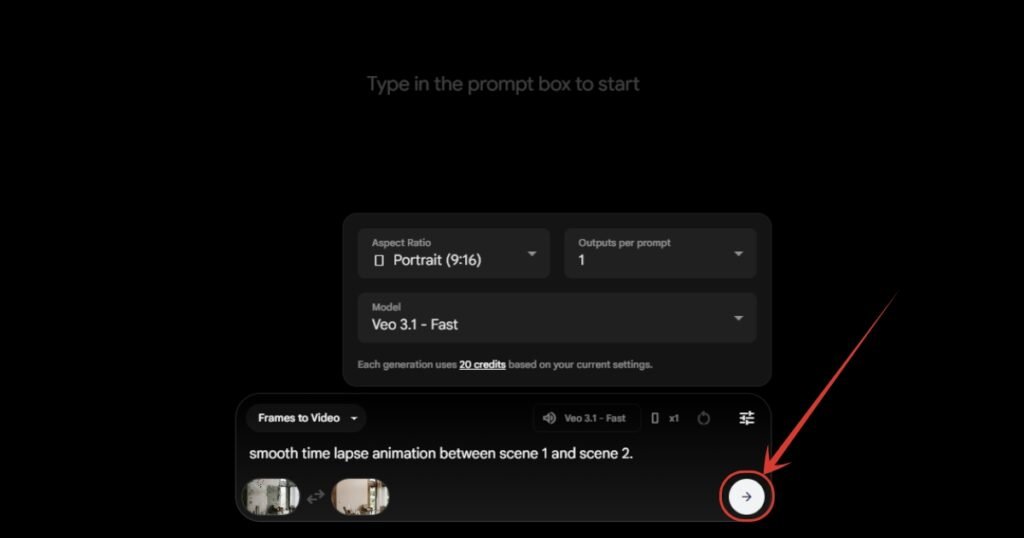
19. Now you have both the images in the scene 1 and scene 2 inputs. Now write a simple and straight forward prompt as I have done in the image.
20. Now copy the same settings as shown in the image below. I have set the ratio to portrait as the input images are in portrait. Then I have selected Output per prompt as 1, but you can select up to 4 outputs per prompt and it will cost more credits too. And then I have selected the model as Veo 3.1 – Fast, and you can read there it will cost only 20 credits per generation. If you choose any advanced mode than this, that will cost you 100 credits. Better go with this.
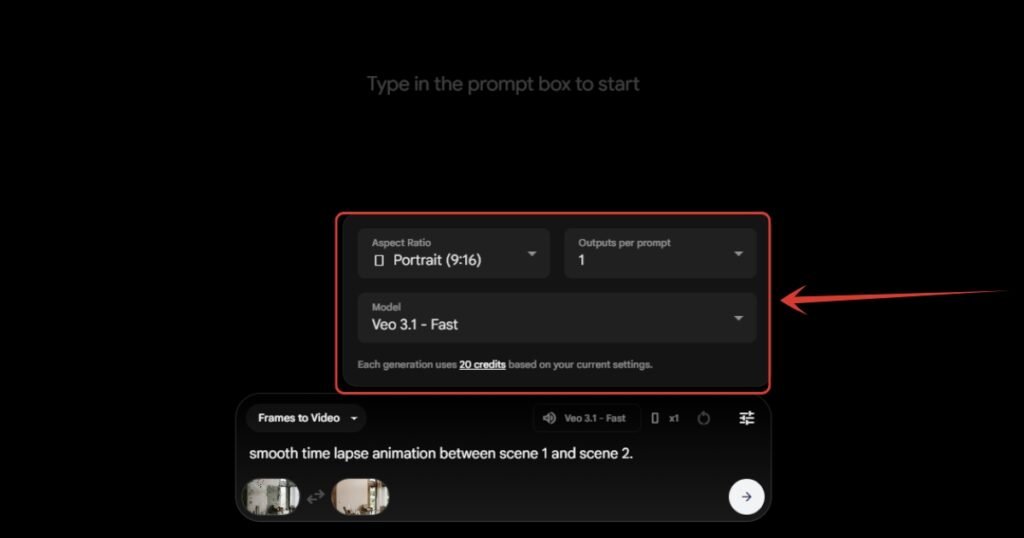
21. Now as we are done with all the settings, click on this button or simply hit enter button, and you video will start generating.
22. As you can see, the video is being generated. All we need to do is to wait, and you will get your video.
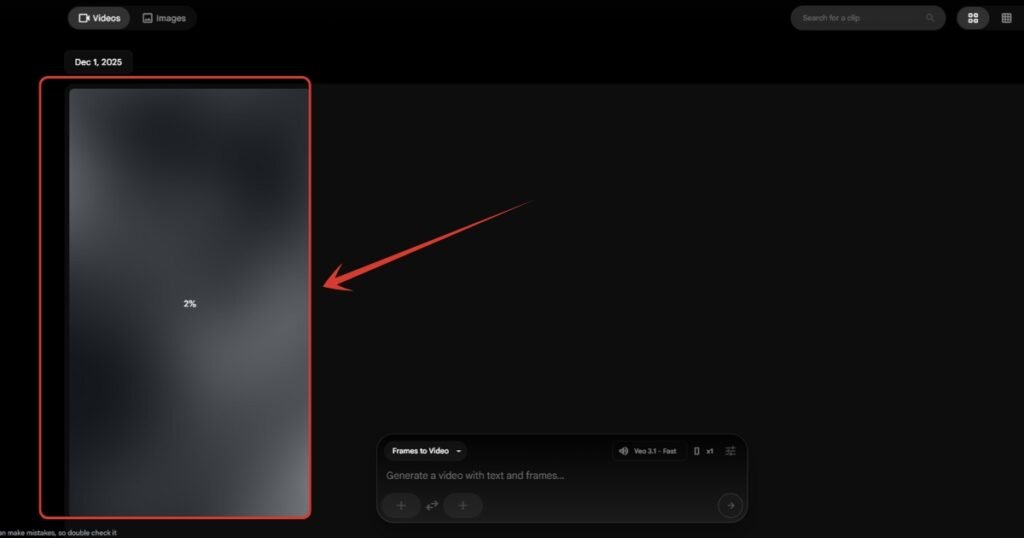
Note: If the video didn’t met your expectations, just regenerate it. Don’t make any changes with the prompt or settings I have shown as it’s tested. Even I faced many unsatisfying results, but it finally generated after 2 or 3 attempts.
Also Read:
How to Create Trending Start and End Frame AI Videos for Free? Step by Step TutorialHow to Make Trending Glowing Film Strip Coming Out of Phone Video? Step by Step Tutorial
People Also Ask:
The short answer is NO. Most of the videos you are seeing nowadays on Instagram and YouTube’s feed are likely generated through AI.
You can create the viral AI home-transformation video spreading on the internet using Nano Banana and Google Flow. You can see the step by step tutorial on it we have published already.
No, you can make such videos free of cost if you know the steps. You can use free version of Nano Banana & Google Flow to create those videos for free, but the generations will be limited.
Yes, there are many tools out there on the internet which helps you to create your concept house and render the final outcome.
Conclusion
By following this tutorial, you can now turn simple room or house photos into eye-catching “before and after” home transformation videos using free AI tools.
Using & combining Nano Banana for image generation and Google Flow for smooth transitions, anyone can now easily create vertical videos that look professional and are ready to share on Instagram, YouTube, and other social platforms.




Leave a Reply