


The wait is now over, and Gemini 3.0 is finally here.
In our previous tutorial where we saw how to use Gemini 3.0 secretly in your smartphone app, but now, despite of what device you are using, you can officially access Gemini 3.0 and benefit from it’s advanced intelligence and output.
Just for information, Gemini 3.0 has achieved an all-time high 1501 Elo on LM Arena, left models like GPT-5.1 and Gemini’s own 2.5 Pro model behind, along with delivering 2x improvement in abstract reasoning (ARC-AGI-2), which is actually 35% higher software engineering accuracy.
So without getting into too deep of such technical information, let’s jump straight at the step by step tutorial that how can you use it in your device.
Key Takeaways:
- Gemini 3.0 is now officially out for everyone to use on the web.
- It is much smarter than the older Gemini 2.5 and even beats the powerful GPT-5.1 model.
- It has a new “Thinking with 3 Pro” mode that helps it solve very hard problems and code better.
- You don’t need to use secret tricks anymore; just go to the website and switch it on.
Step by Step Tutorial:
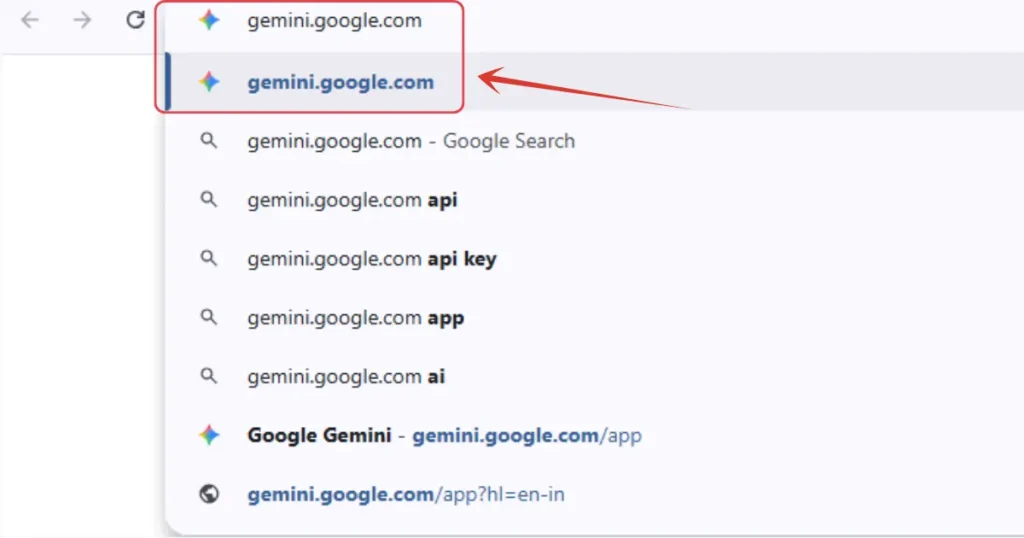
1. First, simply head to https://gemini.google.com.
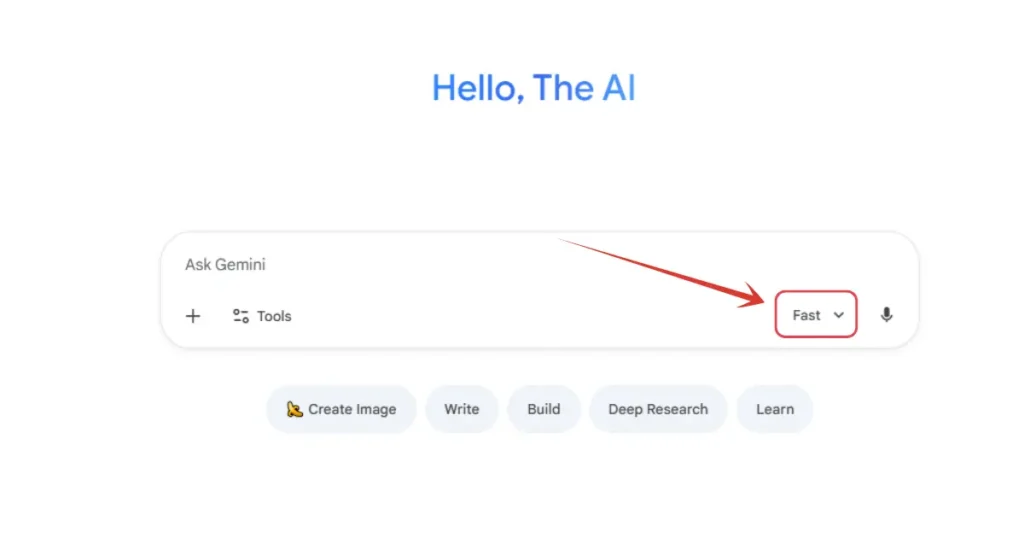
2. Click here on “Fast” button.
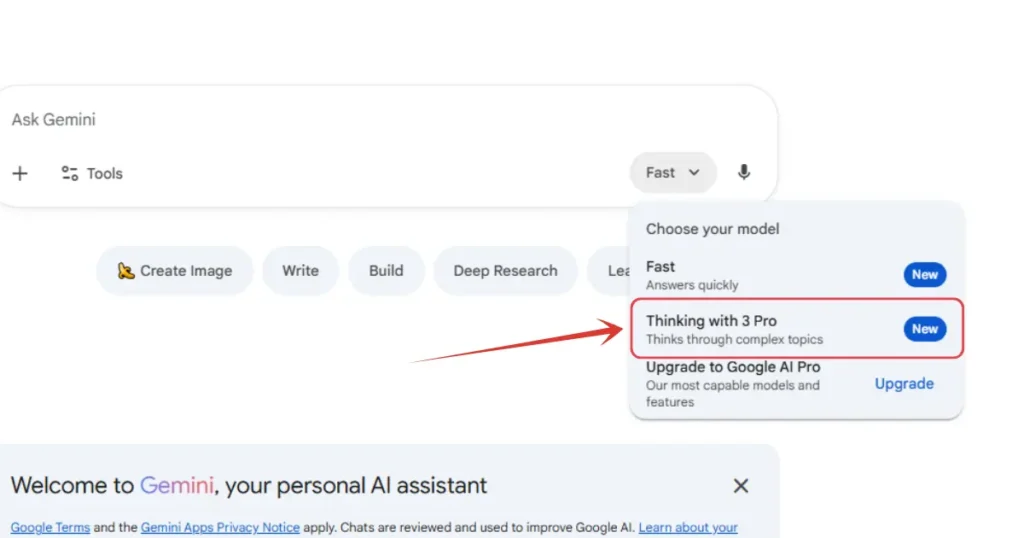
3. Select “Thinking with 3 Pro”. And now the latest model of Gemini 3.0 is loaded.
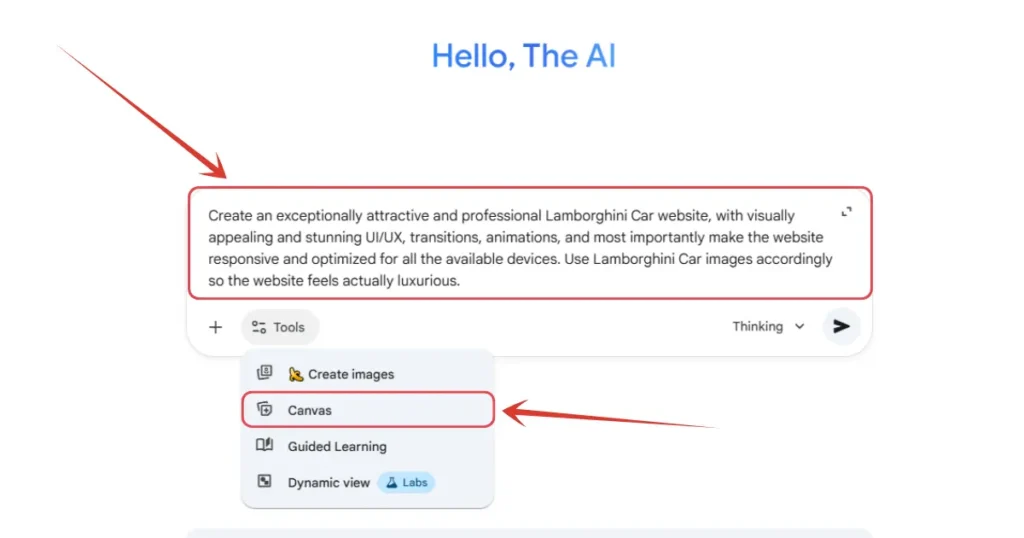
4. Now write a prompt. For instance, I am writing a prompt to build a website related to Lamborghini. You can enable Canvas as well in order to get the code in the Canvas and make the overall coding experience easier.
5. And you are done. CLICK HERE and see what Gemini 3.0 made for me.
Also Read:
How to Use skills.google: A Step-by-Step TutorialHow to Use Gemini 3.0 Secretly in Your Smartphone? Step by Step Guide
How to Install and Use Google Antigravity? Step by Step Tutorial
People Also Ask:
Google offers a free version, but the most powerful “Thinking with 3 Pro” mode might require a Gemini Advanced subscription.
Tests show Gemini 3.0 is better at “abstract reasoning,” which means it can understand complex patterns and solve new types of problems better than GPT-5.1.
This is a special mode where the AI takes a little more time to “think” deeply before answering, making it much better for math, coding, and hard logic puzzles.
Yes, you can use it through the official Google Gemini app on both Android and iPhone, or via your mobile browser.
Yes, it’s already there in your Gemini app. Just open it, switch to Gemini 3.0, and you are good to go.
Yes, it’s now officially available in almost all the countries to use.
Conclusion
The launch of Gemini 3.0 is a huge step forward. With its high scores in reasoning and coding, it is currently one of the smartest AIs you can use on your fingertips.
And the best part is how easy it is to access—just a few clicks on the website or taps on your smartphone, and you have a super-intelligent assistant ready to help you build websites, solve math problems, or simply help you in your daily tasks.




Leave a Reply