

Nano Banana, an exceptional AI image generating and editing tool by Google which actually changed the way we used to generate and edit our photos.
Everyone knows the accuracy and the stunning results of Nano Banana that how perfectly and neatly understands the prompt and edit images, change the angle of camera, remove objects, or even change the overall scene. And the good news is, it’s upgraded and more powerful version has been launched.
Let’s see by ourselves that what the Pro version of Nano Banana has in it by not only generating the image form it, but comparing it with the older version of Nano Banana.
To do so, we won’t use Nano Banana pro in Gemini or Google AI Studio, but in LM Arena, where we get options to battle, direct chat & side by side comparisons of latest and powerful models all at one place.
So, Let’s get started.
Key Takeaways:
- Nano Banana Pro is the new, smarter version of Google’s image AI. It understands hard prompts and chain task much better than the old version.
- You don’t need a paid subscription to try it; you can use the “LM Arena” website to test it for free.
- The Pro version is much better at fixing specific details, like removing fat or changing small objects, without ruining the rest of the photo.
- The best way to see the difference is to put the old and new models next to each other and run the same prompt.
More From The AI Tutorials:
How to Use Canva’s New AI Magic BG Feature? Step by Step Tutorial
How to Make Dubai’s AI Barber Machine Trending Video? Step by Step Tutorial!
How to Create The Trending 3D Figurine Mockup Using Nano Bana? Step by Step Tutorial
Step by Step Tutorial:
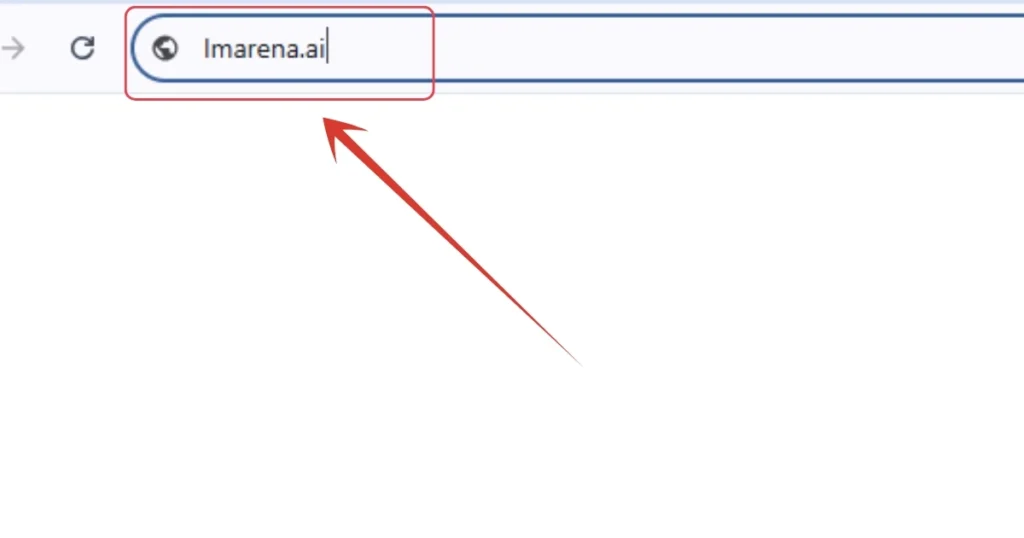
1. First, head to the LM Arena’s website by CLICKING HERE.
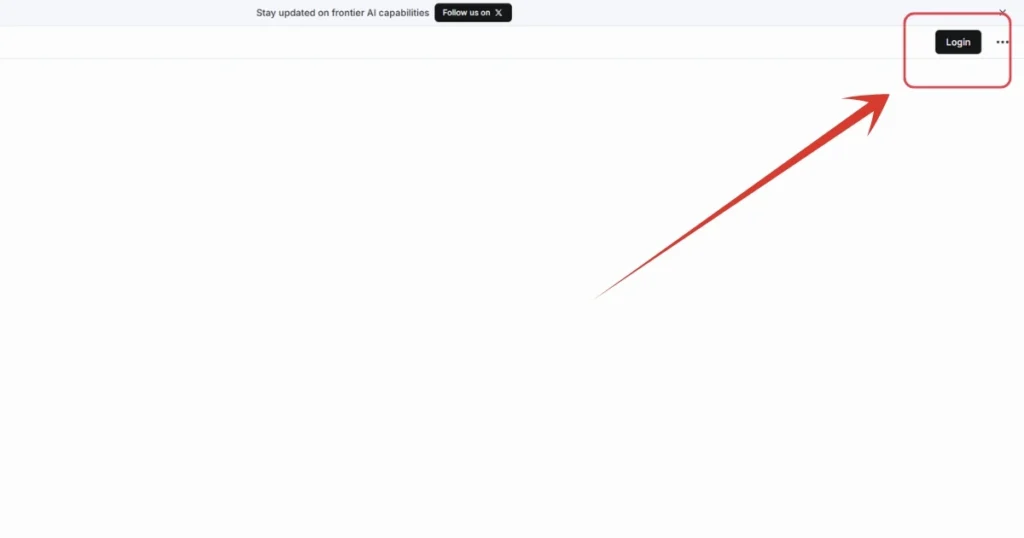
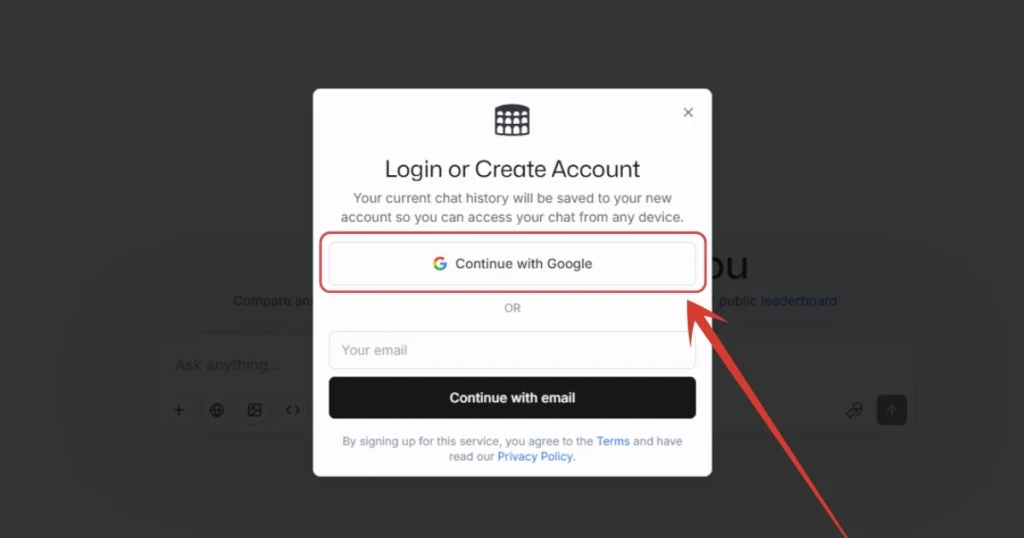
2. Sign up with your Google Account.
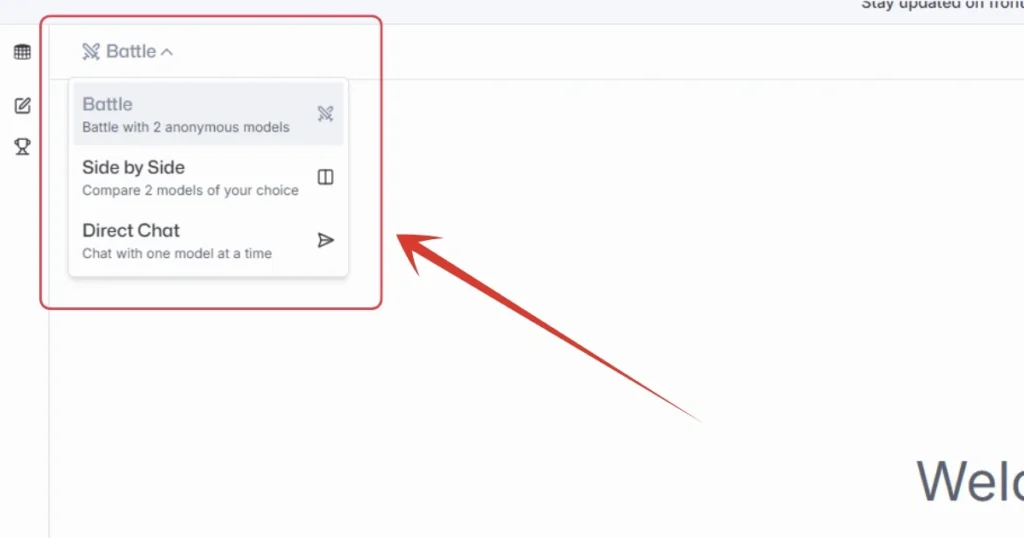
3. At the left top area, click “Battle” button and you will see a list. You can choose from either you want a direct chat, battle or a side by side comparison.
4. For now, I will select Side by Side option as I want to compare both Nano Banana & Nano Banana Pro.
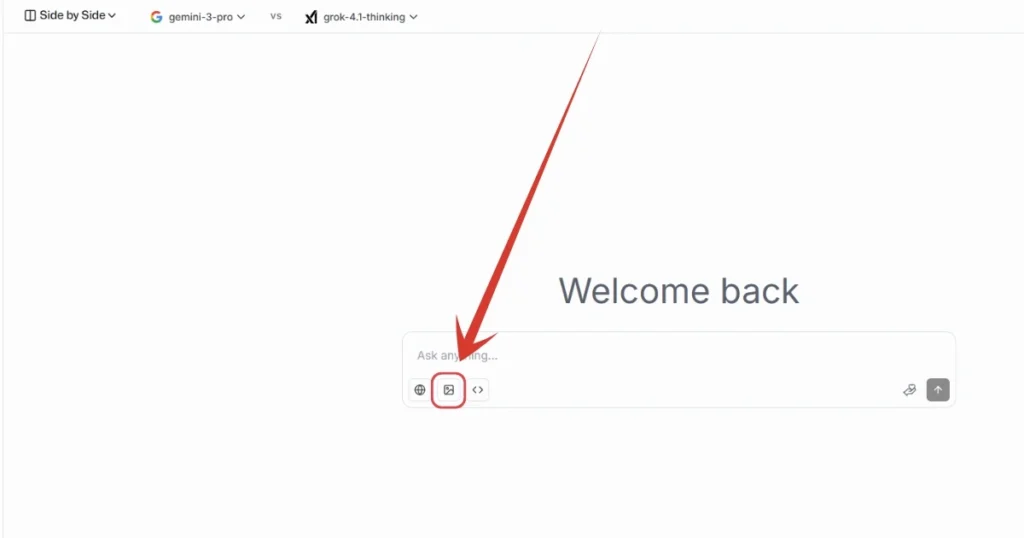
5. After that, click here on the image icon to enable image related settings and models.
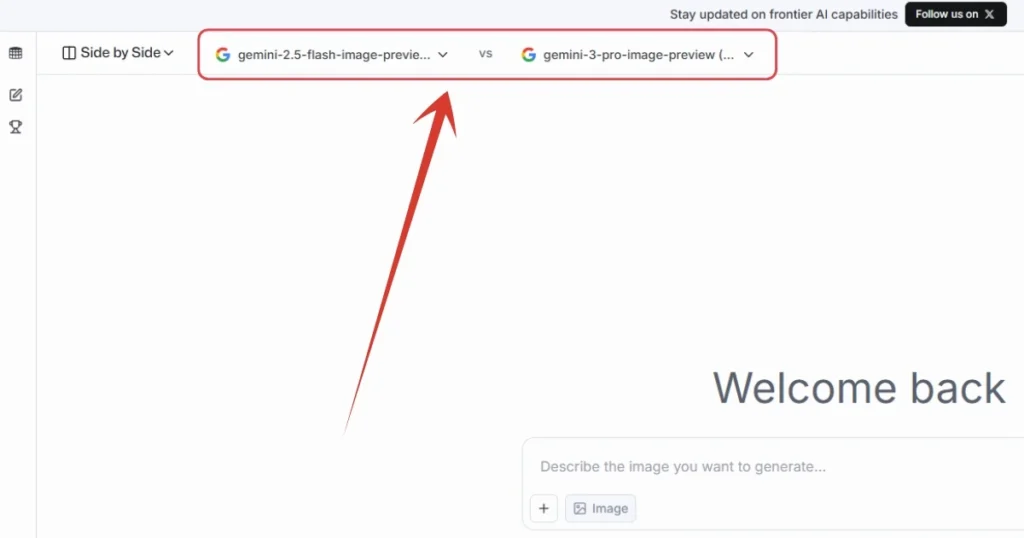
6. Set your desired models here, as I have set Nano Banana & Nano Banana Pro here.
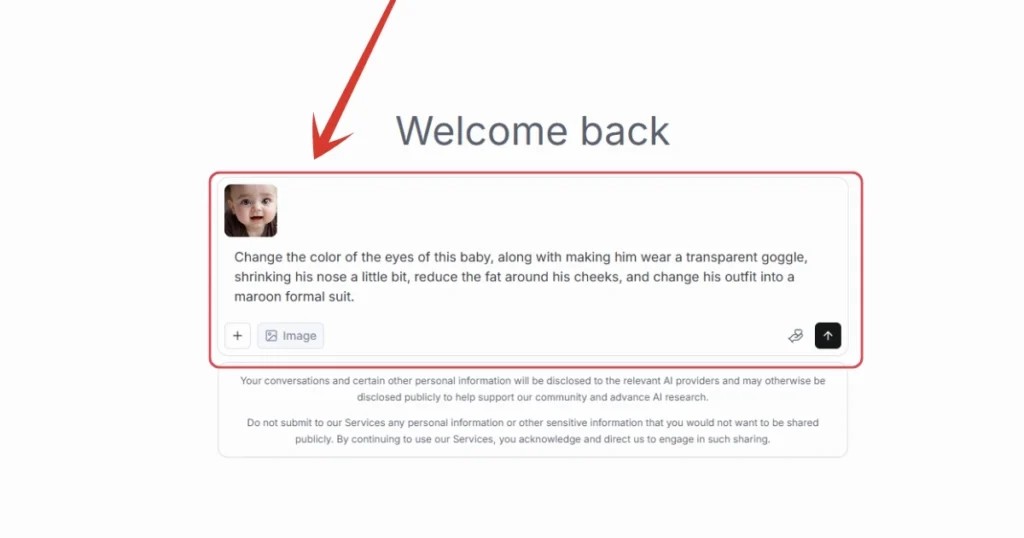
7. Now it’s time to write your prompt. Either write a prompt and generate an image, or you can upload an image by clicking on that “+” icon. I have uploaded an image of a baby, and wrote the prompt which can be seen in the image. Once you are done with all these things, hit enter. And then your generation will take place.
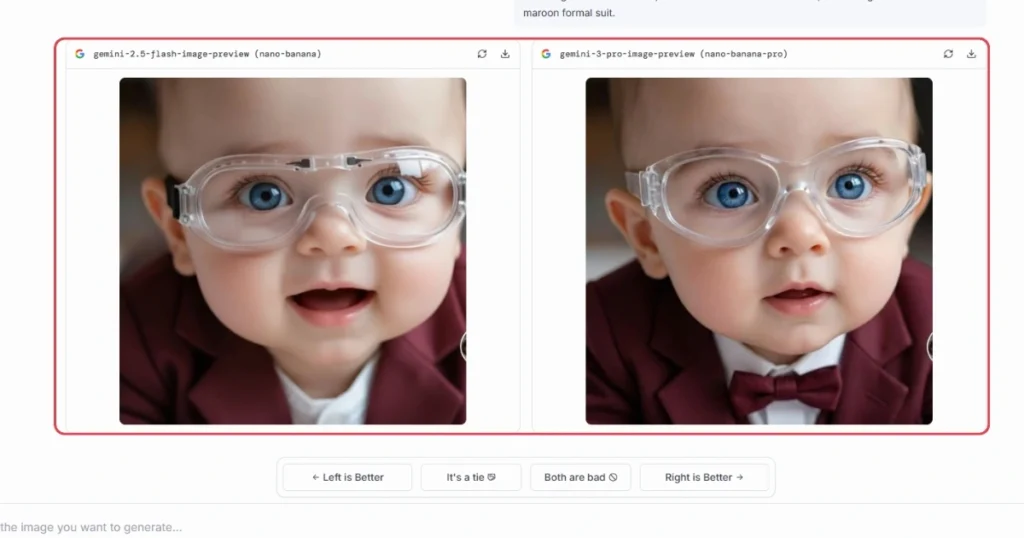
8. Here are the results from both of the models. If we look closely, Nano Banana’s old version didn’t remove the fat from the baby’s cheek as asked in the prompt, while Nano Banana Pro perfectly did it. So for me, Nano Banana Pro is actually more intelligent from the previous ones in understanding the prompt, getting the context, and not forgetting the things asked in the prompt.
Also Read:
How to Use skills.google: A Step-by-Step TutorialHow to Use Canva’s New AI Magic BG Feature? Step by Step Tutorial
How to Use Gemini 3.0 Officially – Step by Step Tutorial!
How to Install and Use Google Antigravity? Step by Step Tutorial
People Also Ask:
Nano Banana Pro is the latest, most powerful AI image generator from Google. It is smarter, creates clearer images (up to 4K), and follows instructions much better than the older versions.
“Nano Banana” is the nickname for the standard image generation model inside the Gemini app. It is great for quick and fun images but not as detailed as the Pro version.
Usually, you need an Adobe subscription to use high-end AI tools in Photoshop, but sometimes they offer limited free credits or trials. It is not completely free forever.
It is owned and developed by Google (specifically their DeepMind team).
You can use it Gemini, Google AI Studio, and in LM Arena website for free (as shown in this tutorial) or sometimes within the Gemini app if you have free daily credits.
Yes, absolutely. It makes fewer mistakes, handles text inside images much better, and understands complex changes (like “remove fat from cheek”) that the old version often missed.
Conclusion
Nano Banana Pro is a huge upgrade over the old version. While the original version too was epic, the Pro version is smart enough for real, detailed editing work.
The best part is that you don’t have to just take our word for it—by using the LM Arena method in this guide, you can test both models side-by-side for free and see the magic yourself.




Leave a Reply